
Programs on Hold
A hold is a tentative booking: a group pencils in dates, you set a hold-until date on the program, and the rooms are theirs to confirm or lose. Programs on Hold is the follow-up list — every live program carrying a hold-until date, with how long the hold has left (or how long it has sat expired), who to call, and what the booking ties up while you wait.
Open Programs on Hold
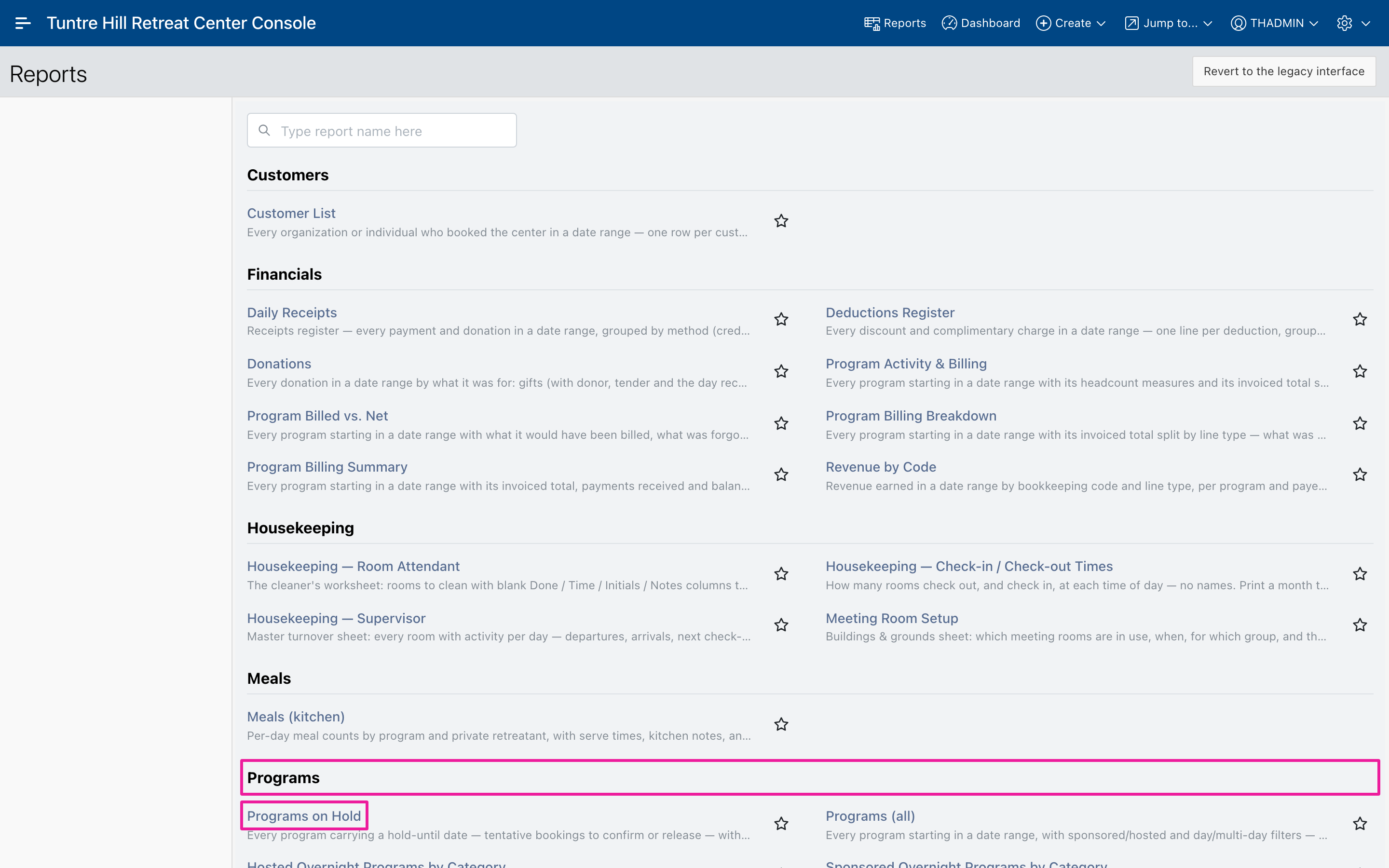
Section titled “Open Programs on Hold”Click ‘Reports’ on the top bar, then find ‘Programs on Hold’ in the Programs section.
Pick the range
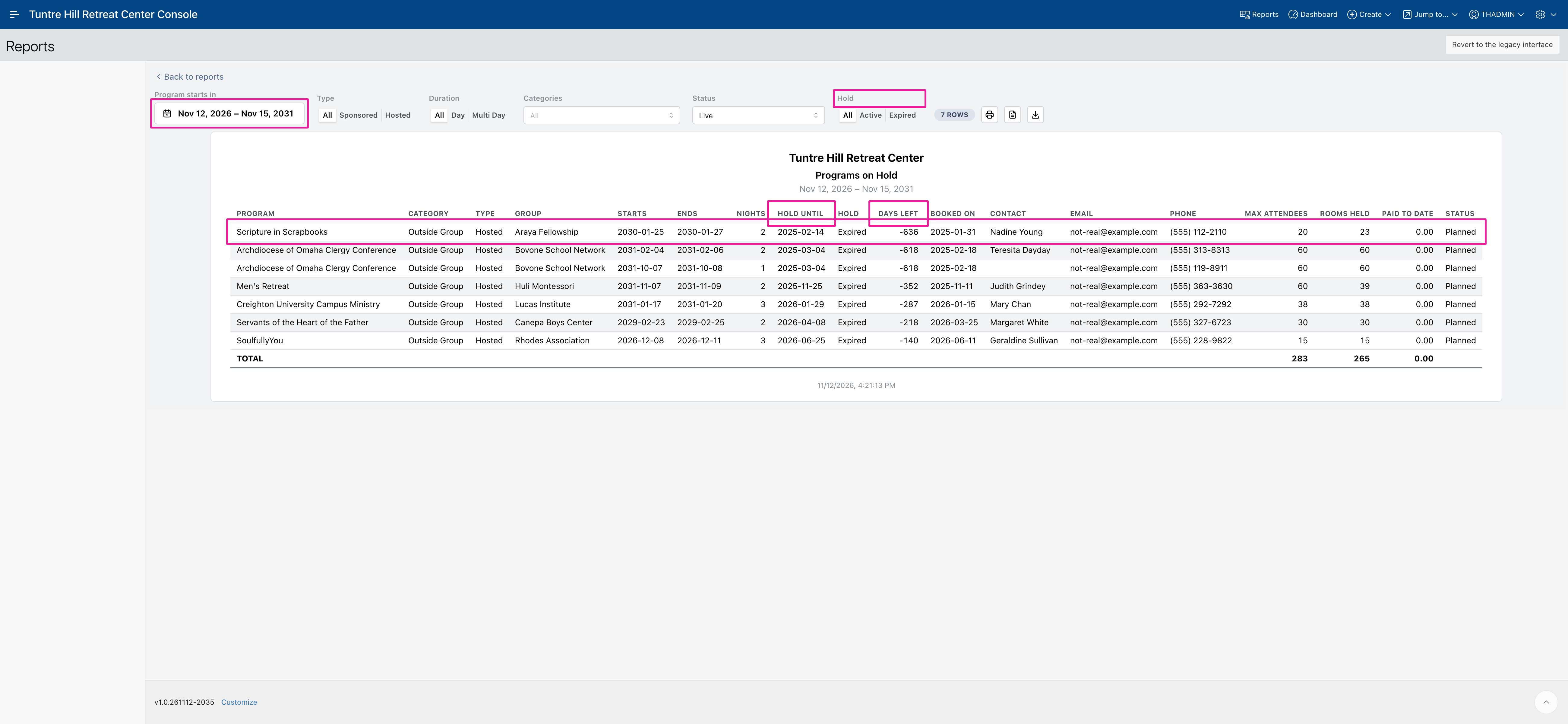
Section titled “Pick the range”‘Program starts in’ opens on the next five years — holds are usually set far ahead, so a short window would miss most of them. The ‘Type’, ‘Duration’, ‘Categories’, and ‘Status’ filters are the program list’s usual ones, and ‘Hold’ narrows to ‘Active’ holds or ‘Expired’ ones; it starts on ‘All’, with the most overdue holds first.
Read it
Section titled “Read it”Each row is one held program: its dates and nights, the group, ‘Hold until’, whether the hold is still running (‘On hold’) or past (‘Expired’), and ‘Days left’ — negative once the date has passed, so the top of the report is the call you should have made longest ago. ‘Booked on’ says when the booking was made, and ‘Contact’, ‘Email’, and ‘Phone’ are who to call: the program’s own contact when it has one — even a name just typed onto the program — otherwise the group’s.
The last columns are what the hold is worth and what it costs you: ‘Max attendees’, ‘Rooms held’ — how many rooms the tentative booking is keeping off the market — and ‘Paid to date’, the same paid figure as the Program Billing Summary, so you can see at a glance whether a deposit ever arrived. A hold with money against it is usually a booking to confirm; an expired hold with nothing paid is rooms to release.
Use the printer icon to print the list, or the two icons beside it to export a Word document or a CSV file.