
Meeting Room Schedule
The Meeting Room Schedule is the setup crew’s sheet: every meeting-room booking day by day, with the time, the program using it, the room, the setup instructions, and any requested equipment. Print it for the week and the crew knows exactly which rooms to prepare, how, and by when.
Open Meeting Room Schedule
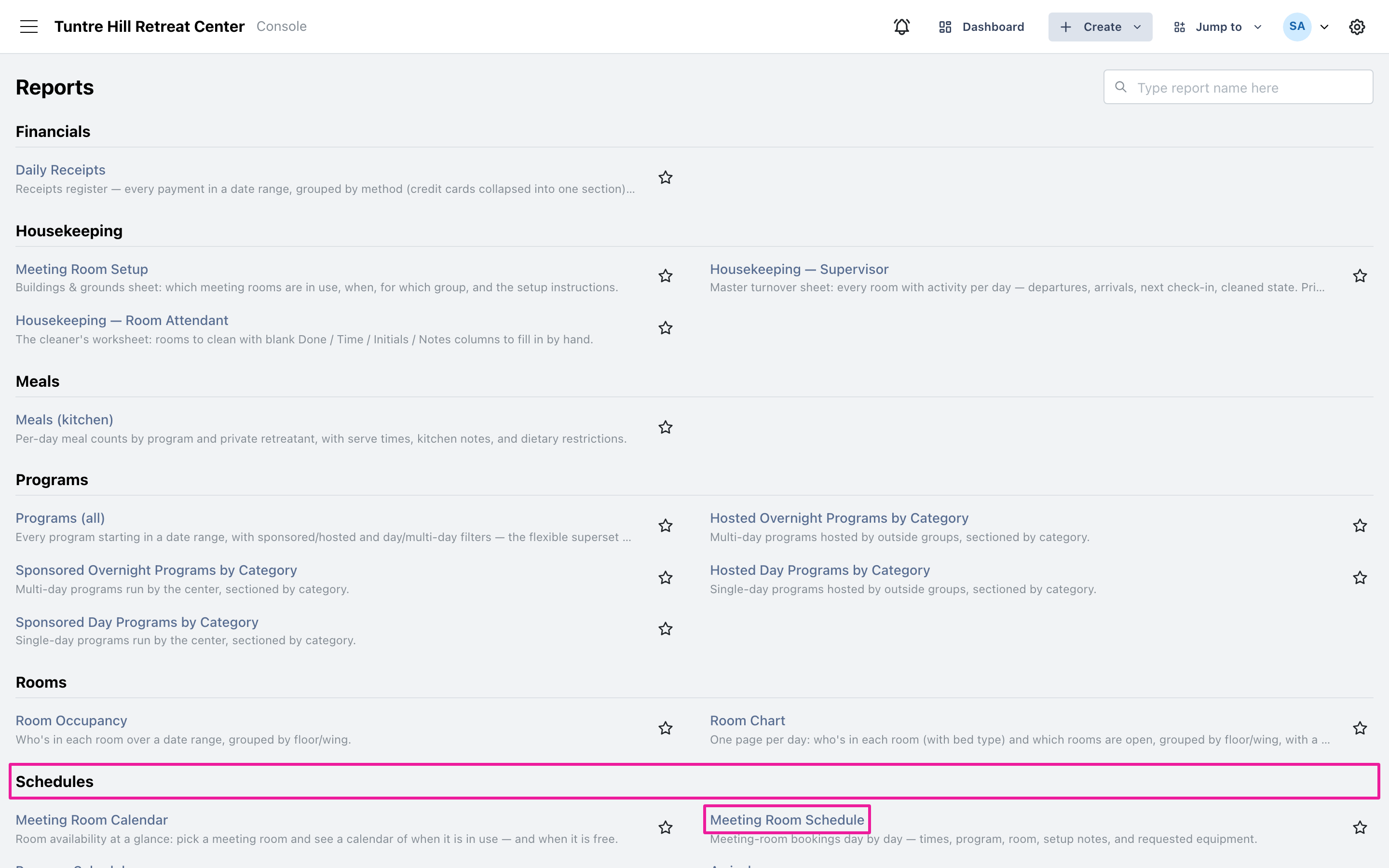
Section titled “Open Meeting Room Schedule”Click the menu icon on the top-left and select ‘Reports’ > ‘All Reports’, then find ‘Meeting Room Schedule’ in the Schedules section.
Pick the days
Section titled “Pick the days”The report opens on the current week; click the date range button for any other stretch. The ‘Setup notes’ and ‘Equipment’ switches are both on to start — turn one off for a tighter sheet when you only need the bookings themselves.
Read the sheet
Section titled “Read the sheet”Each day lists its bookings in time order: the hours the room is reserved, the program, and the room. ‘Setup’ carries the room-preparation instructions (“tables/chairs for participants…”, “as is”), and ‘Equipment’ the requested gear. A booking with a blank Setup column needs no special preparation.
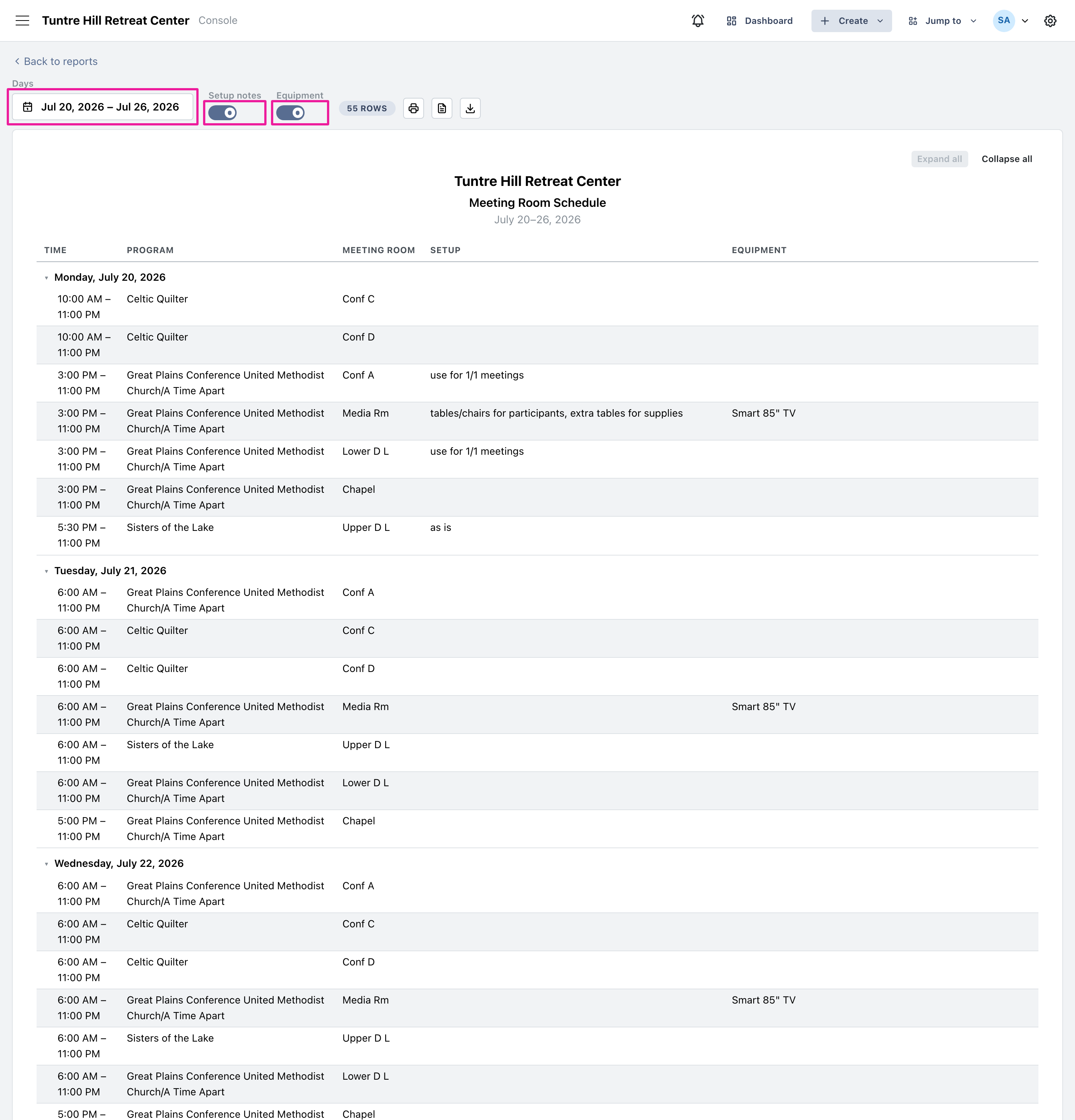
Use the printer icon to print it, or the two icons beside it to export a Word document or a CSV file.