
Refunds and Voids
A card charge is reversed from the payment itself: open it and the card actions are at the top. A charge that hasn’t settled yet is voided whole; a settled one is refunded, in full or in part. Each reversal is its own record on the account, the card is credited by your processor, and a refund receipt goes to the payer. A donation paid by card is reversed the same way from the gift’s own page.
Open the payment
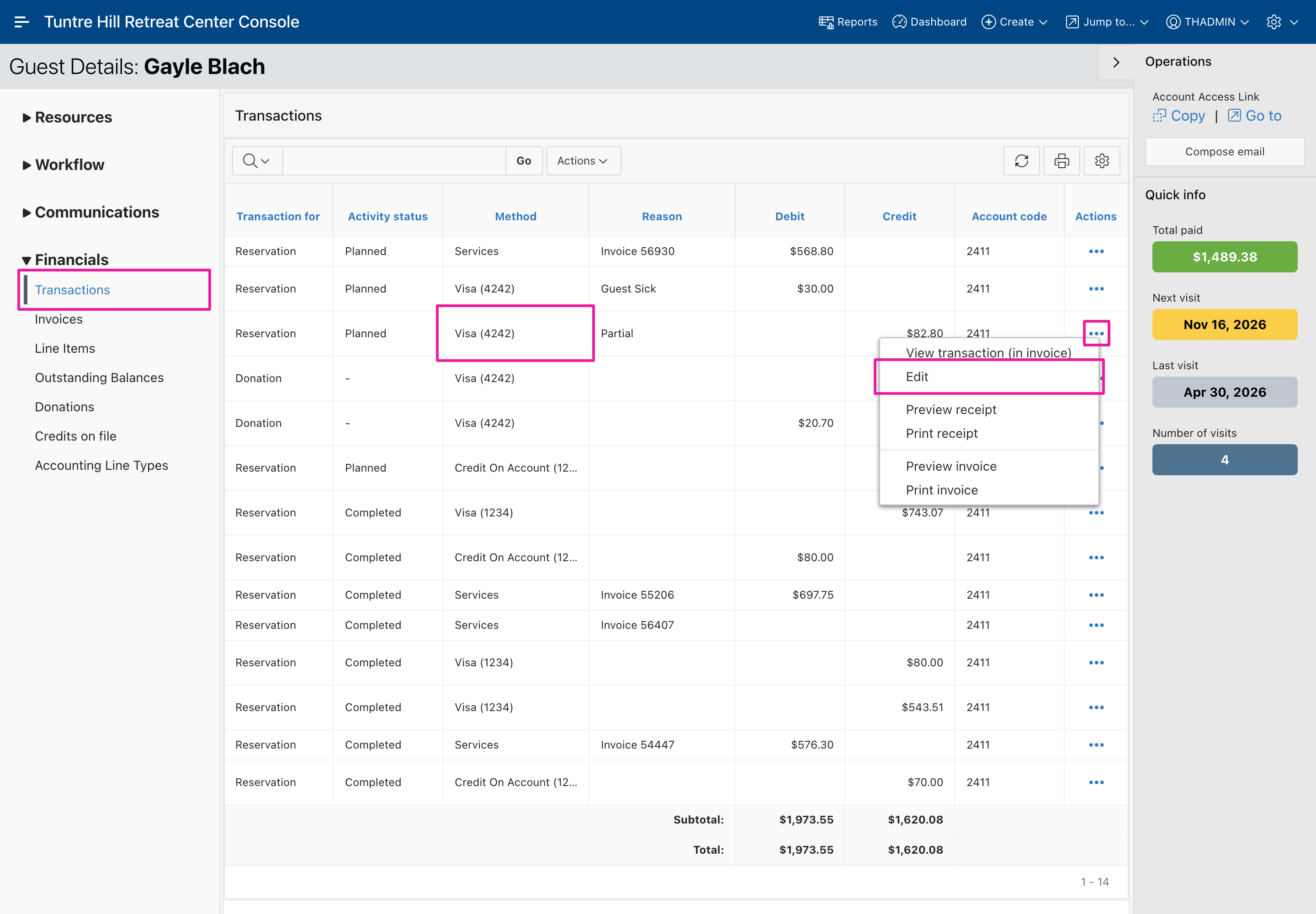
Section titled “Open the payment”Open the guest’s page, expand Financials on the left and click ‘Transactions’. Click the three dots at the end of the card payment’s row and select ‘Edit’.
Refund part or all of a charge
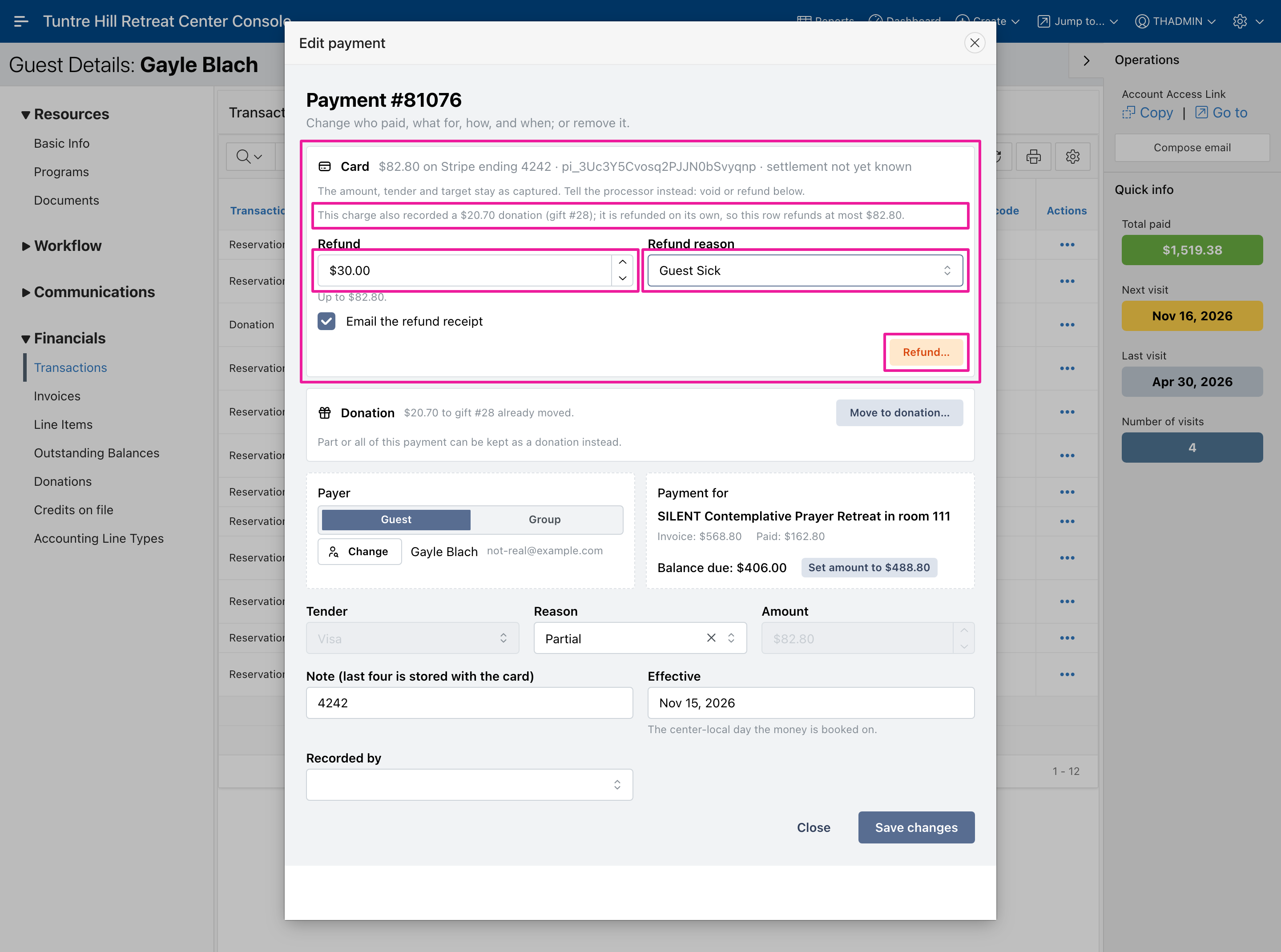
Section titled “Refund part or all of a charge”The card actions sit above the payment’s details and tell you what the processor allows: ‘Void’ while the charge is still unsettled, ‘Refund’ once it has settled, with the most that can come back. Type the ‘Refund’ amount (it starts at the full amount), pick a ‘Refund reason’, and click ‘Refund’.
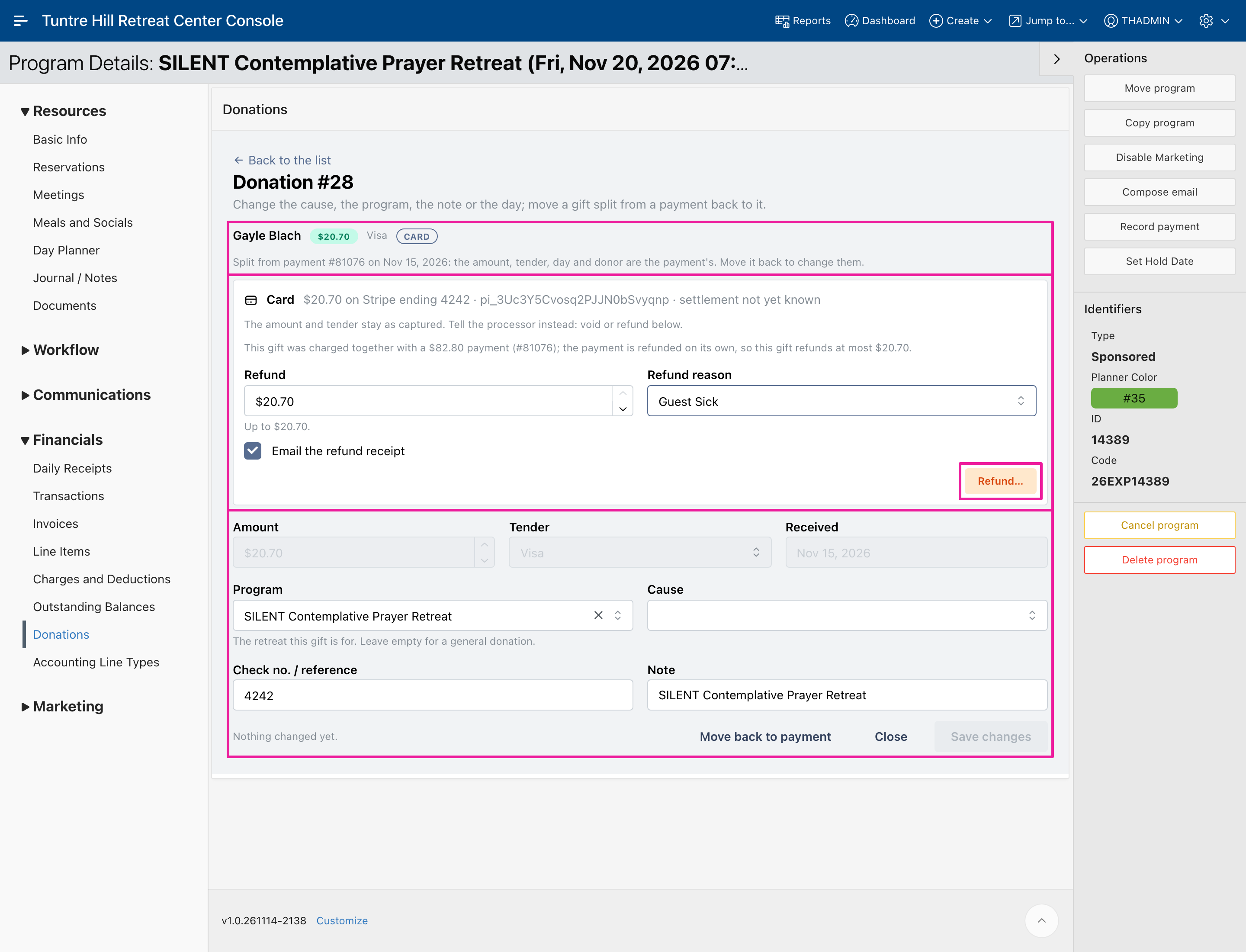
When the charge also recorded a donation, a note says so and the payment refunds at most its own share; the gift is refunded on its own (below).
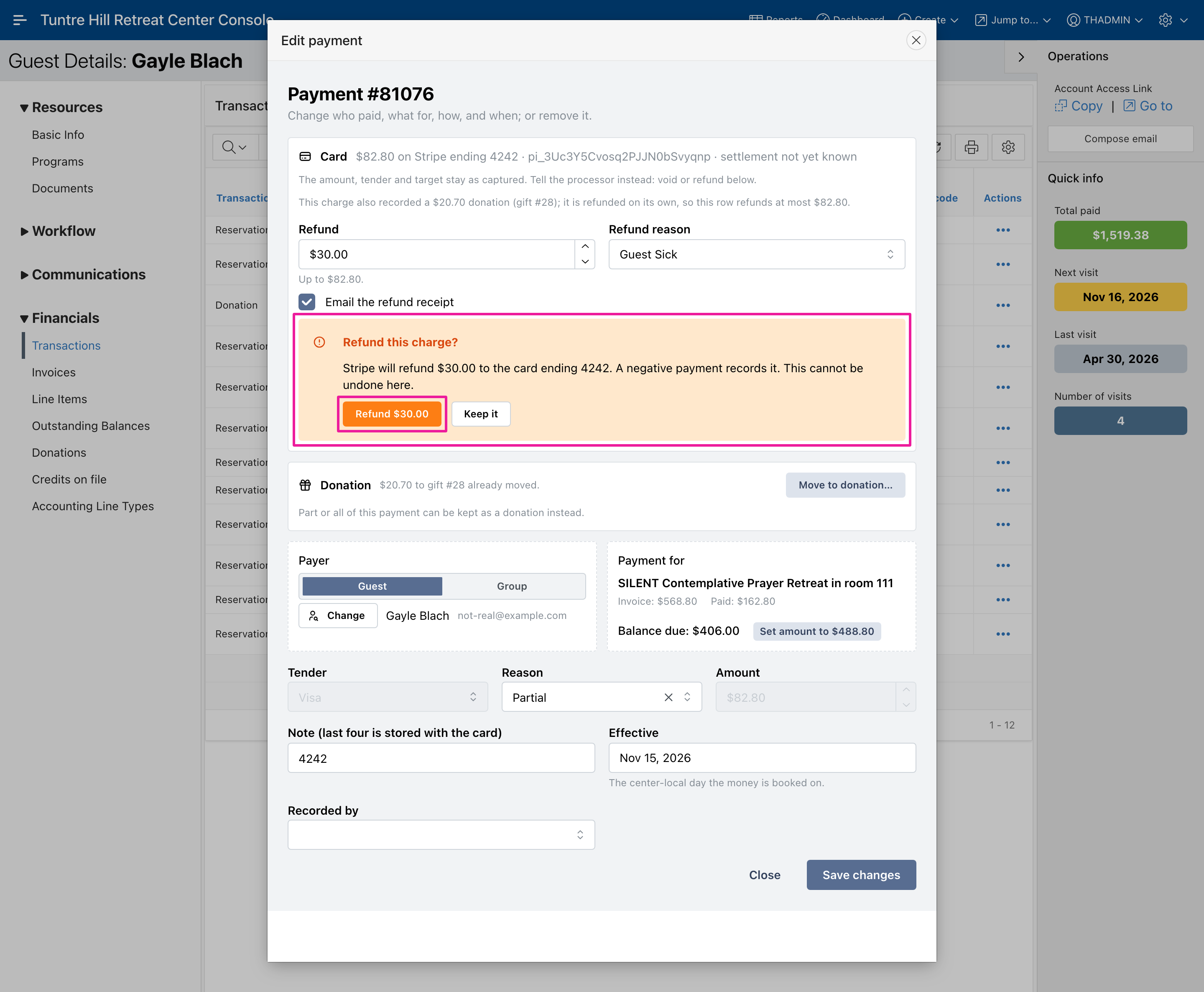
A confirmation spells out what the processor will do before anything moves. Click the orange button to go ahead, or ‘Keep it’.
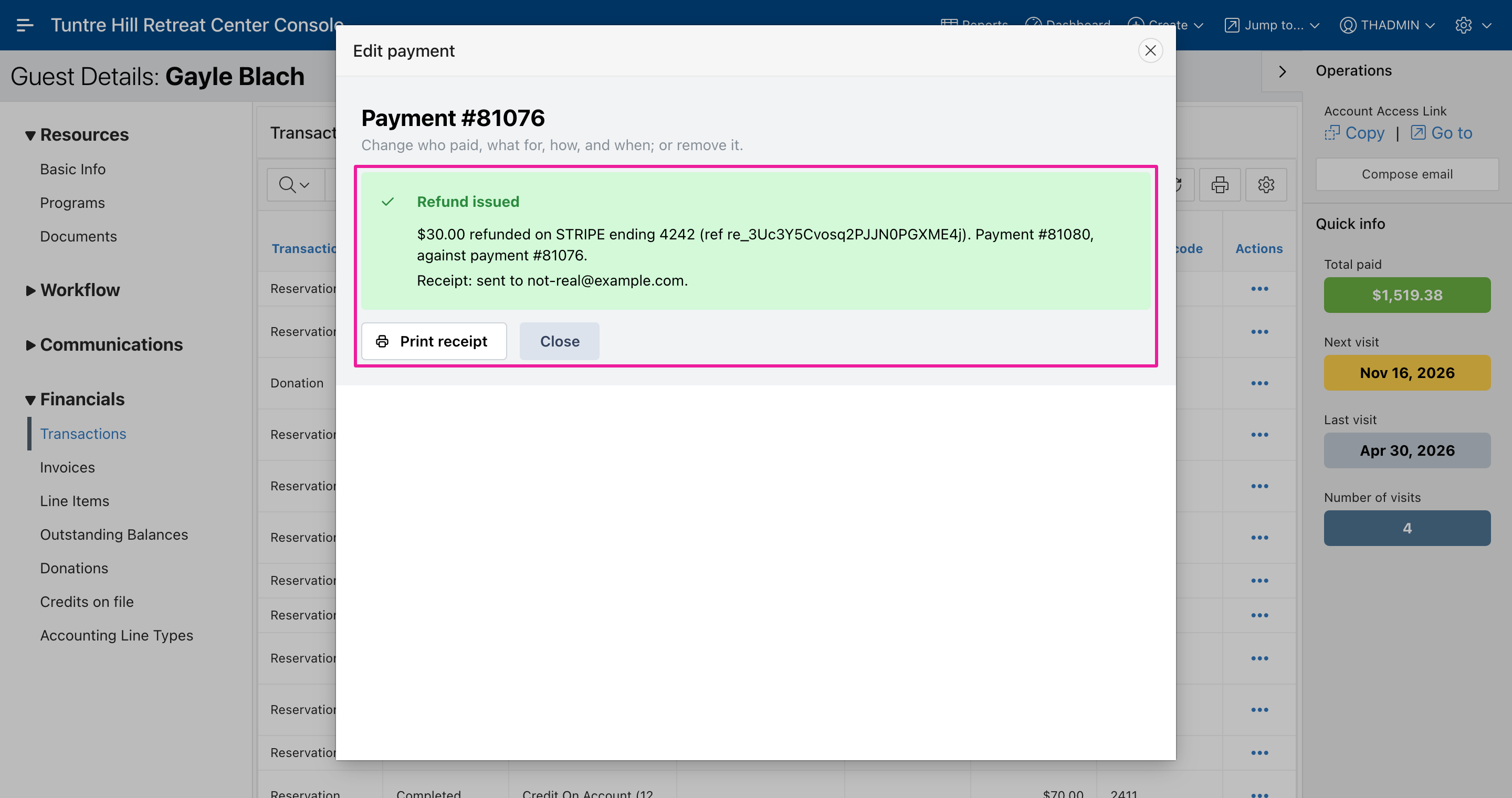
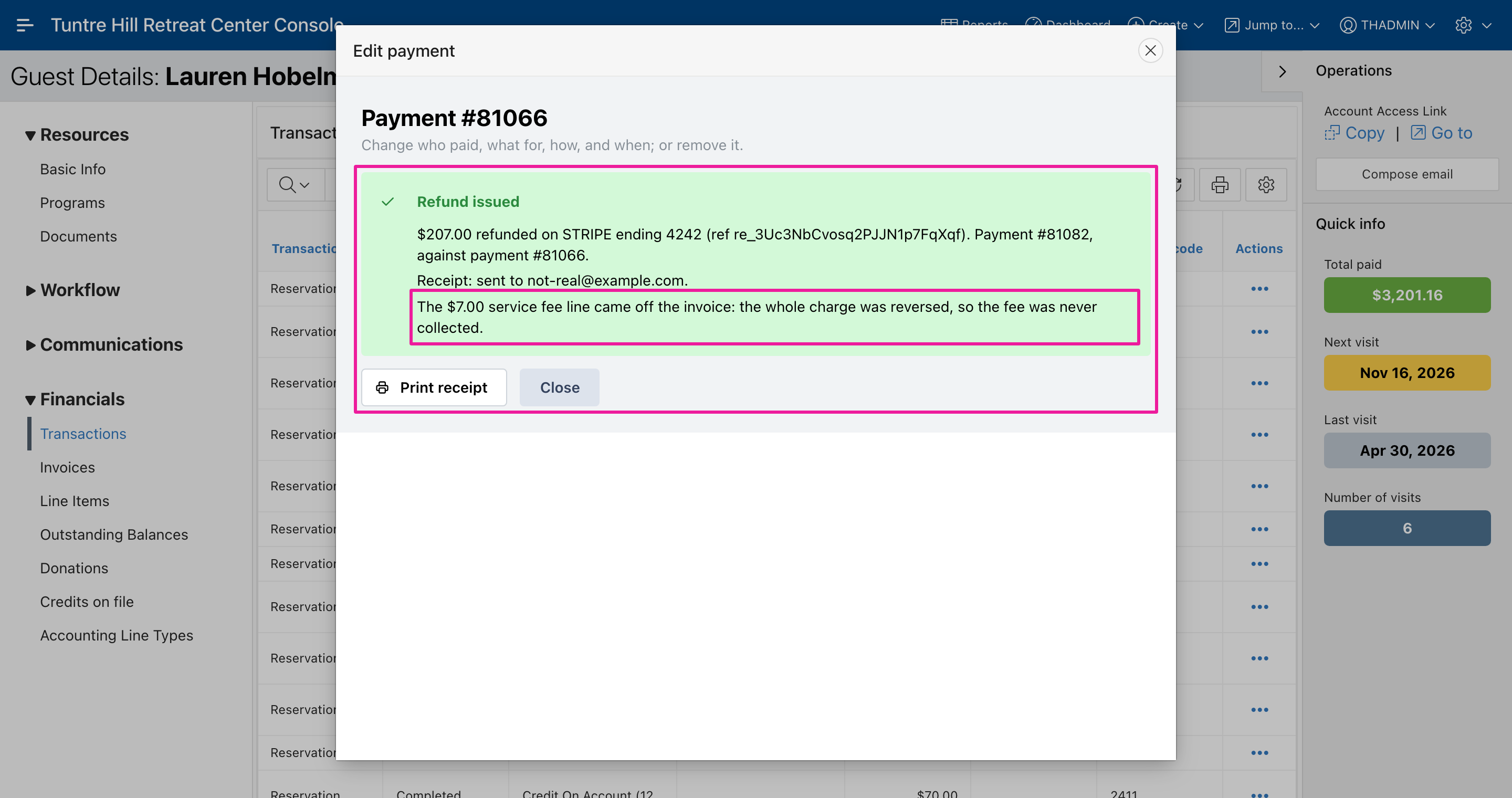
The result names the processor’s reference and the number of the refund record. A refund is a negative payment on the account; it never changes the original.
Void a charge
Section titled “Void a charge”While a charge hasn’t settled (the same day, typically, and on some processors a day or so), the action is ‘Void’ and it is always for the full amount. A void reverses the whole charge at the processor, so when the charge carried a donation portion, the gift comes back with it and the confirmation says so.
The service fee
Section titled “The service fee”A whole reversal (every void, and a refund of the full amount) also takes the ‘Service fee’ line off the invoice, since the fee was never collected; the confirmation mentions it. A partial refund leaves the line in place.
Refund a card donation
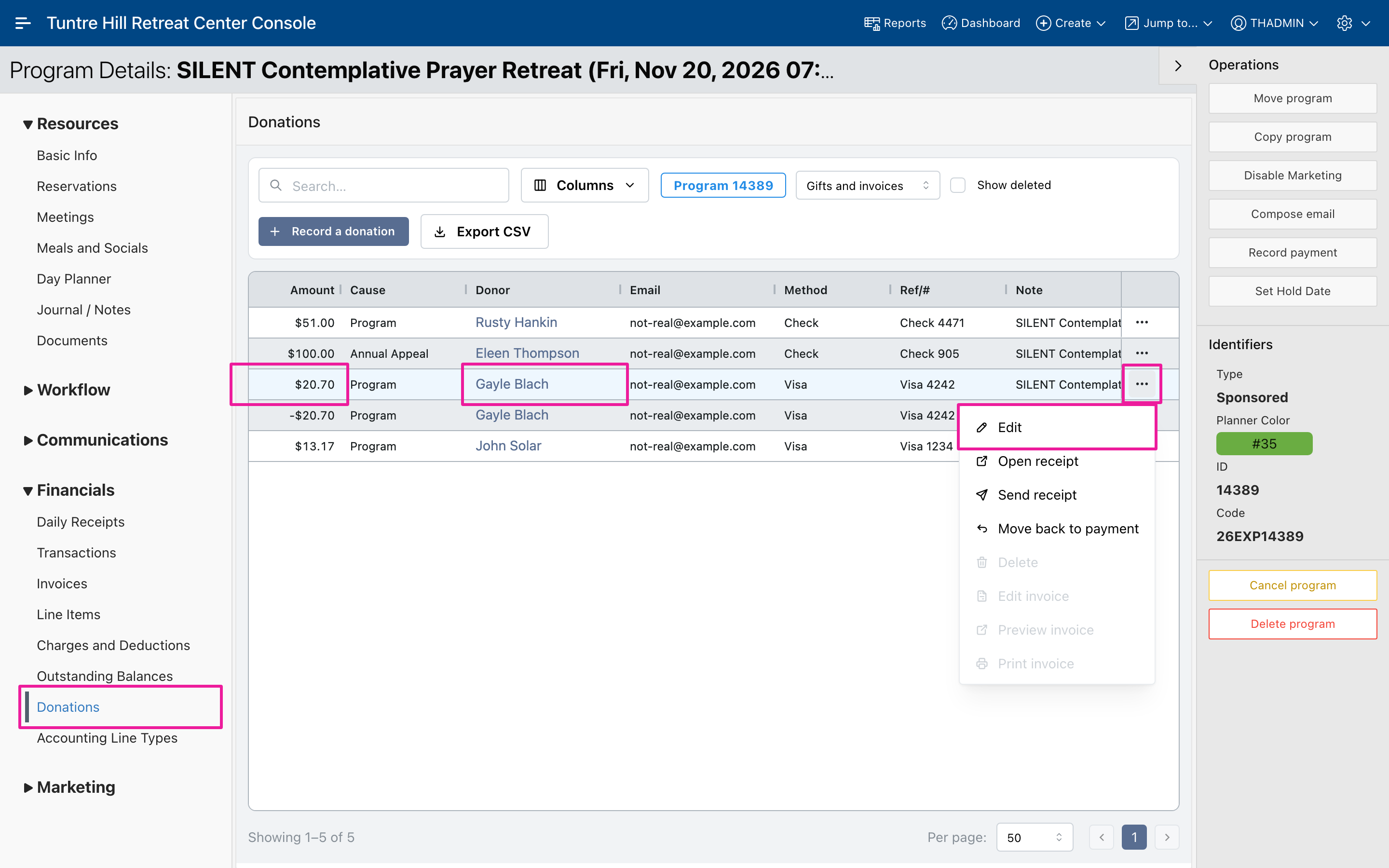
Section titled “Refund a card donation”A gift paid by card is refunded from the gift. Open the program’s page, expand Financials and click ‘Donations’, then click the three dots on the gift’s row and select ‘Edit’. The gift’s page has the same card actions; pick a reason and click ‘Refund’. A negative gift records the reversal, and the refund receipt goes to the donor.
An overpayment the payer wants the center to keep is not a refund: see Convert a Payment to a Donation.