
Meeting Rooms for the Day
The Meeting Rooms page shows what’s happening in every meeting space on a given day — which group has it, when, and any setup notes — so the setup crew knows what each room needs before the first session.
Read a room card
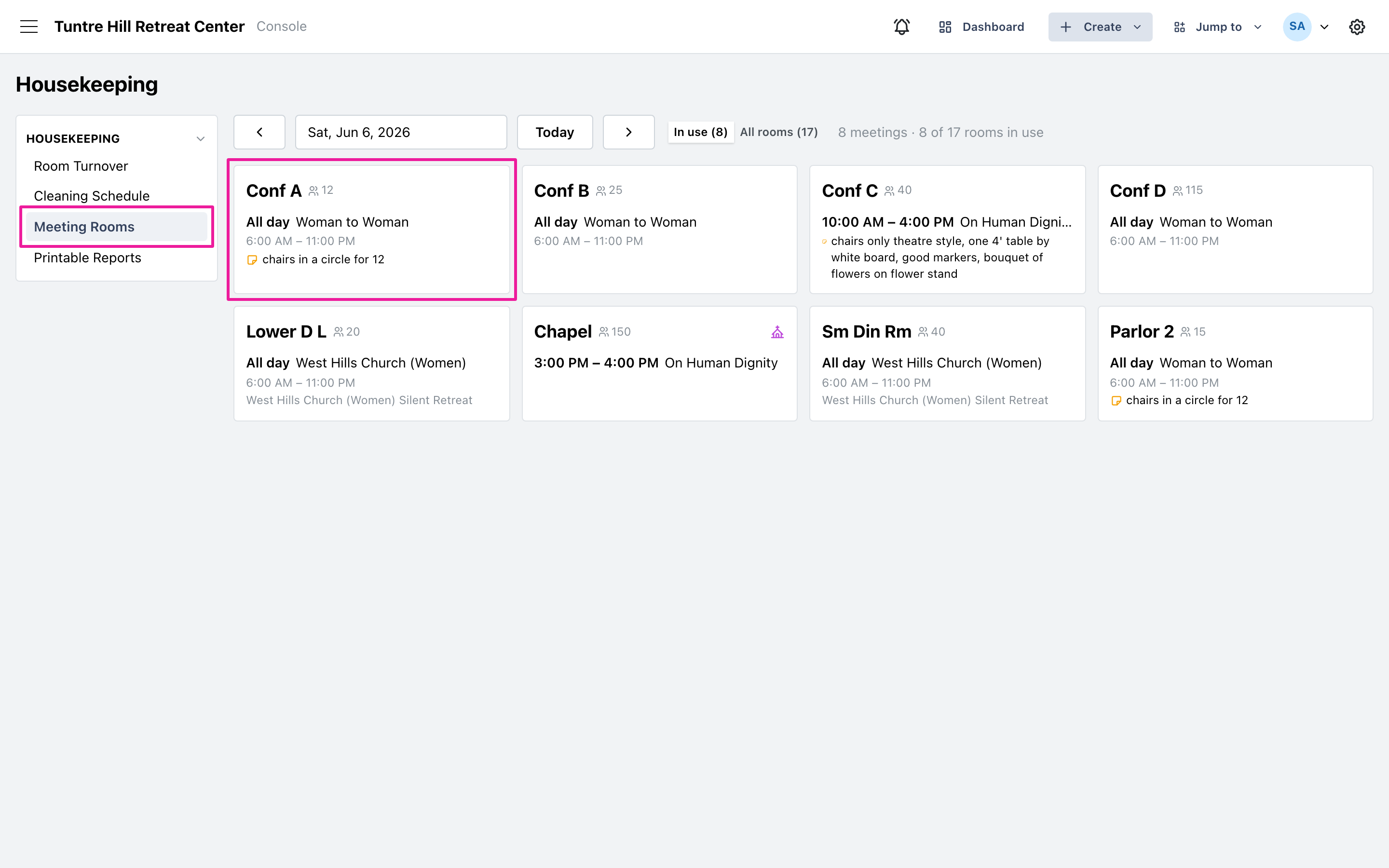
Section titled “Read a room card”Click ‘Meeting Rooms’ on the left and pick the day. Each card is one meeting space, with its capacity next to the name. Meetings list the group or program and the time — sessions that hold the room through the day show ‘All day’ with the span. When a meeting has setup instructions (“chairs in a circle for 12”), they appear right on the card with a note icon. Chapels carry a small chapel mark.
See the whole roster
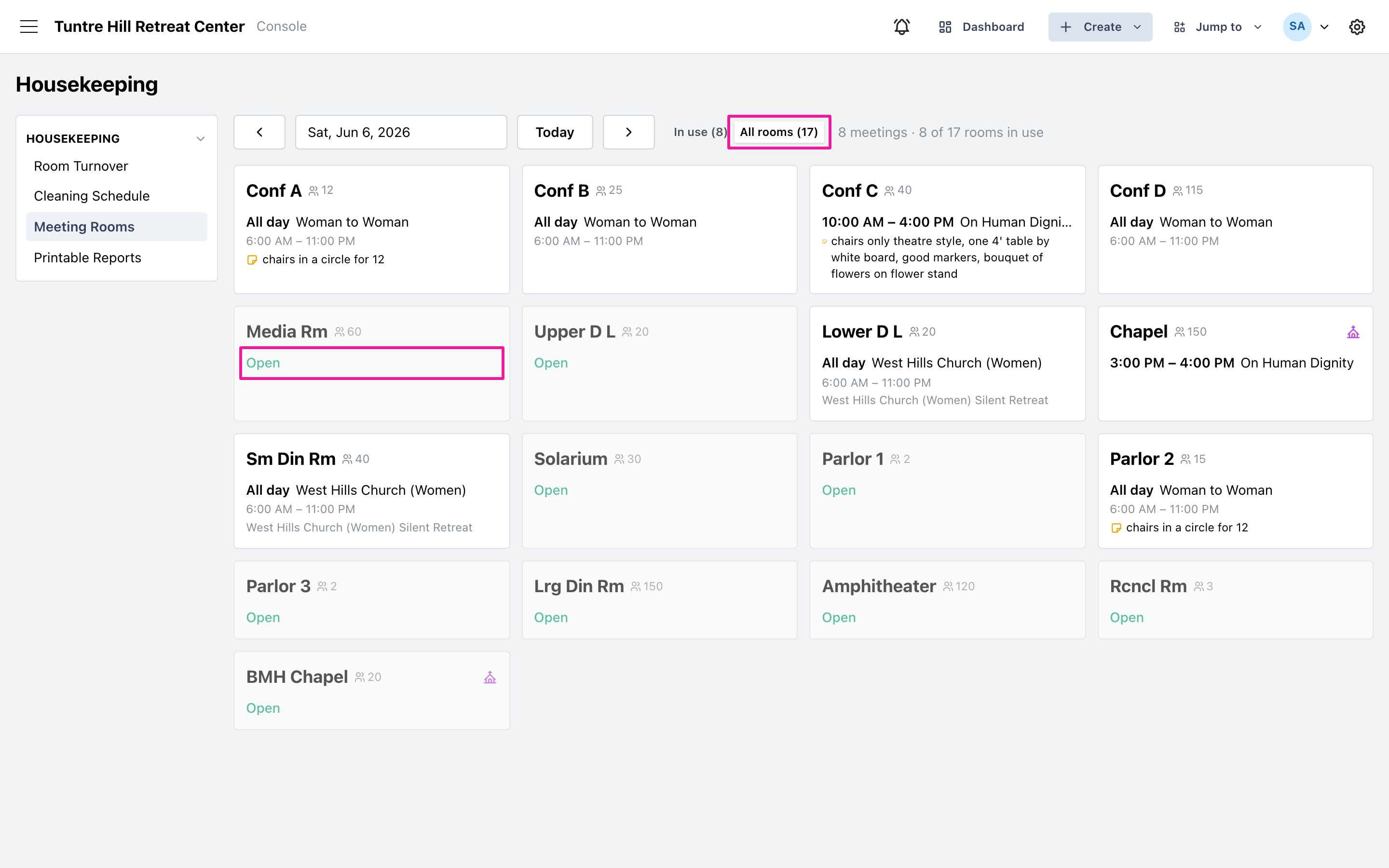
Section titled “See the whole roster”The view opens on ‘In use’ — only rooms with meetings. Switch to ‘All rooms’ to see every space, with unused ones marked ‘Open’; handy when someone needs a free room for an unplanned gathering. The count at the top (“8 of 17 rooms in use”) gives the day’s shape at a glance.
For the version that goes on paper, print the Meeting Room Setup sheet.