
Edit or Delete a Payment
Any payment that wasn’t made by credit card can be corrected after the fact: a check or cash entered on the wrong day, with the wrong number, or for the wrong amount, a transfer recorded under the wrong type, a write-off with a typo in its note. Open the payment and change it; a payment that should never have been entered can be deleted. Card payments are the exception: their amount and card are what the processor charged, so they are reversed with a refund or void instead (Refunds and Voids).
Find the payment
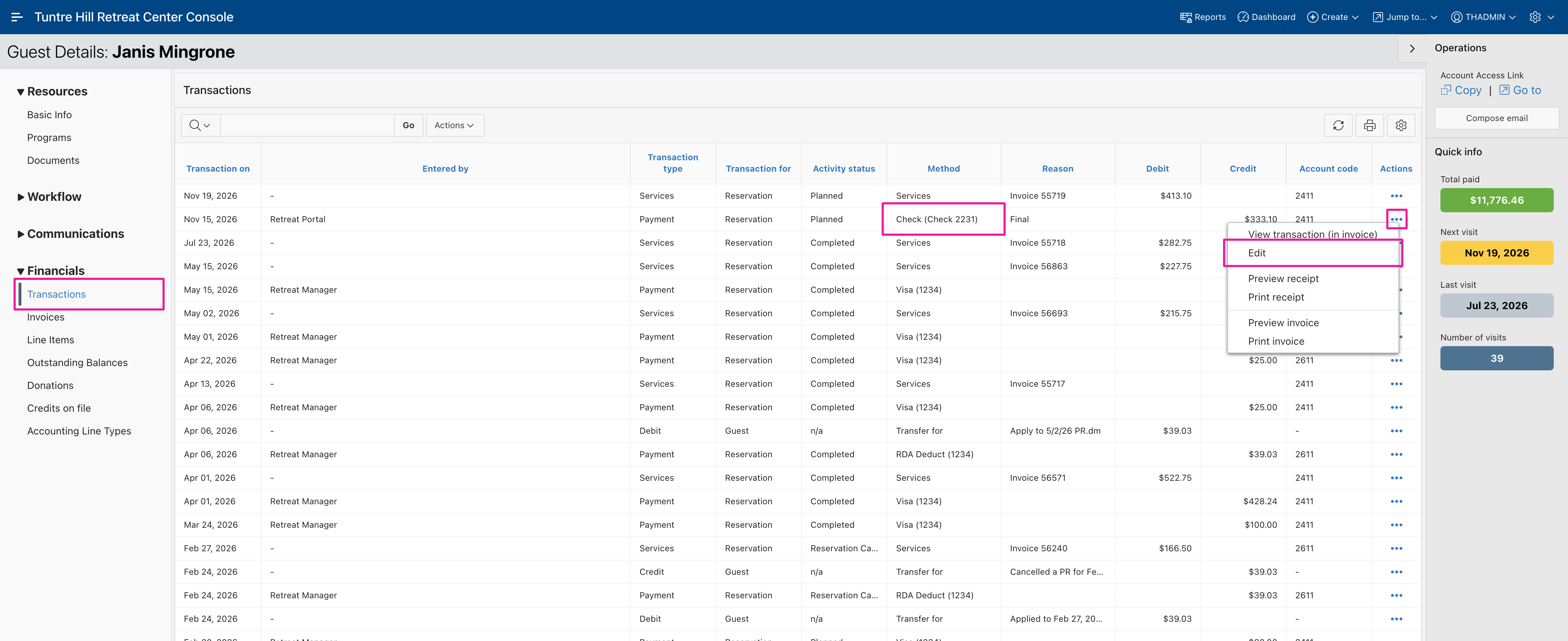
Section titled “Find the payment”Payments are listed wherever the account or the program is: a guest’s or group’s page under Financials > ‘Transactions’, a reservation’s page under the same tab, a program’s page for every payment on it, and the main menu’s ‘Financials’ > ‘Payments’ for every payment in a date range. Whichever list you are in, click the three dots at the end of the payment’s row and select ‘Edit’.
Change it
Section titled “Change it”The window opens on the payment with everything filled in. For a check or cash payment you can change the payer, what it is for, the tender (to another non-card type), the amount, the reason, the note, the day under ‘Effective’, and who it was recorded by. Click ‘Save changes’.
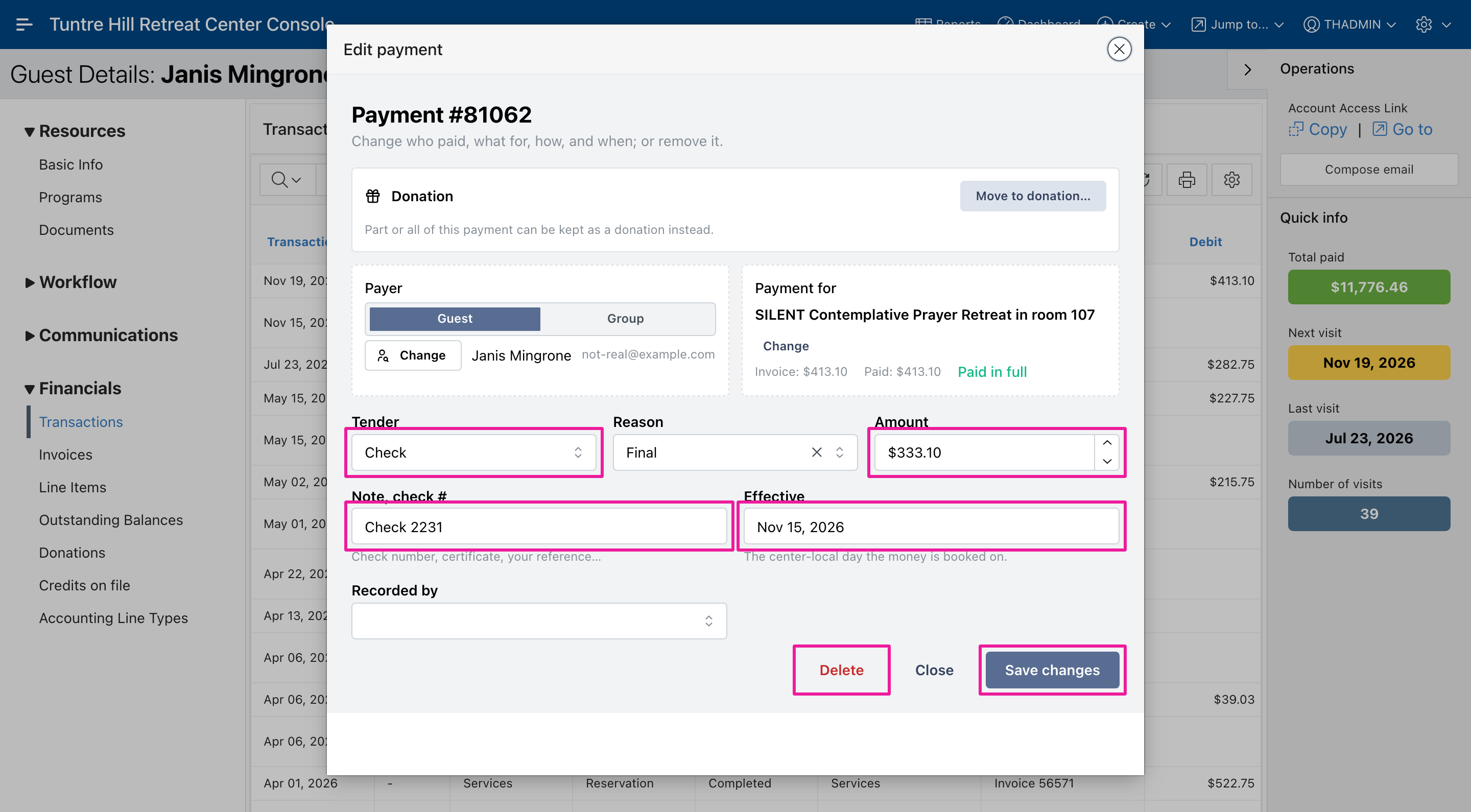
For a card payment the amount, tender, and what it was for are locked; the note, day, reason, and recorder can still be changed.
Delete it
Section titled “Delete it”Click ‘Delete’ at the bottom of the window and confirm. The payment is removed from the account and the balance goes back up. A payment made from credit on file gives the credit back to the holder when it is deleted. A card payment can’t be deleted; void or refund it instead.