Hold Credit on File
Credit on file is money a guest or group has with your center that isn’t applied to anything yet: a deposit sent ahead of a booking, a refund the guest asked you to keep for next time, a balance left after a cancellation. This page records the money and holds it; Use Credit on File covers paying a stay from it and moving it between accounts.
Hold a check or cash
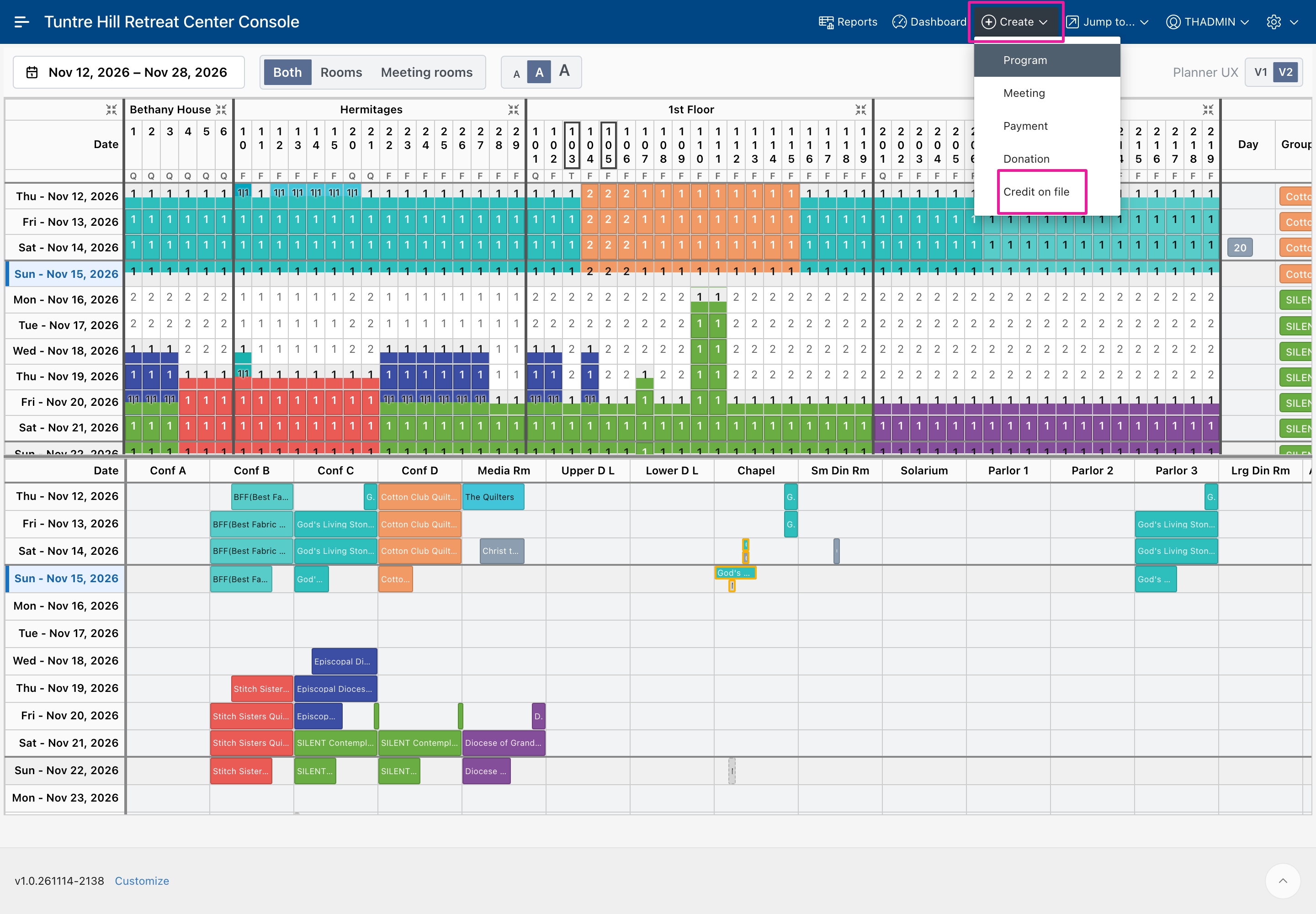
Section titled “Hold a check or cash”Click ‘Create’ on the top bar and select ‘Credit on file’. (A guest’s or group’s page has the same door: ‘Create credit on file’ under Operations on the right.)
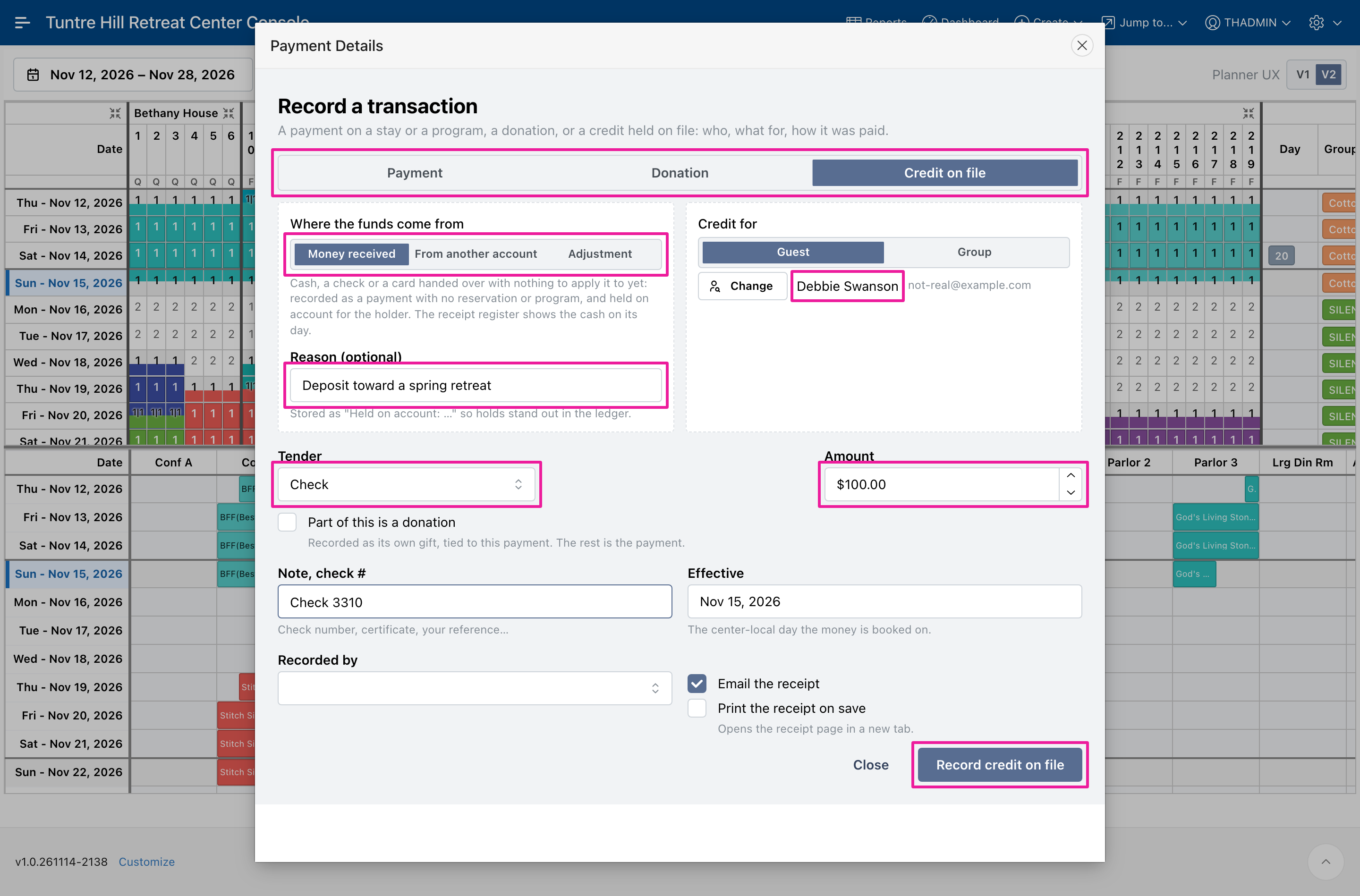
Leave ‘Where the funds come from’ on ‘Money received’. Pick the ‘Tender’ and type the ‘Amount’, and type a ‘Reason’ so the hold stands out in the ledger later. On the right, ‘Credit for’ is who the credit belongs to; pick the guest or the group. Type the check number under ‘Note, check #’ and click ‘Record credit on file’.
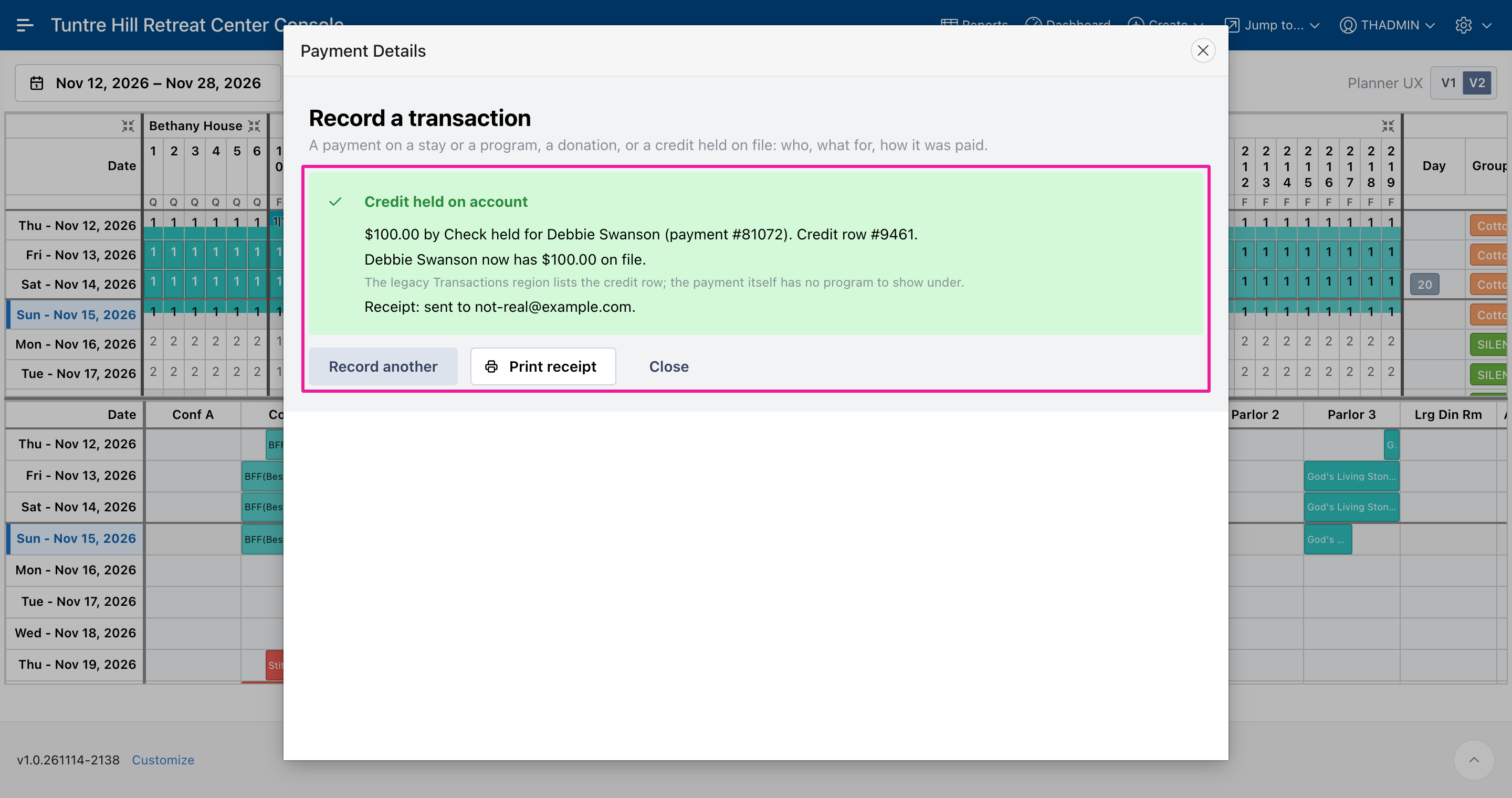
The money is recorded as a payment with nothing applied to it, so it shows in Daily Receipts on its day, and the same amount is held on account for the holder. The confirmation shows what they now have on file.
Hold money from a card
Section titled “Hold money from a card”A card can fund a hold the same way. Open the window as above, pick the card brand under ‘Tender’, and type the ‘Amount’. The card step appears and states the charge: here “Charging $103.50: $100.00 + $3.50 service fee”, because your center’s service fee for staff-recorded card payments applies. Type the card details and click ‘Record credit on file’.
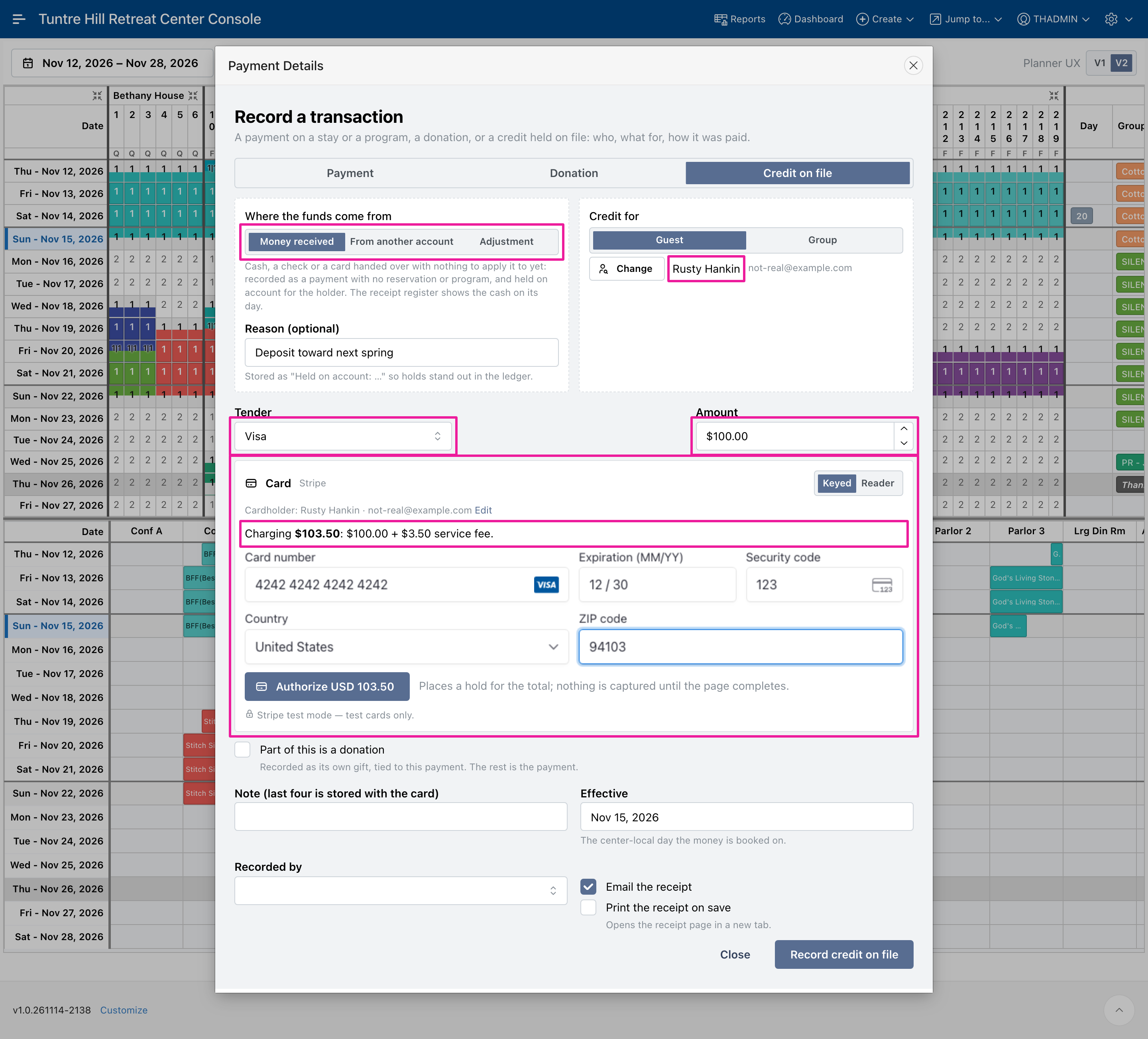
The card is charged for the amount plus the fee, and the credit held is the amount before the fee: the guest has $100.00 on file, not $103.50.
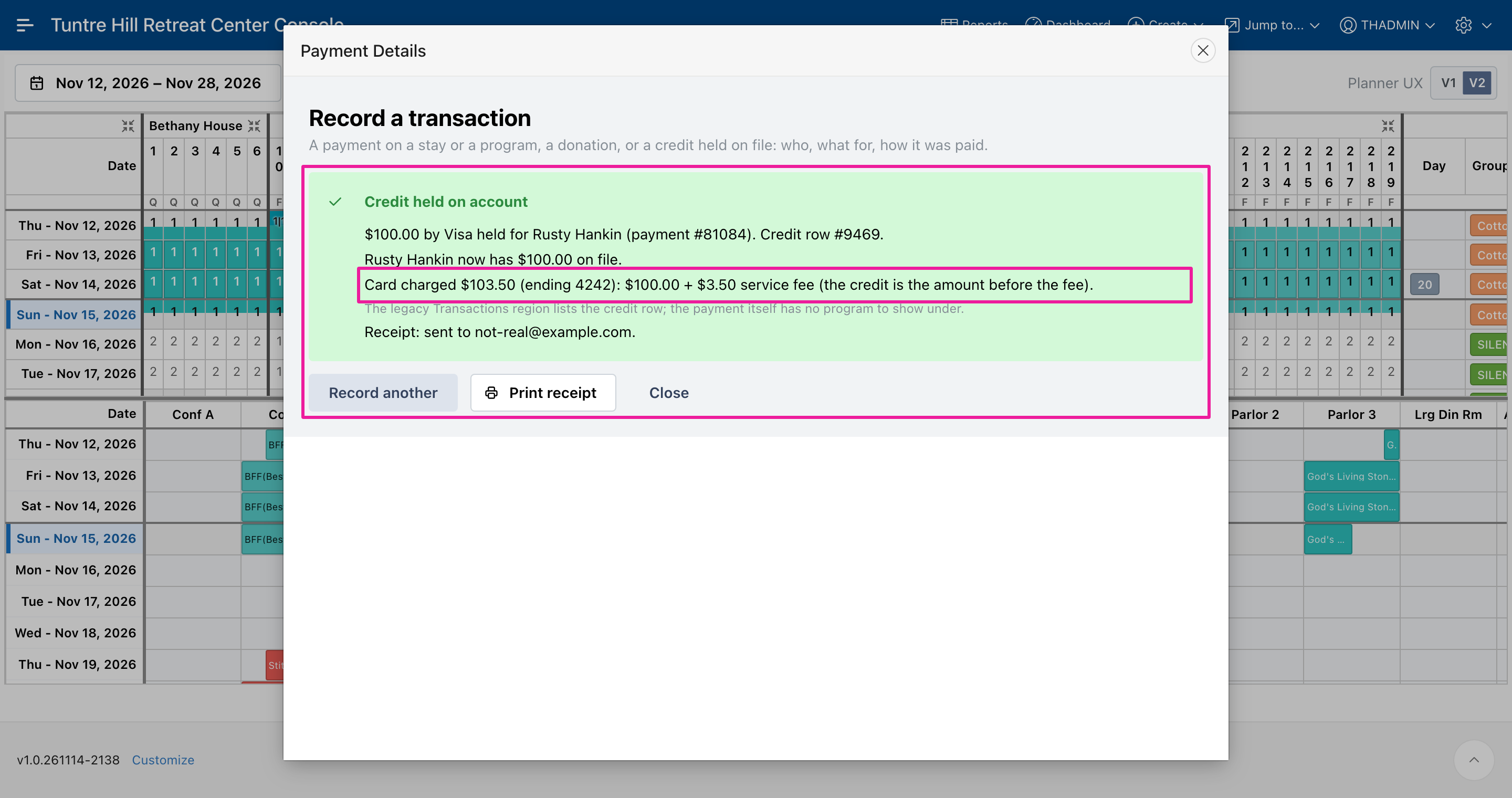
A known gap. On a payment, the service fee lands on the invoice being paid as a ‘Service fee’ line. A hold has no invoice, so the fee has nowhere to go: the $103.50 shows in Daily Receipts as money received and the $100.00 as credit, but the $3.50 fee is not recorded as a line anywhere in your books. It is only visible as the difference between the two, and in your card processor’s statement. We’re upfront about this because it affects reconciliation; a home for the fee is planned. When the credit is later applied to a stay, no second fee is charged.
Adjust a credit with no money moving
Section titled “Adjust a credit with no money moving”‘Adjustment’, the third choice under ‘Where the funds come from’, changes a holder’s credit without a payment: a correction, goodwill, or credit carried over from an older agreement. Type the amount and a ‘Reason’; a negative amount takes credit away. Nothing reaches the receipts register.
Where credit shows up
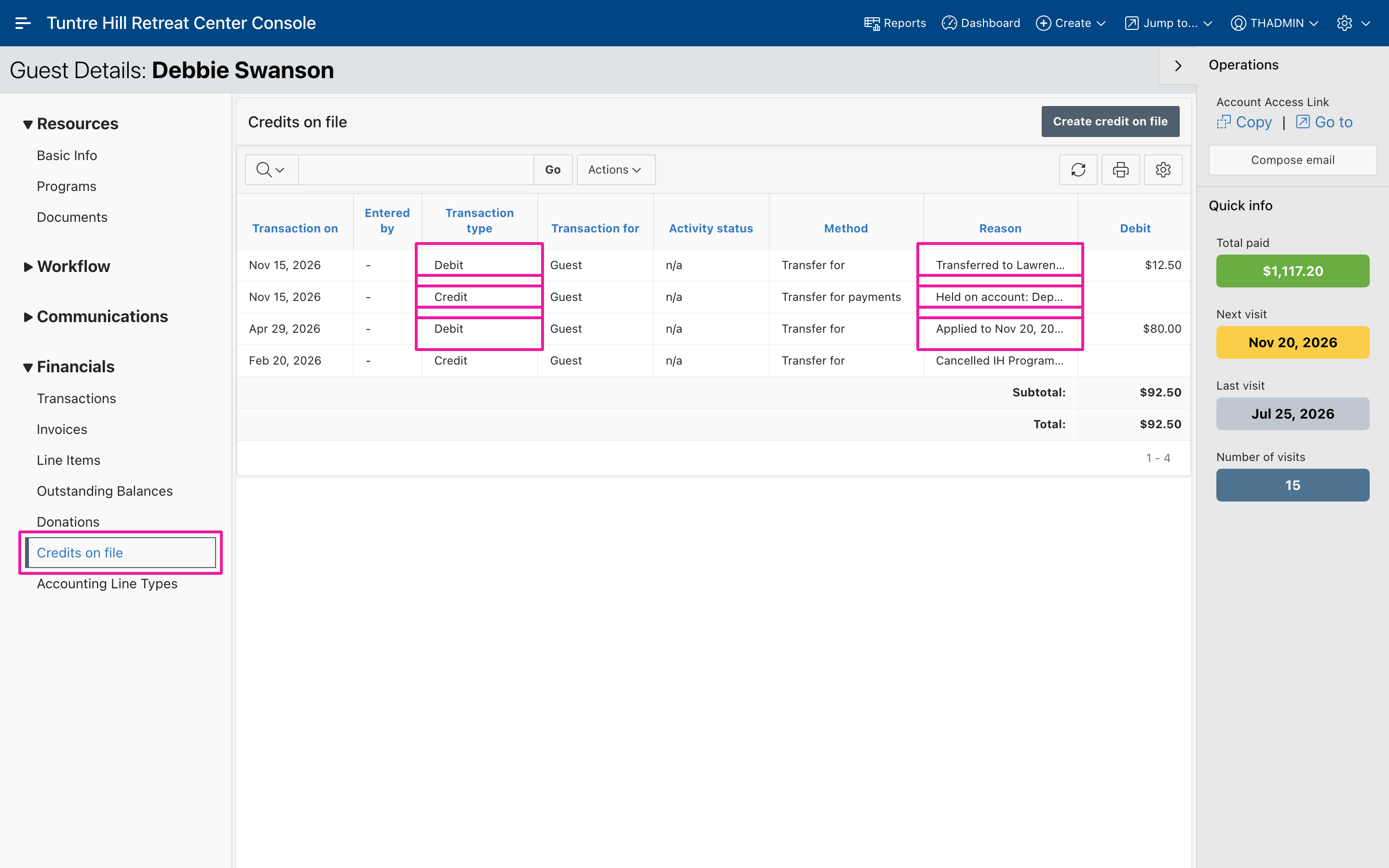
Section titled “Where credit shows up”Open the guest’s page, expand Financials on the left and click ‘Credits on file’. Each hold, draw-down, and transfer is a row with its reason, and the total is what they have on file; the same figure is the ‘Credit on file’ badge beside their name in the payment window. A hold funded by money is also a payment on the ‘Transactions’ tab.