Print the Supervisor Sheet
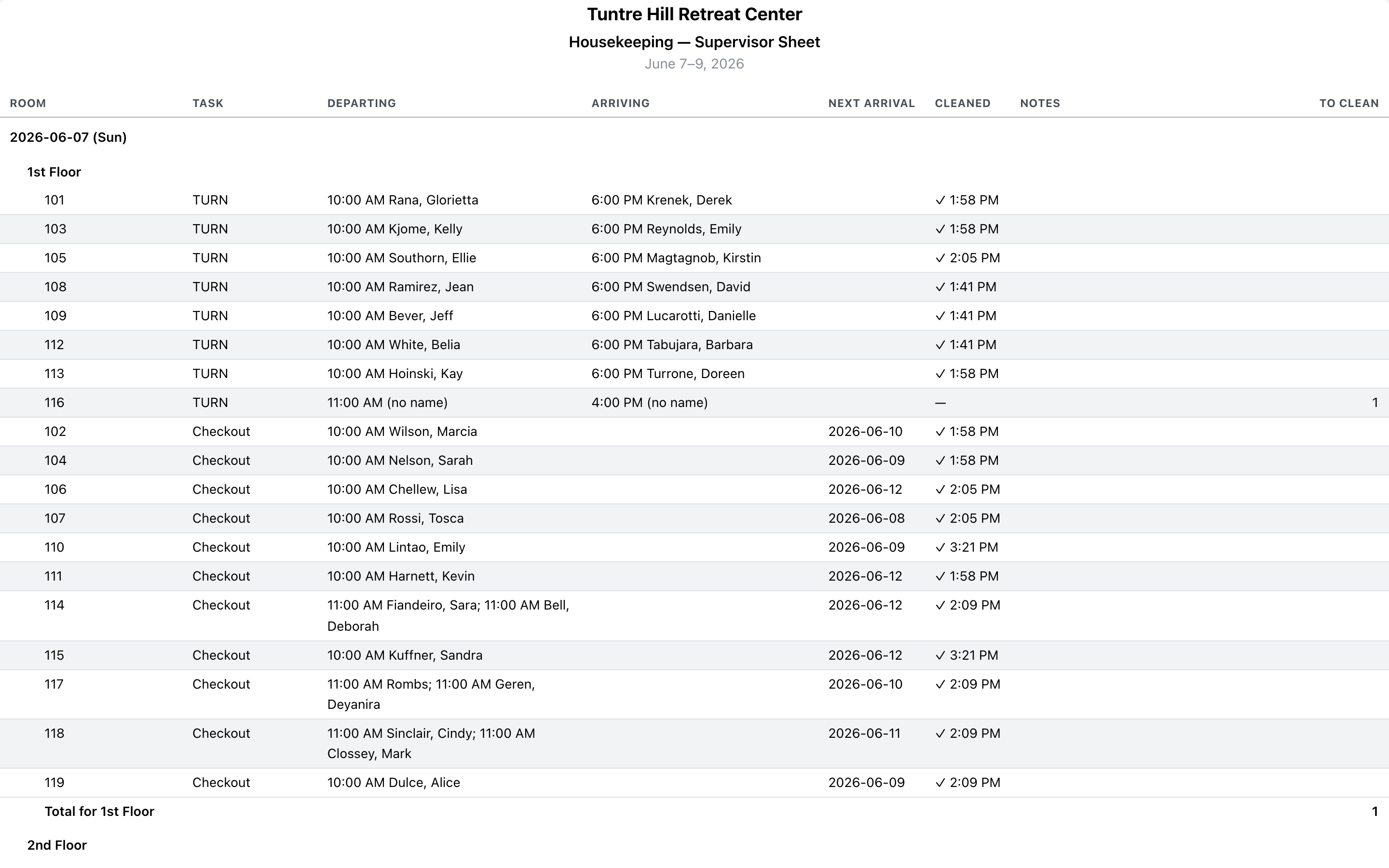
The Supervisor Sheet is the whole housekeeping day on paper — every room with activity, grouped by day and room group, with to-clean counts. Print one day for the morning huddle, or a date range and the packet becomes next week’s plan for centers that run on paper.
Open it
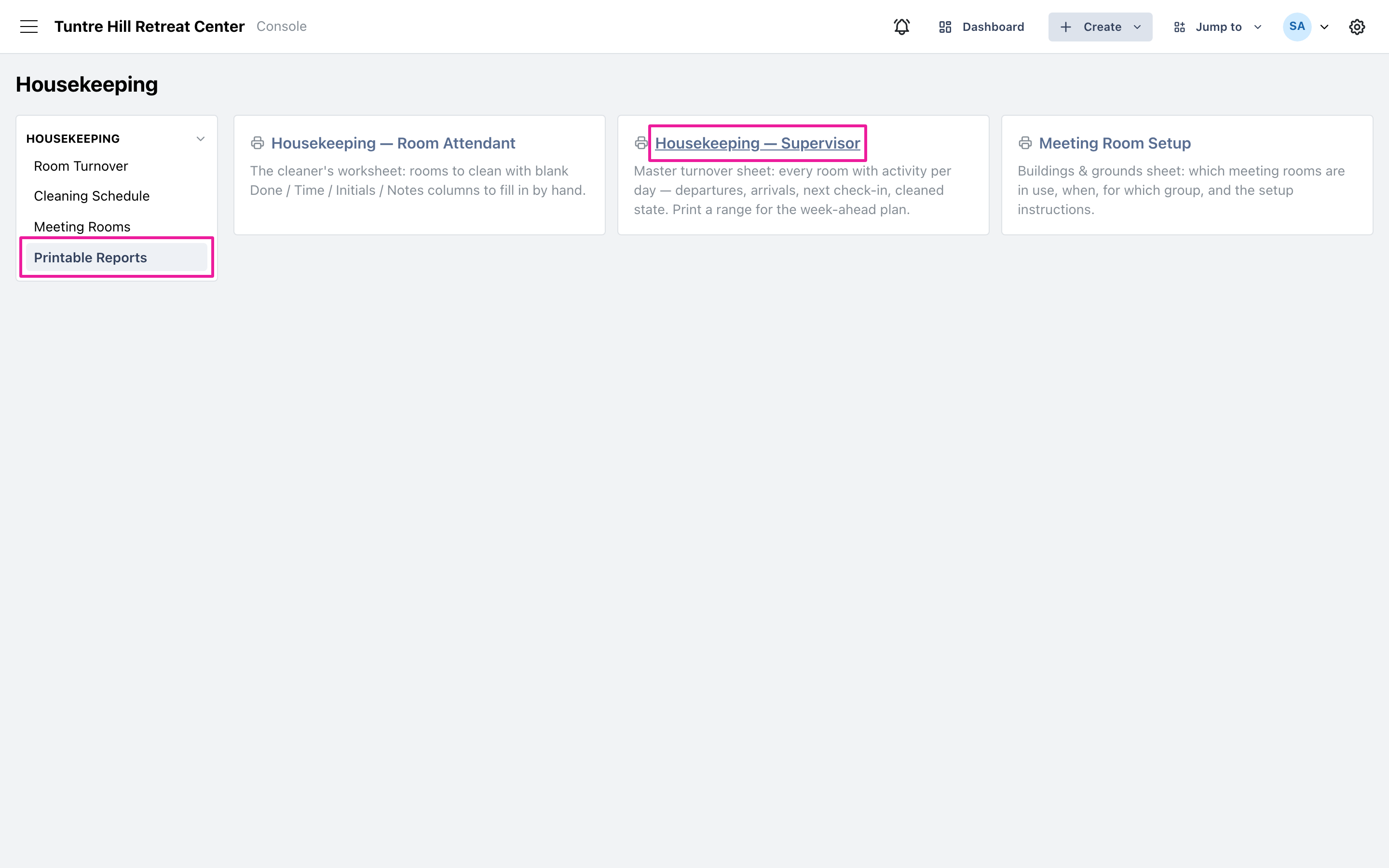
Section titled “Open it”Click ‘Printable Reports’ on the left, then ‘Housekeeping — Supervisor’. The same reports also live in the main menu under ‘Reports’ > ‘All Reports’, in the Housekeeping section.
Pick the days
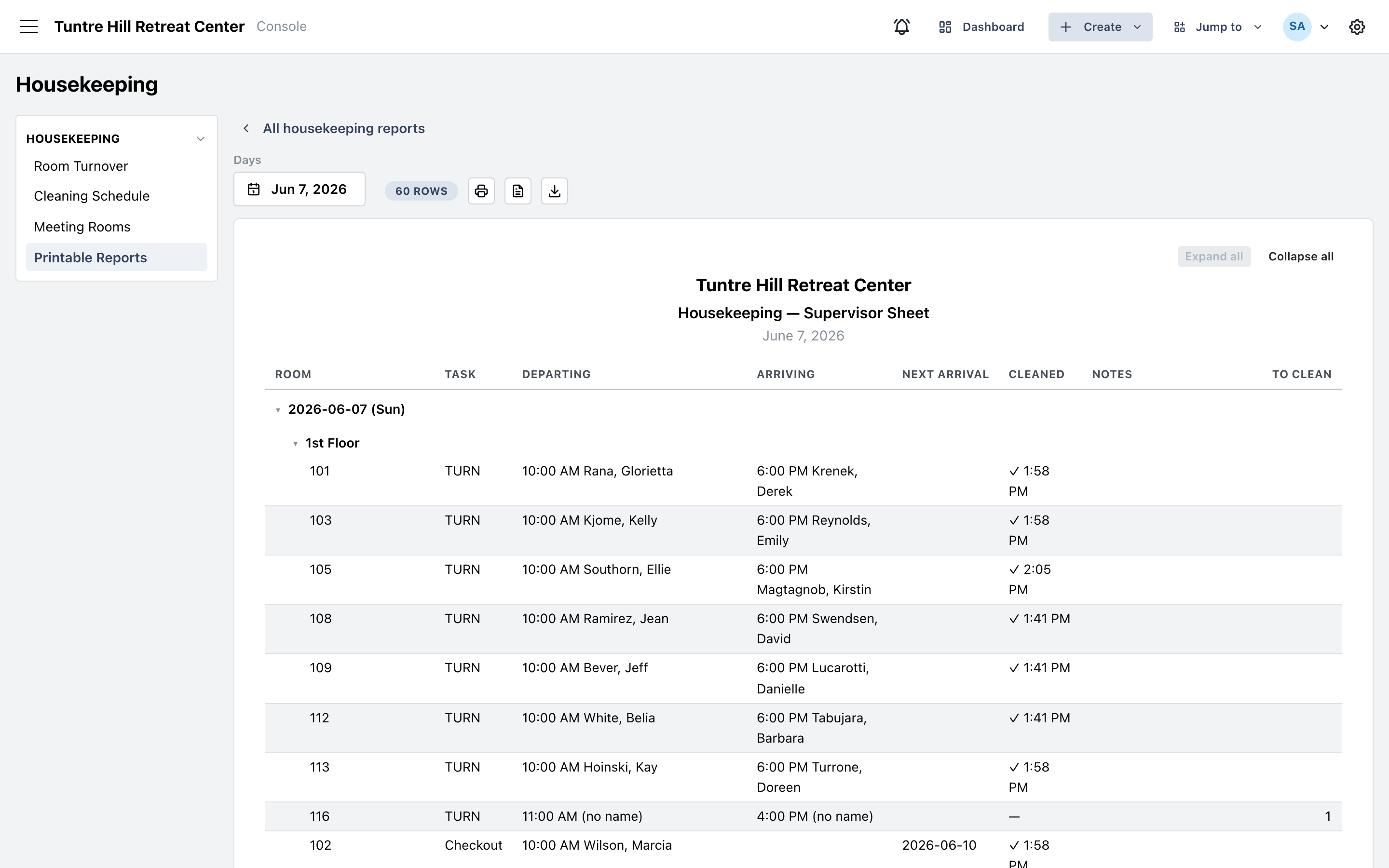
Section titled “Pick the days”The sheet opens on today. Click the date button under ‘Days’ to pick any single day or a range — up to two weeks per run. Each day prints as its own section, so a week’s range is a ready-made planning packet.
Read the sheet
Section titled “Read the sheet”Rows follow the crew’s priority: same-day turns first, then still-dirty rooms, then checkouts, arrivals, and stayovers — and within each task, by room number, so the sheet walks the hallway. ‘Departing’ and ‘Arriving’ name the guests with times, ‘Next arrival’ shows the deadline on empty rooms, and ‘Cleaned’ shows a checkmark with the time once a room is done. The ‘To clean’ column totals per room group and per day. Stayover notes call out guests staying through — including “re-booked, no turn” when the same guest continues in the room.
Print it
Section titled “Print it”Click the printer icon at the top. Only the sheet itself prints — no menus or buttons — with the room-group bands preserved for scanning down the page. The icons beside it export the same sheet as a Word document or CSV file.