
Use Credit on File
Once a guest or group has credit on file (see Hold Credit on File), there are two things to do with it: pay a stay from it, or hand it to another account. Both are recorded under a payment type your center has classed as a transfer, so the registers know no new money came in.
Paying from credit needs at least one payment type classed ‘Transfer’; until one is, the option is disabled and says so. See Payment Types and Settlement Classes.
Pay a stay from credit
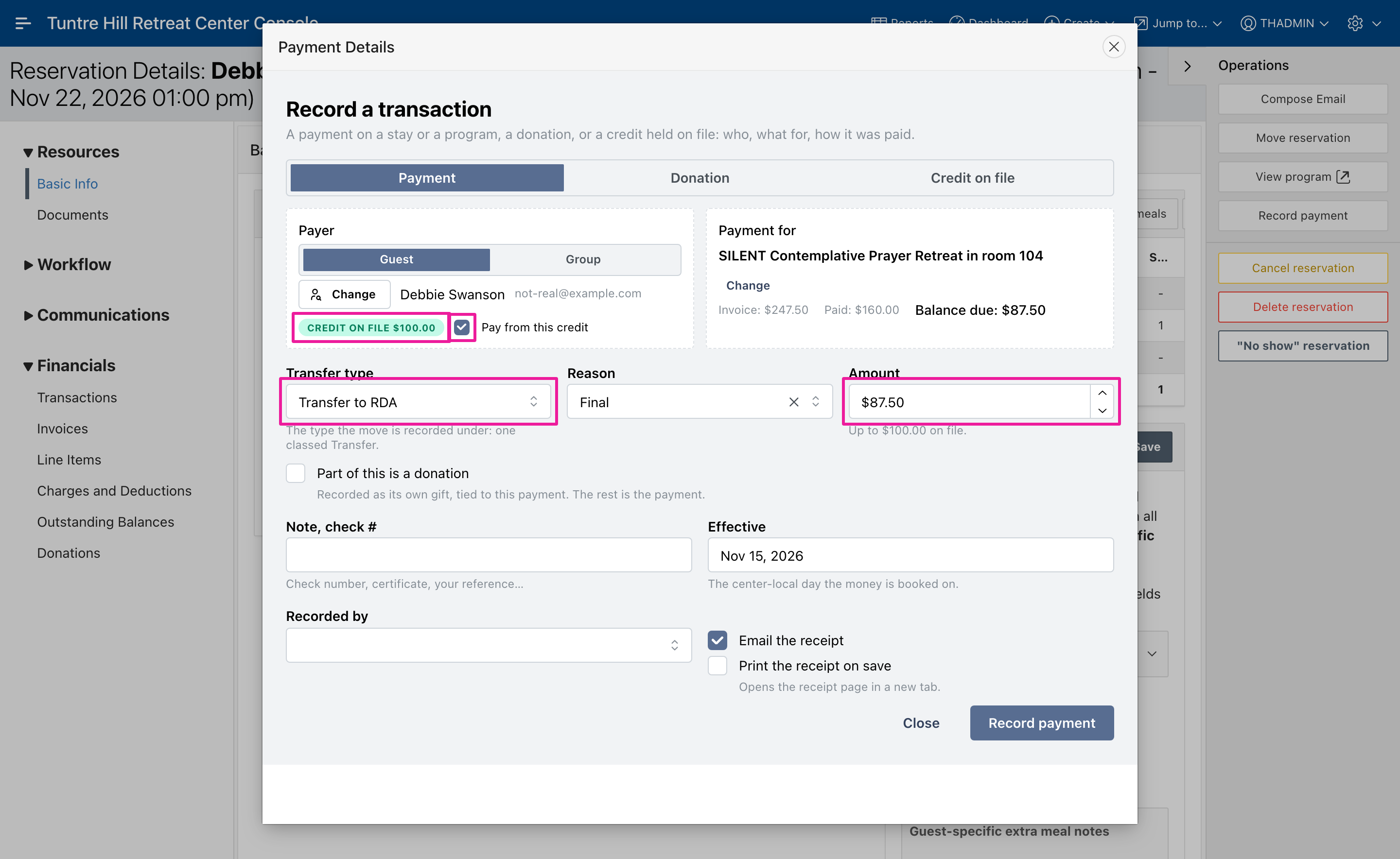
Section titled “Pay a stay from credit”Open the payment window for the stay: the reservation’s page, ‘Record payment’ under Operations on the right. When the payer has credit on file, a ‘Credit on file’ badge appears beside their name with a ‘Pay from this credit’ box. Tick it: the ‘Tender’ list narrows to your center’s transfer types, and the amount is capped at what is on file. Click ‘Set amount to’ or type the amount, and click ‘Record payment’.
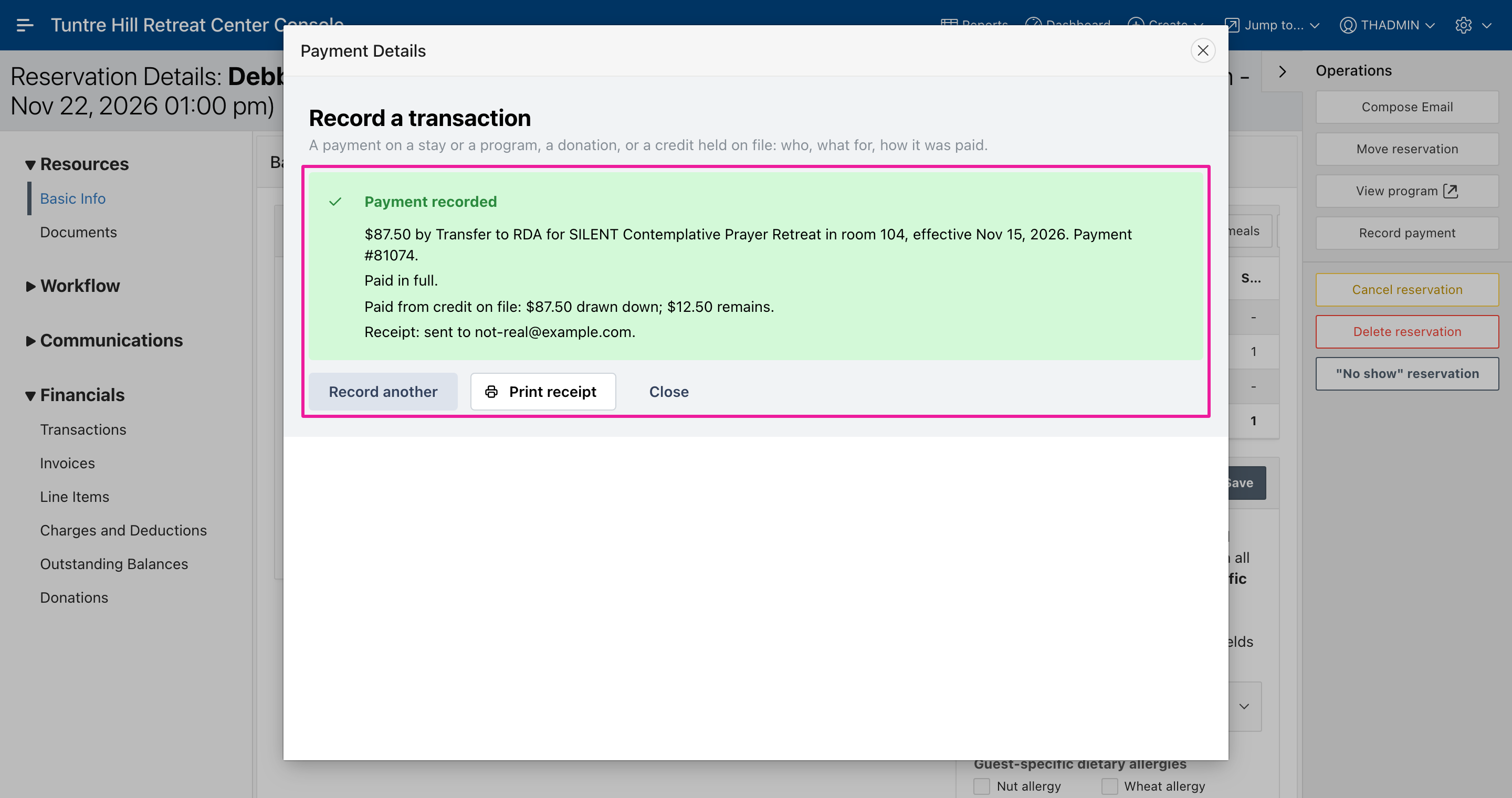
The confirmation shows the stay’s new balance and how much credit remains. A stay paid partly from credit and partly by check is two payments: one from credit, one by check.
Move credit to another account
Section titled “Move credit to another account”A guest can hand their credit to someone else: a deposit moved to a spouse, a group’s credit applied to a member. Click ‘Create’ on the top bar and select ‘Credit on file’, then choose ‘From another account’ under ‘Where the funds come from’. Click ‘Whose credit moves’ and pick the account the credit comes from; its balance on file is shown. On the right, under ‘Credit for’, pick who it goes to. Choose the ‘Transfer type’ and the ‘Amount’, which can’t exceed what the source has, and click ‘Record credit on file’.
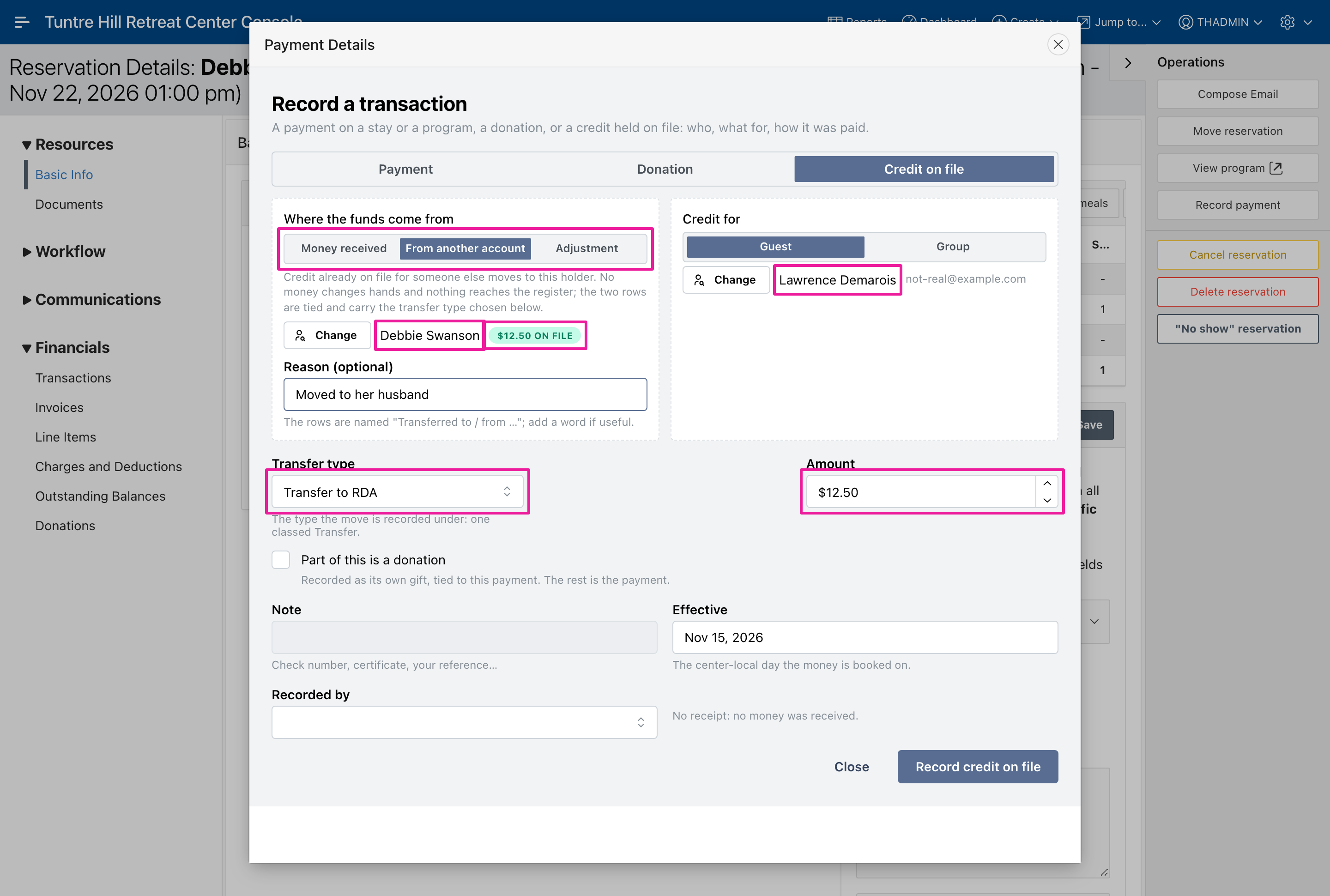
No money changes hands, so nothing reaches the deposit register and no receipt is sent; each account gets a row naming the other.
Where it shows up
Section titled “Where it shows up”On the guest’s page, Financials > ‘Credits on file’ lists the draw-down (‘Applied to …’) and the transfer (‘Transferred to …’ on one account, ‘Transferred from …’ on the other), and the total is what remains. A payment from credit sits under ‘Transfers (no cash)’ in Daily Receipts, and the program billing reports count it under ‘Transferred’ rather than ‘Paid’.