
Set Up a Program's Meeting Rooms, Start to Finish
A weekend retreat needs the main hall both days, a second room for breakout groups, coffee at the morning break, and a projector for the opening talk. This walkthrough books all of it in Retreat Portal and shows where the setup crew and the kitchen pick it up, without anyone re-entering a thing.
You’ll: book the rooms on the Program Planner, say how each is set up, request the equipment, order the socials, then hand the week over.
1. Book the rooms
Section titled “1. Book the rooms”Click the menu icon on the top-left and choose ‘Planning’ > ‘Program Planner’, switch to ‘Meeting rooms’, and pick the retreat’s dates. Drag across the two rooms and both days, right-click inside the block, and choose ‘New meetings · 2 rooms × 2 days’.
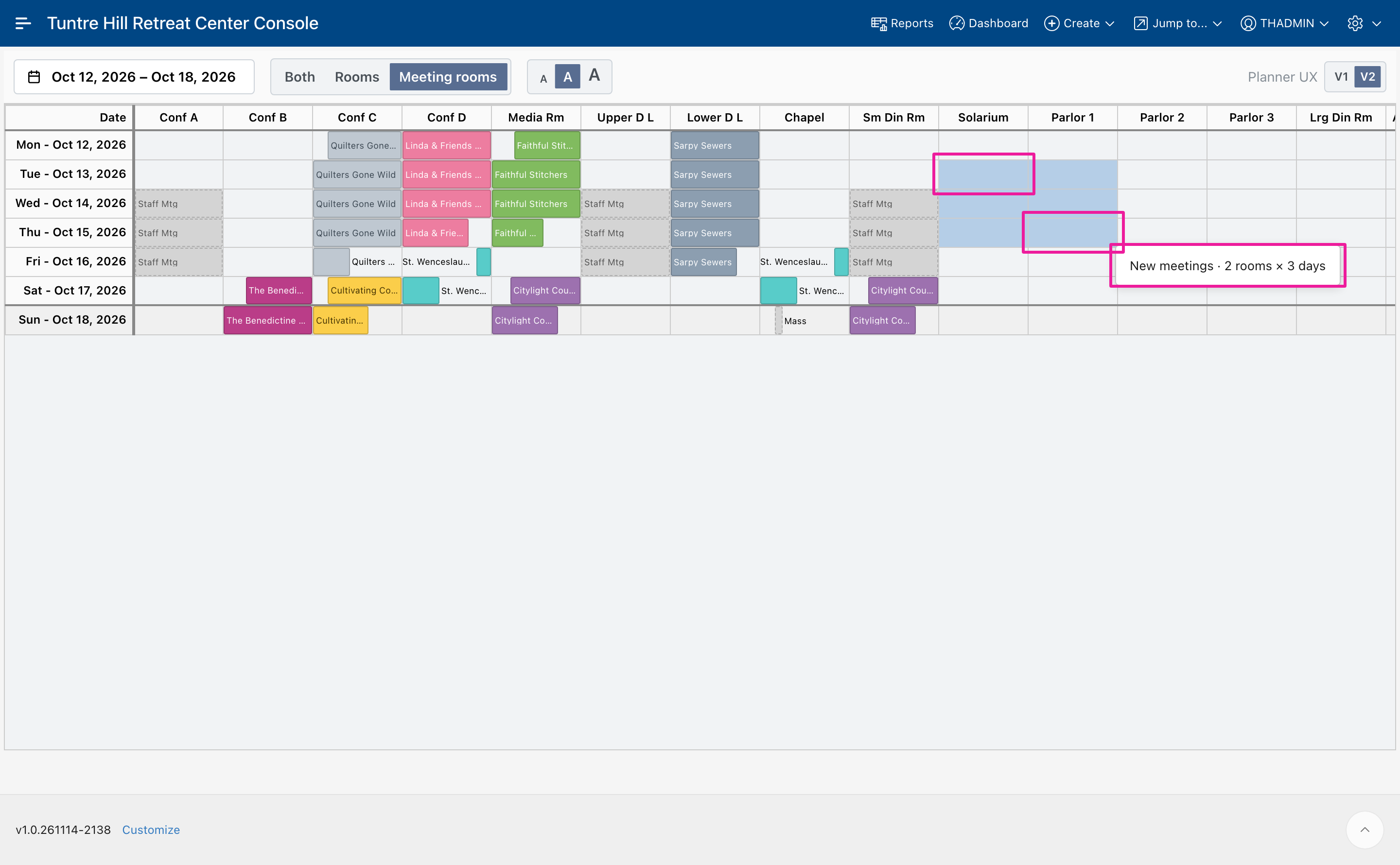
In the window that opens, leave ‘Program’ on under ‘Assign to’ and pick the retreat. Switch ‘When’ to ‘Program span’ so the first day starts when the retreat does and the last day ends when it ends.
For every field, see The ‘New meeting’ Window.
2. Say how each room is set
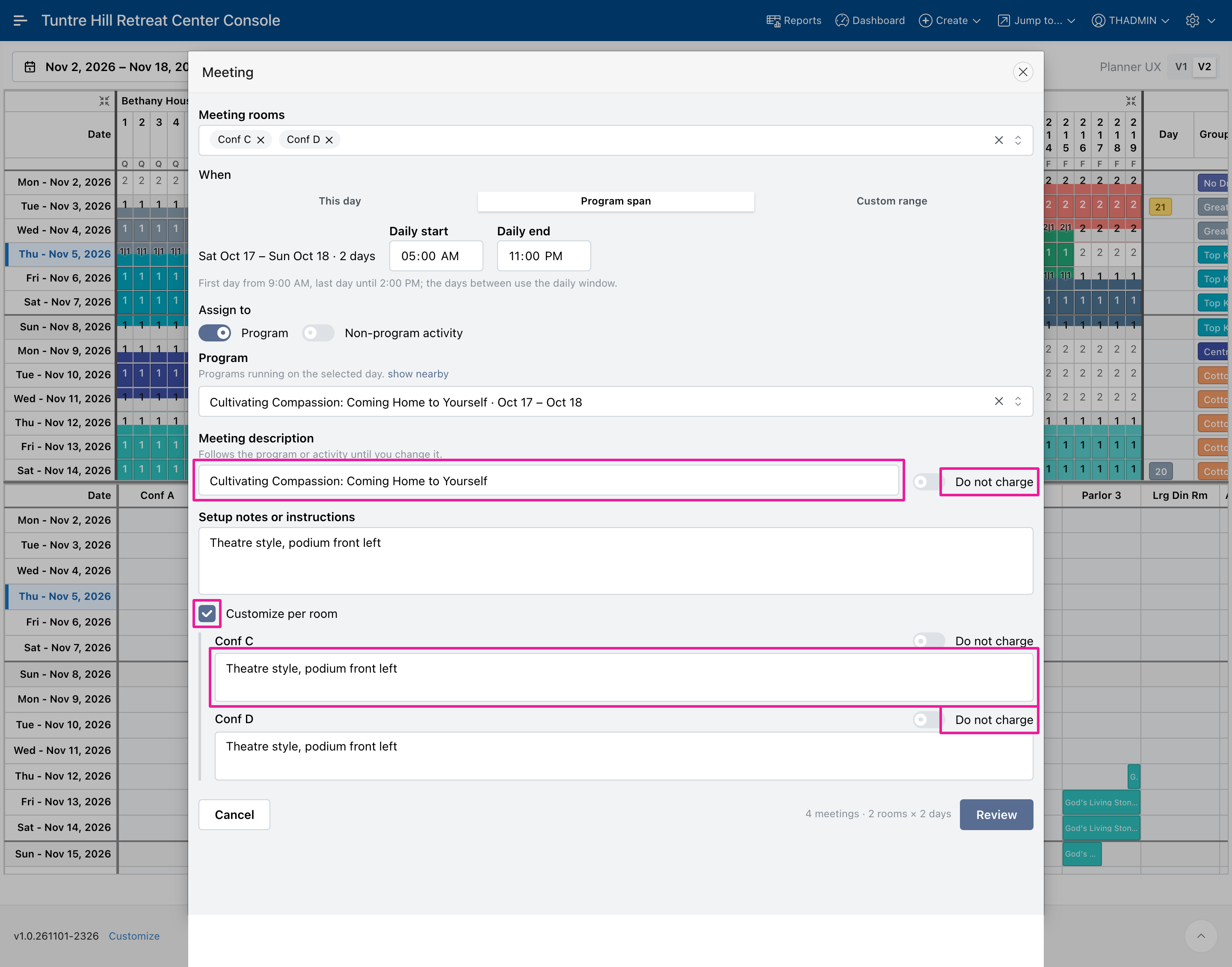
Section titled “2. Say how each room is set”Type the hall’s layout in ‘Setup notes or instructions’, then tick ‘Customize per room’ and give the breakout room its own note. Click ‘Review’, check the four meetings it will make, and click ‘Create 4 meetings’.
Plans change. To move the hall to new hours on several days, add a day, or drop the breakout room for the last morning, see A Room Across the Program.
3. Request the equipment
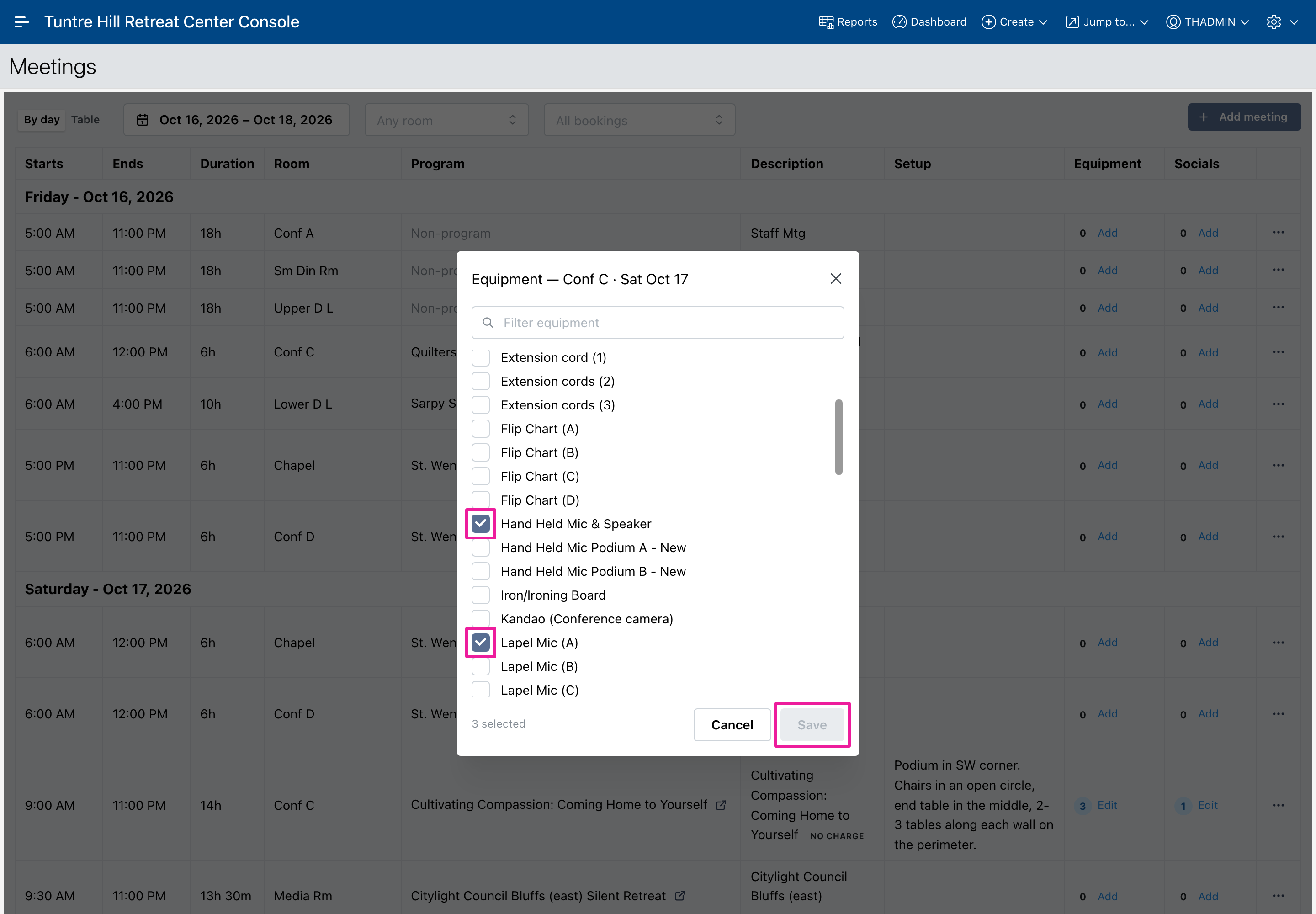
Section titled “3. Request the equipment”Choose ‘Planning’ > ‘Meetings’ and pick the retreat’s days. On the opening day’s hall booking click ‘Add’ under ‘Equipment’, tick the projector and the microphone, and click ‘Save’.
4. Order the socials
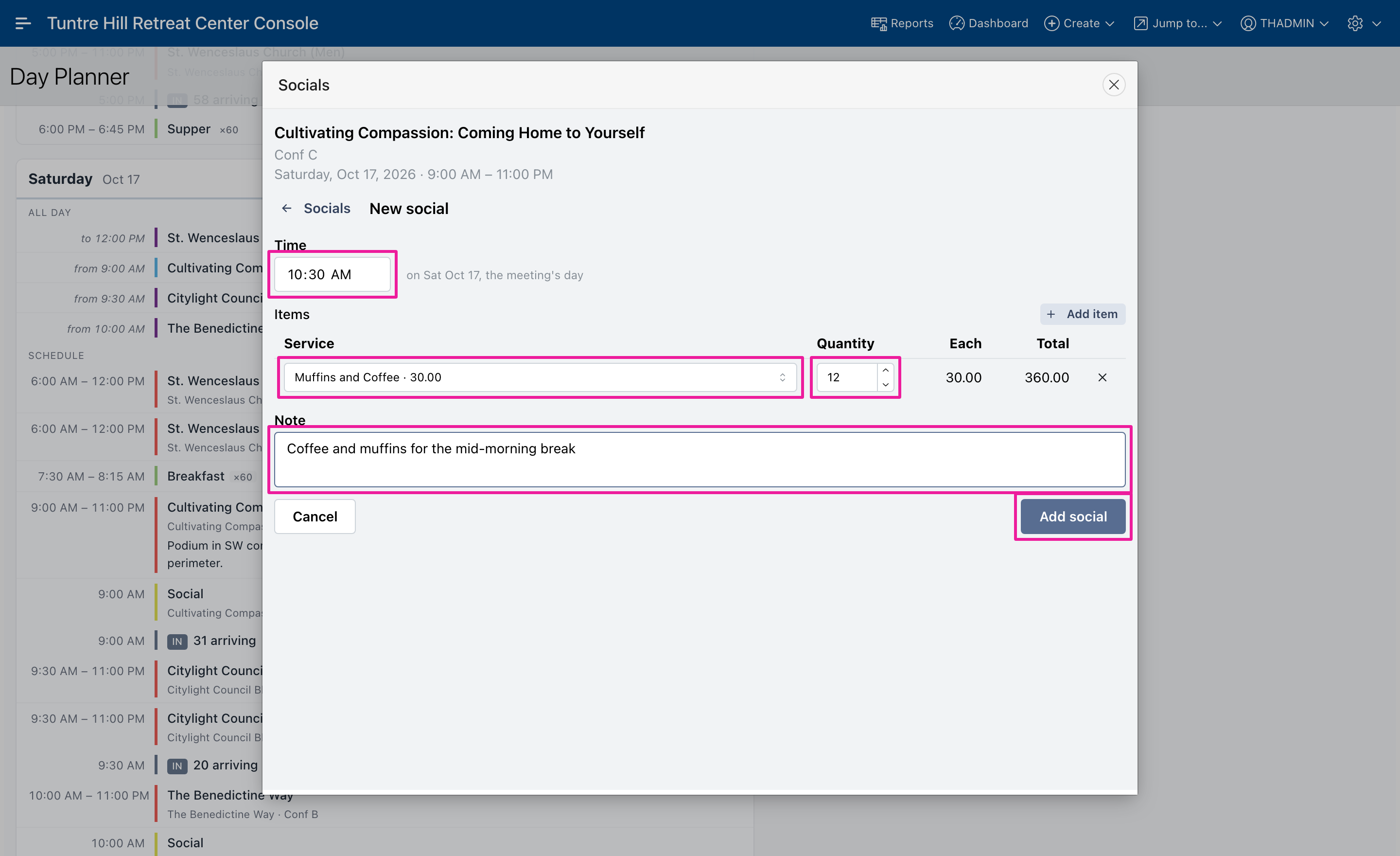
Section titled “4. Order the socials”On the same row click ‘Add’ under ‘Socials’, then ‘Add social’. Set the ‘Time’ to the morning break, add the coffee service and the pastries with their quantities, note anything the kitchen should know, and click ‘Add social’. Do the same for the second day, then ‘Done’.
5. Hand it over
Section titled “5. Hand it over”Click ‘Reports’ on the top bar and open ‘Meeting Room Schedule’ for the retreat’s week: both rooms, both days, the setup notes, and the projector are on the crew’s sheet. Print it.
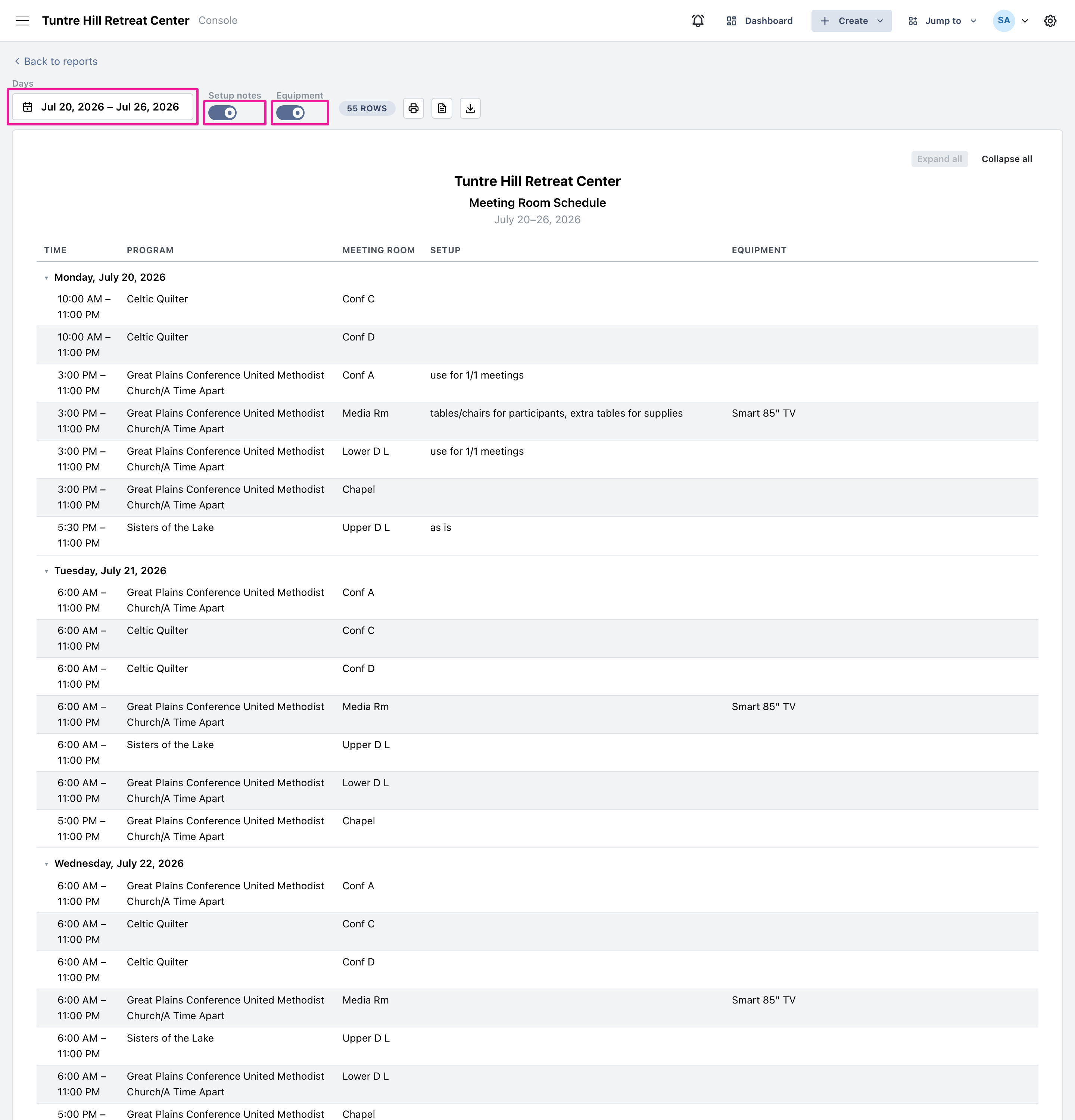
In the kitchen, ‘Planning’ > ‘Meal Planning’ > ‘Meals’ with ‘Socials’ switched on lists the coffee break under the day’s meals, with the items and quantities. Nothing was typed twice: the crew’s sheet and the kitchen’s sheet both read the meetings you booked.