Where Payments Show Up
One entry in the payment window can land in several places: on the payer’s account, on the program, on the invoice, in the day’s receipts, and in the donation and billing reports. This page follows each kind of entry to where it goes, so you know where to look when a figure needs checking.
The guest’s or group’s account
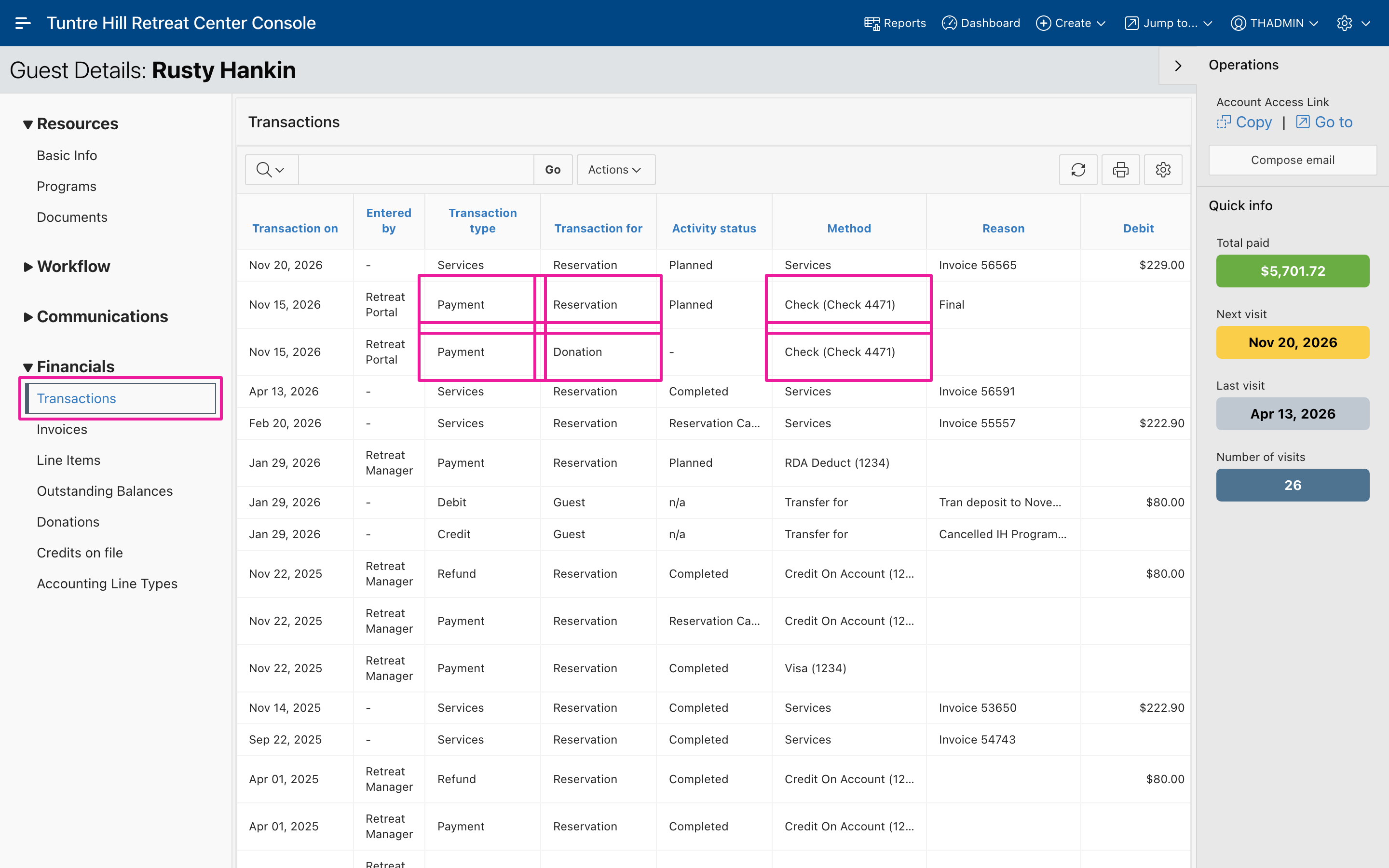
Section titled “The guest’s or group’s account”Open the guest’s (or group’s) page, expand Financials on the left and click ‘Transactions’. Every payment, refund, and gift on the account is a row with its date, tender, reference, and amount; a refund is a separate negative row under the payment it reverses. ‘Credits on file’, in the same list, shows the holds, draw-downs, and transfers behind the credit the payment window reports, and ‘Donations’ lists the account’s gifts.
The program
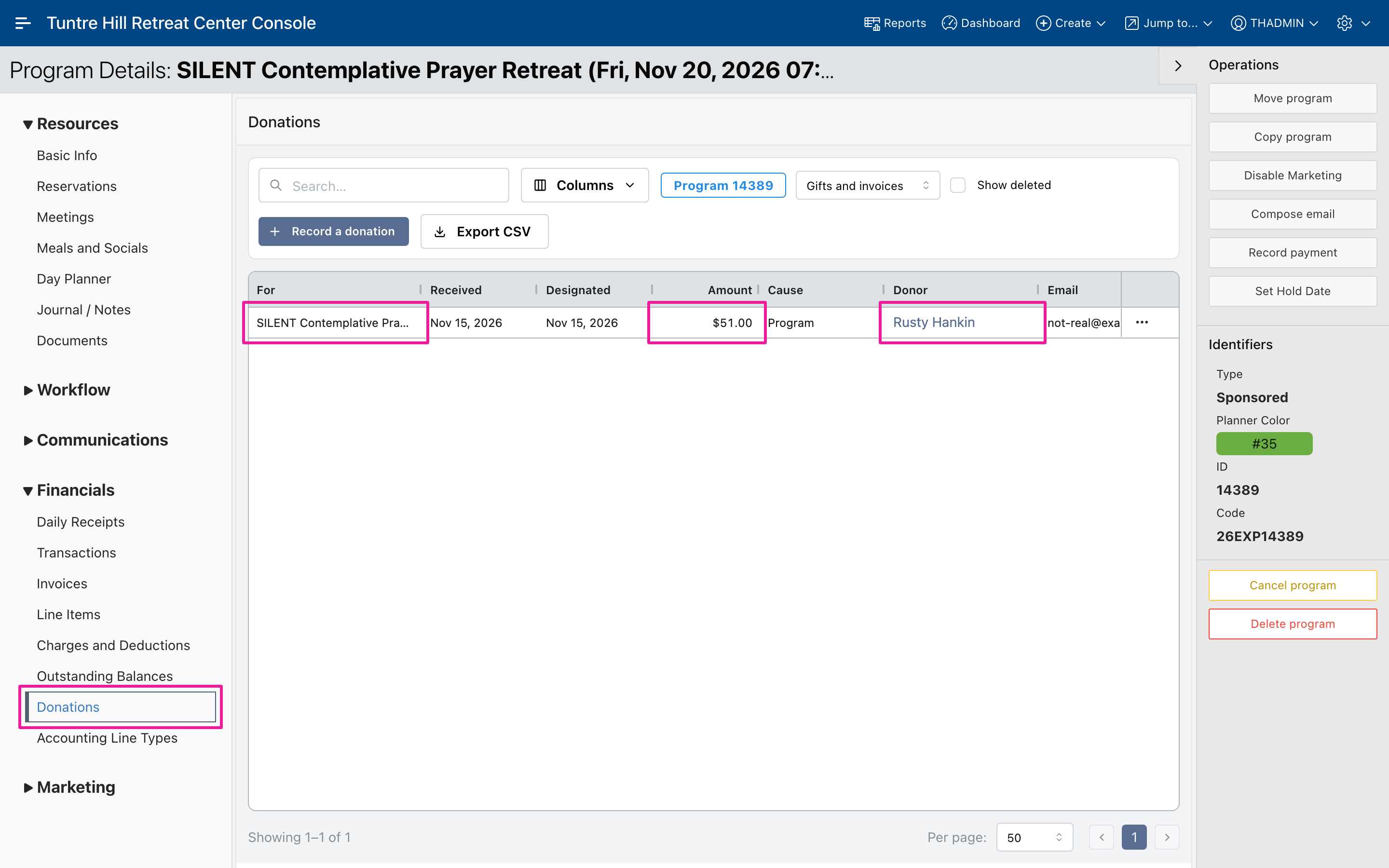
Section titled “The program”A program’s page has the same Financials tabs for everything paid on it: ‘Transactions’ for payments on its reservations and on the program itself, ‘Invoices’, and ‘Donations’ for the gifts designated to it, including a gift that was part of a payment, marked ‘From payment’.
The invoice
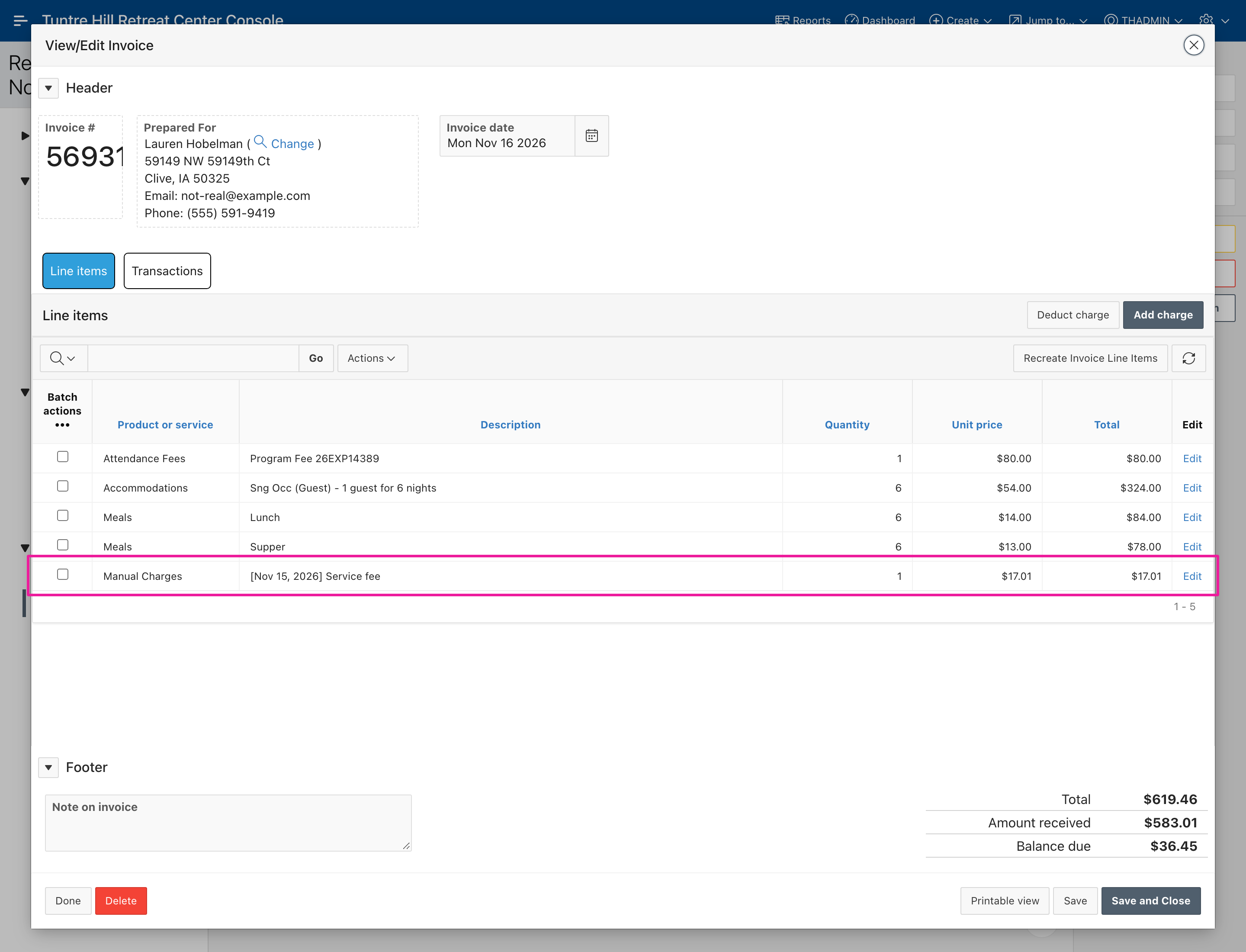
Section titled “The invoice”A payment is applied to the stay or the program, and the invoice’s balance is its lines less the payments on that stay. The only payment that writes anything onto the invoice is a card payment with a service fee: the fee goes on as a ‘Service fee’ line so the balance comes out the same as it would for a check. A donation never writes a line, and neither does a write-off.
Daily Receipts
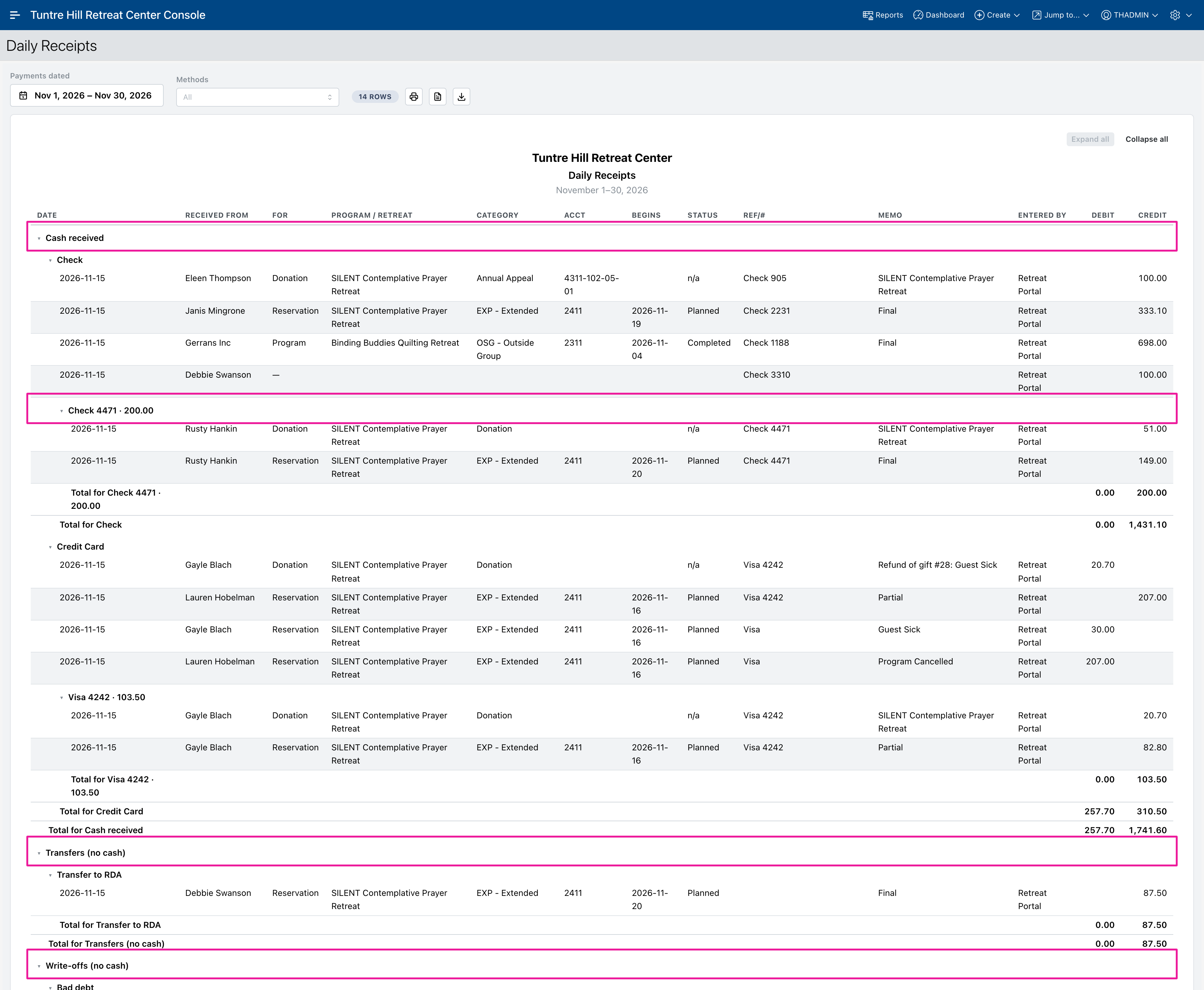
Section titled “Daily Receipts”Daily Receipts lists every entry by tender for a date range. A check that was recorded as a payment plus a donation appears as one line for the check’s total, the amount the bank sees, with the two parts beneath it. Once your payment types carry settlement classes, the money tenders sit under ‘Cash received’ with the deposit total, and a payment from credit on file, a write-off, or a price adjustment goes into its own section below so none of them is mistaken for cash. Gift shop sales rung up in Retreat Manager appear here too, as ‘Customer’ rows naming the sale — they belong to the day’s deposit, and to no guest or program.
The Donations list and report
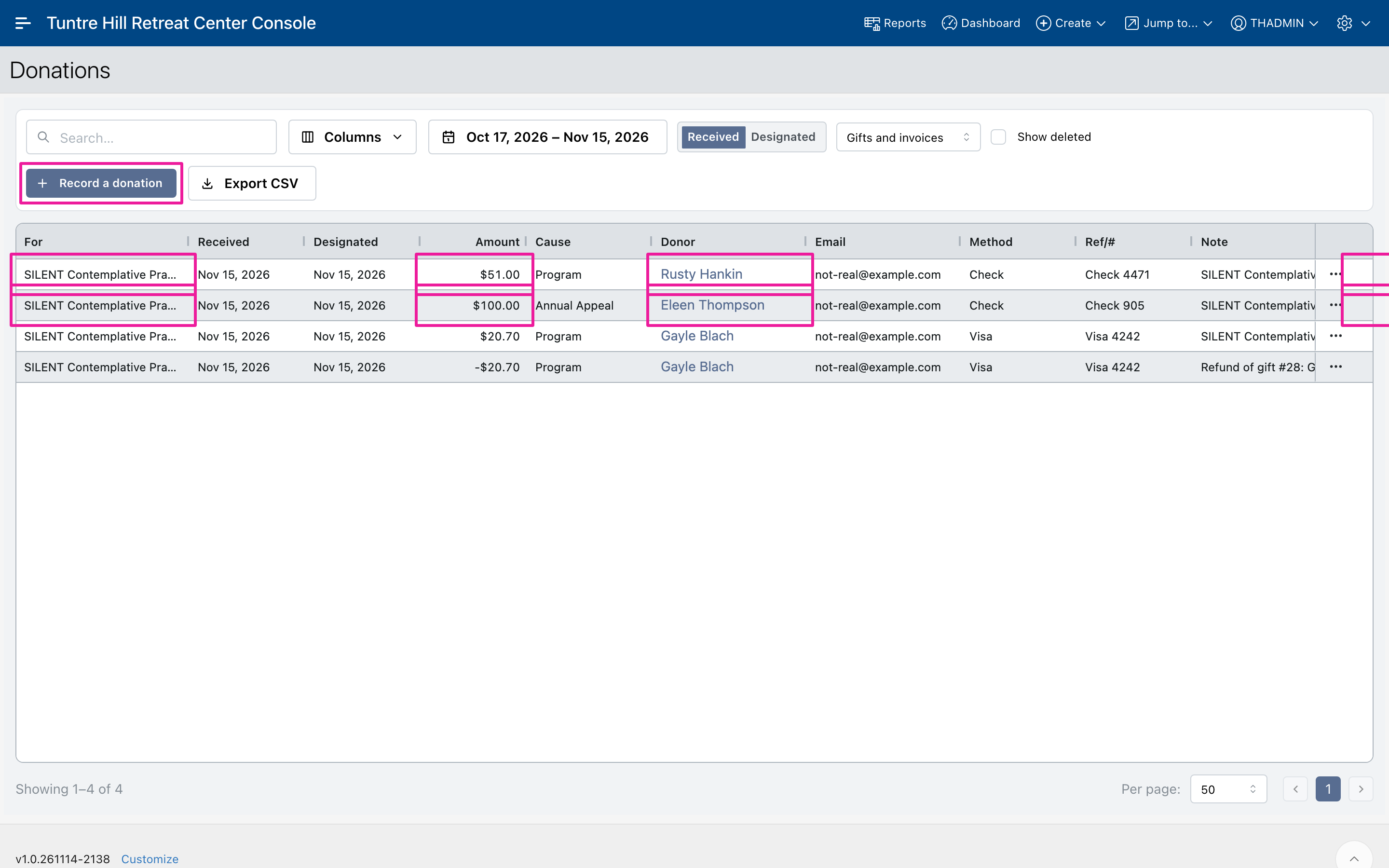
Section titled “The Donations list and report”Click the menu icon on the top-left and select ‘Financials’ > ‘Donations’ for every gift in a date range, with its donor, what it was for, its tender, and where it came from: recorded on its own, split from a payment, or given online. ‘Record a donation’ above the list opens the payment window on a donation. The Donations report is the printable version, by program and cause.
The billing reports
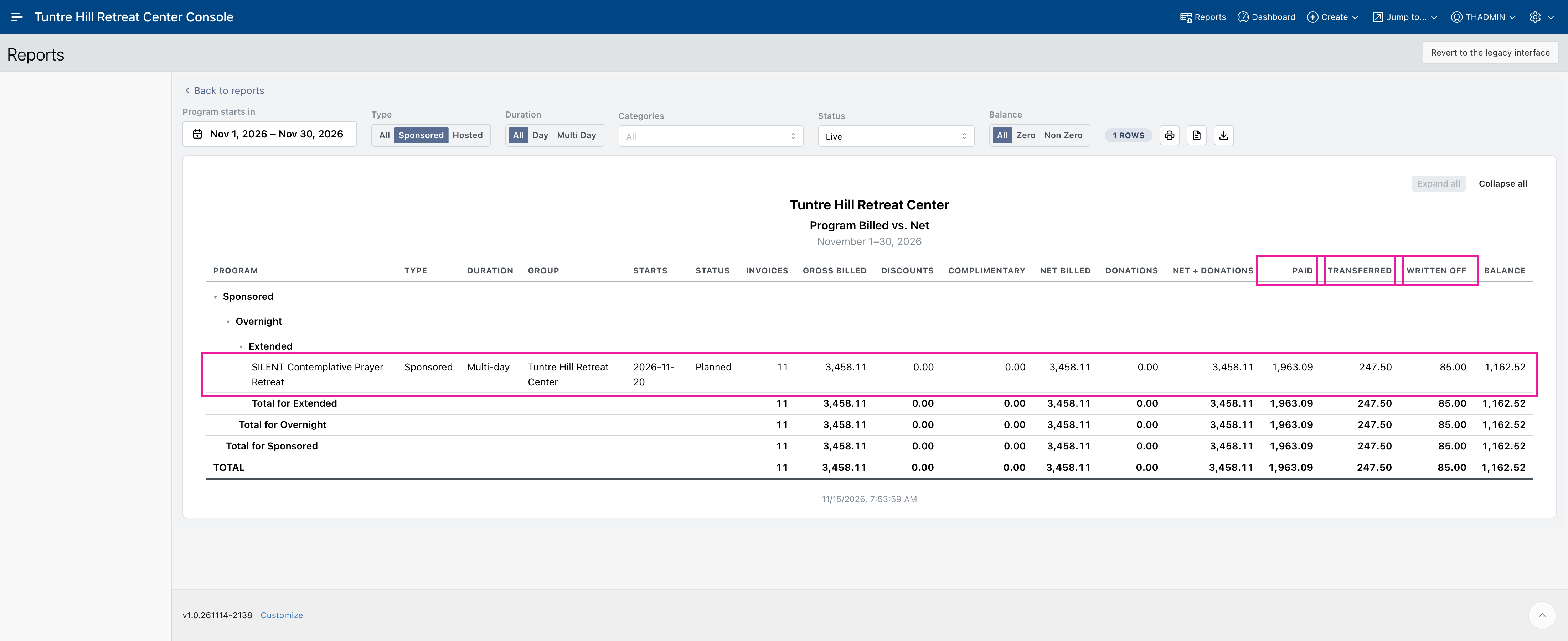
Section titled “The billing reports”Program Billed vs. Net and the other program billing reports show ‘Paid’ per program. With settlement classes set, ‘Paid’ is the money received, and ‘Transferred’, ‘Written off’, and ‘Price adjustments’ columns appear beside it for programs settled those ways, so the balance still reconciles while each kind is visible.