
Stripe Integration
Published August 31, 2026
Stripe integration requires sending an email to support@dkdsoftware.com to arrange a time to securely send your Stripe secret key and publishable key to Retreat Portal
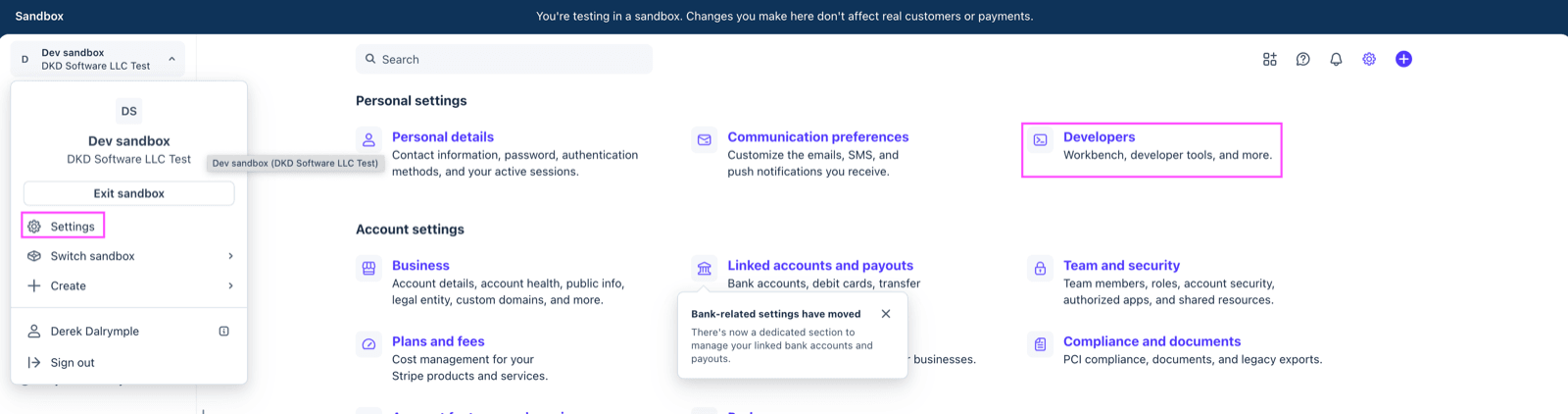
Go to your Account Settings > Developers
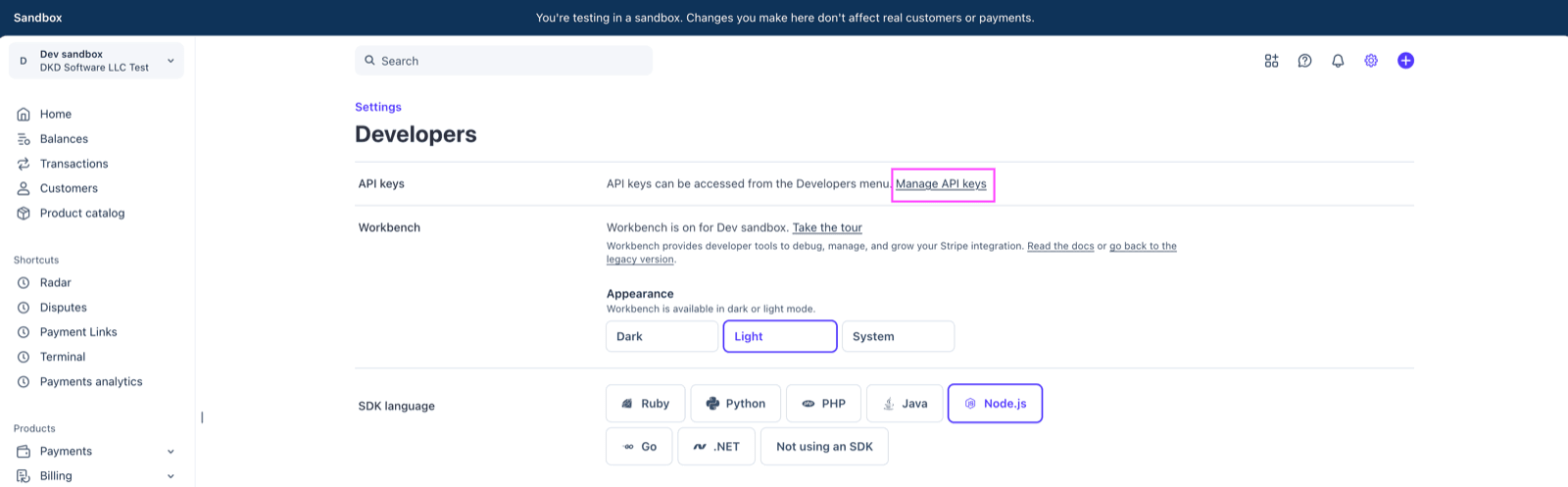
Click ‘Manage API Keys’
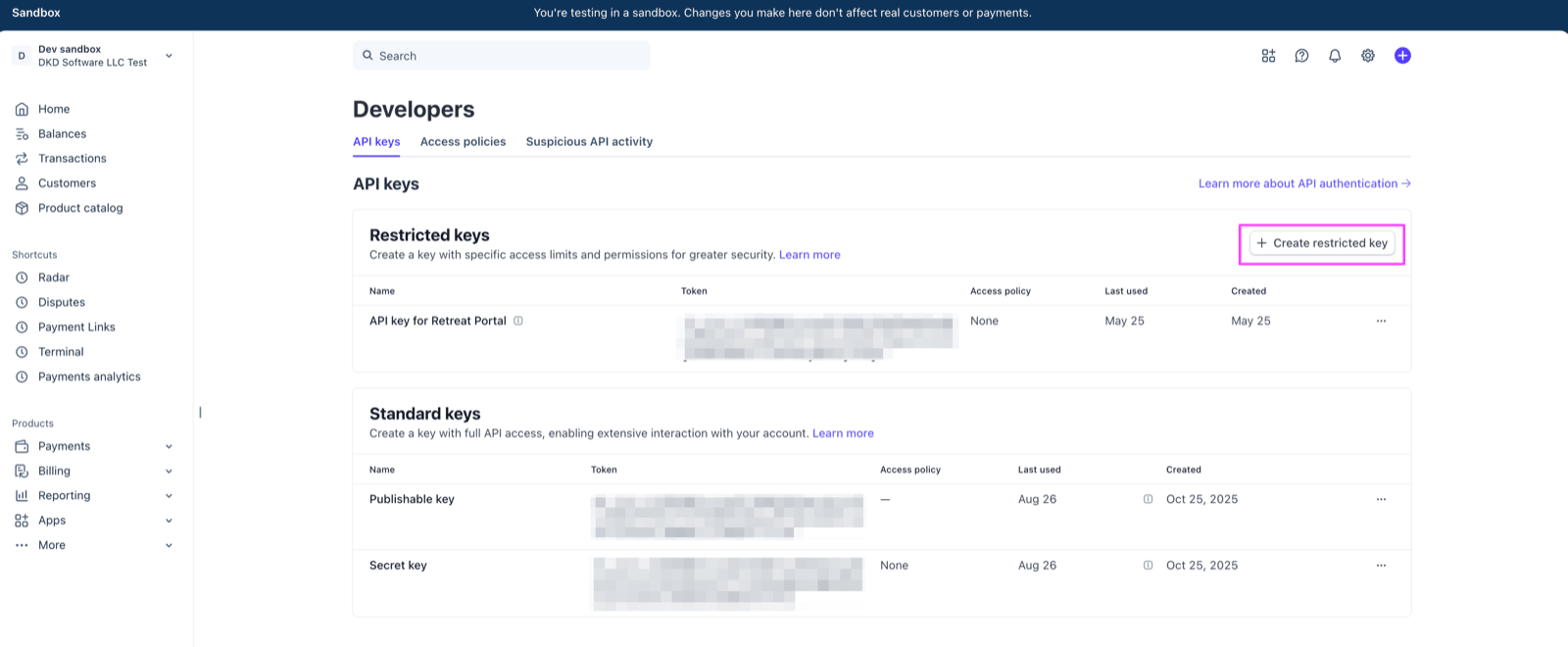
Click ‘Create restricted key’
Click ‘Providing this key to a third-party integration’, click Continue.
Give it a name like ‘Retreat Portal’
The URL can be your center’s URL, e.g. https://<id>.retreatportal.com
You likely do not have to alter default permissions.
Click ‘Create restricted key’
Retreat Portal support will instruct you on where to access the Stripe Account configuration page and where to copy your Publishable Key and Restricted Key.