
Record a Donation
Record a donation when a gift arrives on its own: a check from a past retreatant, a benefactor’s gift toward a program, cash collected at an event. A donation never touches an invoice, so it is recorded as its own gift, with who gave it, what it was for, and how it was paid, and it shows up in the Donations report and on the program it was designated to.
Open the window
Section titled “Open the window”Click ‘Create’ on the top bar and select ‘Donation’.
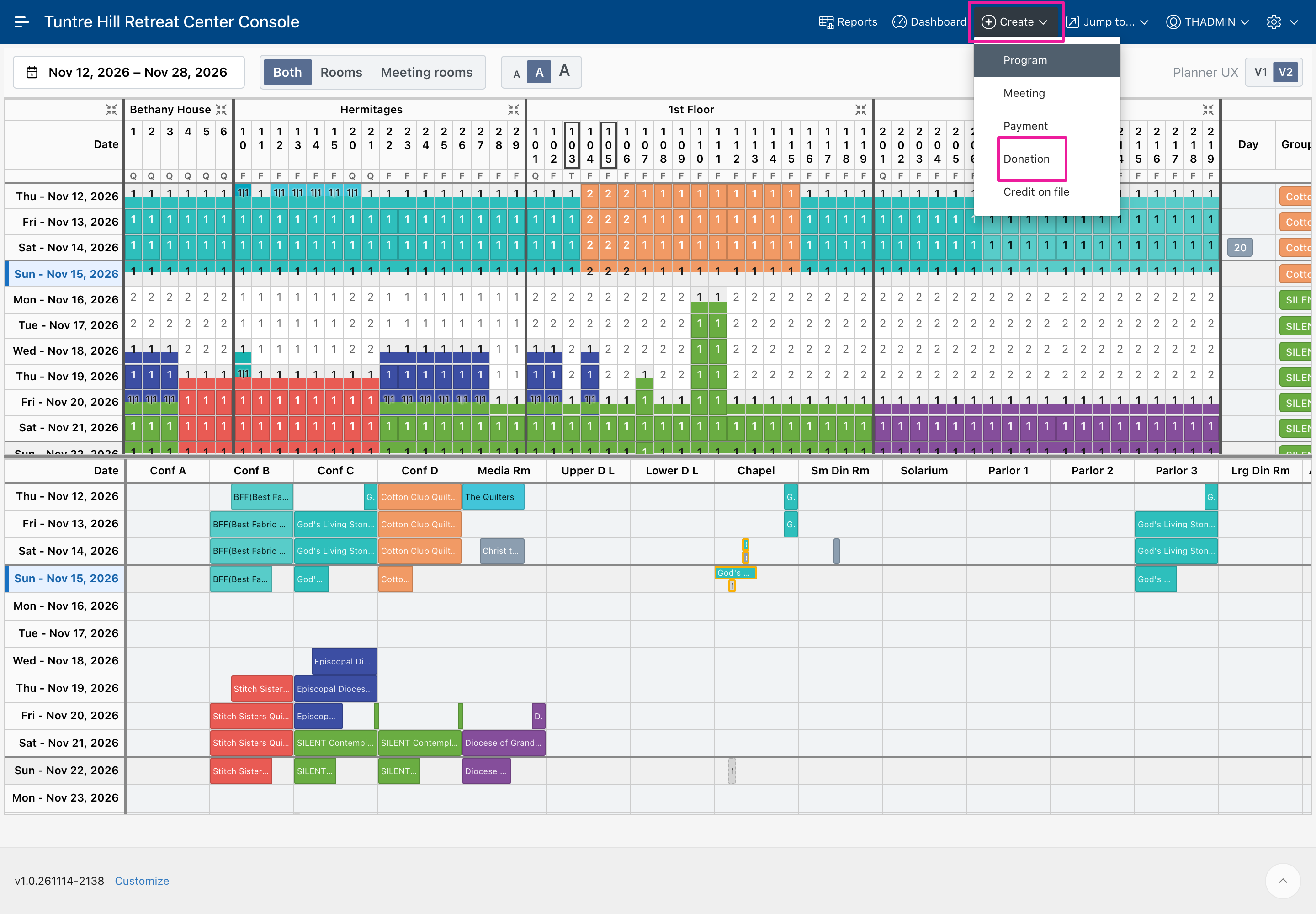
The same window opens from a program’s page or a guest’s page: expand Financials on the left, click ‘Donations’, then ‘Record a donation’ above the list. Opened that way, the program or the donor is already filled in.
Who gave it
Section titled “Who gave it”On the left pick the donor: ‘Guest’ or ‘Group’ and then the person or organization, or ‘Anonymous’ for cash and checks collected at an event with no named giver.
What it is for
Section titled “What it is for”A donation is for a program, a cause, or both, and the choice is what the reports group it by later.
- A program. Under ‘Donation for’, type part of the program’s title and pick it. This is optional: leave it empty when the gift is for the center in general.
- A cause. ‘Cause’, below the tender, is the fund or purpose from the list your center keeps, such as the general fund or an appeal. Pick one on its own, or pair it with a program to say which fund within that program the gift supports.
Anyone can give to a program. A donor doesn’t have to have attended it, or be a guest at all; a benefactor, a parish, or a group who never set foot on the retreat can designate a gift to it. When the donor is a guest who did attend, ‘Their reservation’ appears under the program: picking their stay there records them as an attendee who gave, which is how the program’s records tell an attendee’s gift from an outside gift. Nothing is charged to the stay either way.
Tender and amount
Section titled “Tender and amount”Pick the ‘Tender’ and the ‘Amount’. ‘Received on’ is the day the money arrived, which may be well before today. Type the check number under ‘Note, check #’.
‘Send the thank-you email now’ is off by default, since many centers send acknowledgments in their own letter run; tick it to send the thank-you from the donation’s template straight away.
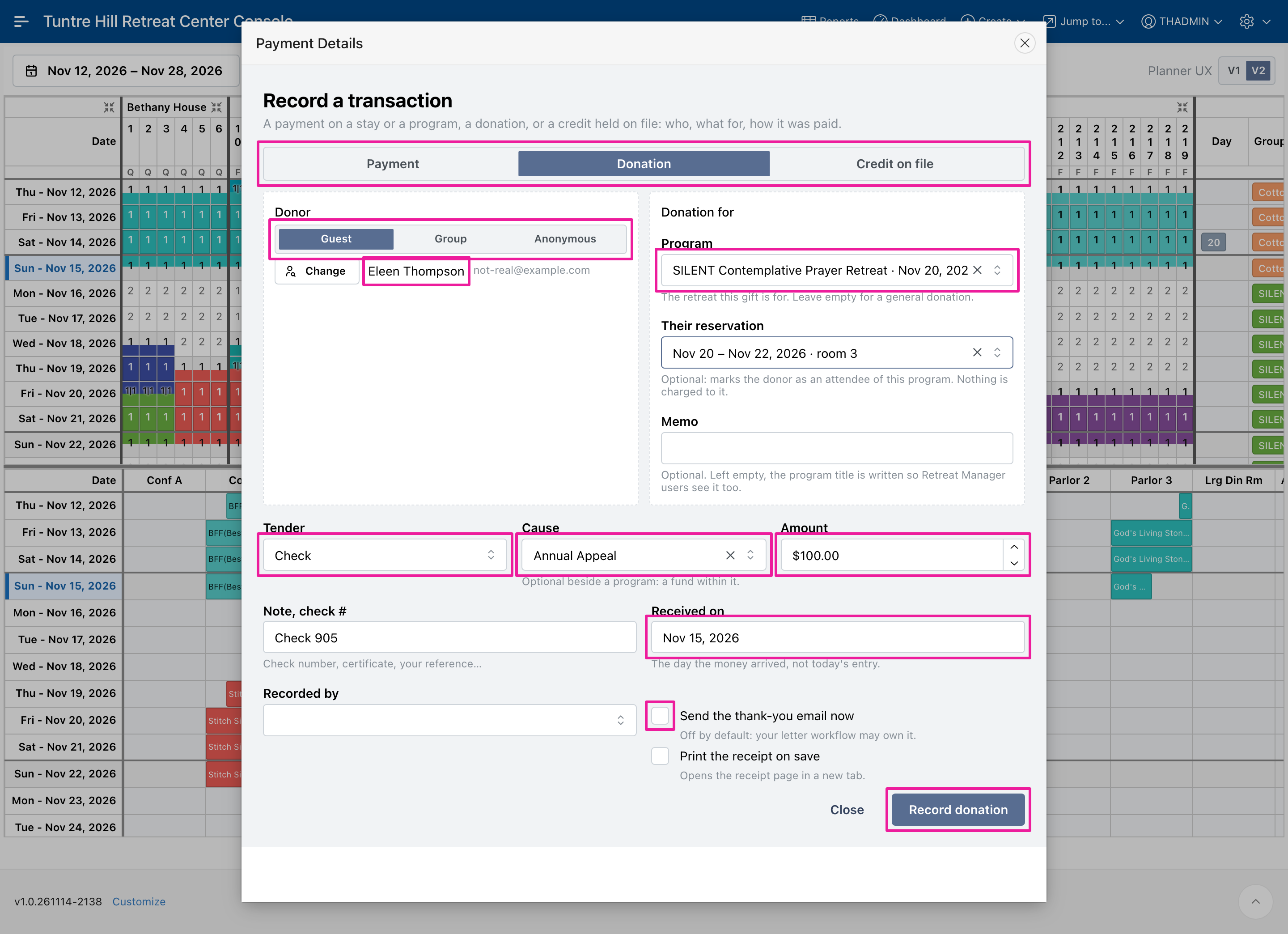
Click ‘Record donation’.
What you see after
Section titled “What you see after”The confirmation names the gift, its number, and whether the thank-you went out. ‘Record another’ starts a fresh entry for the next check in the pile.
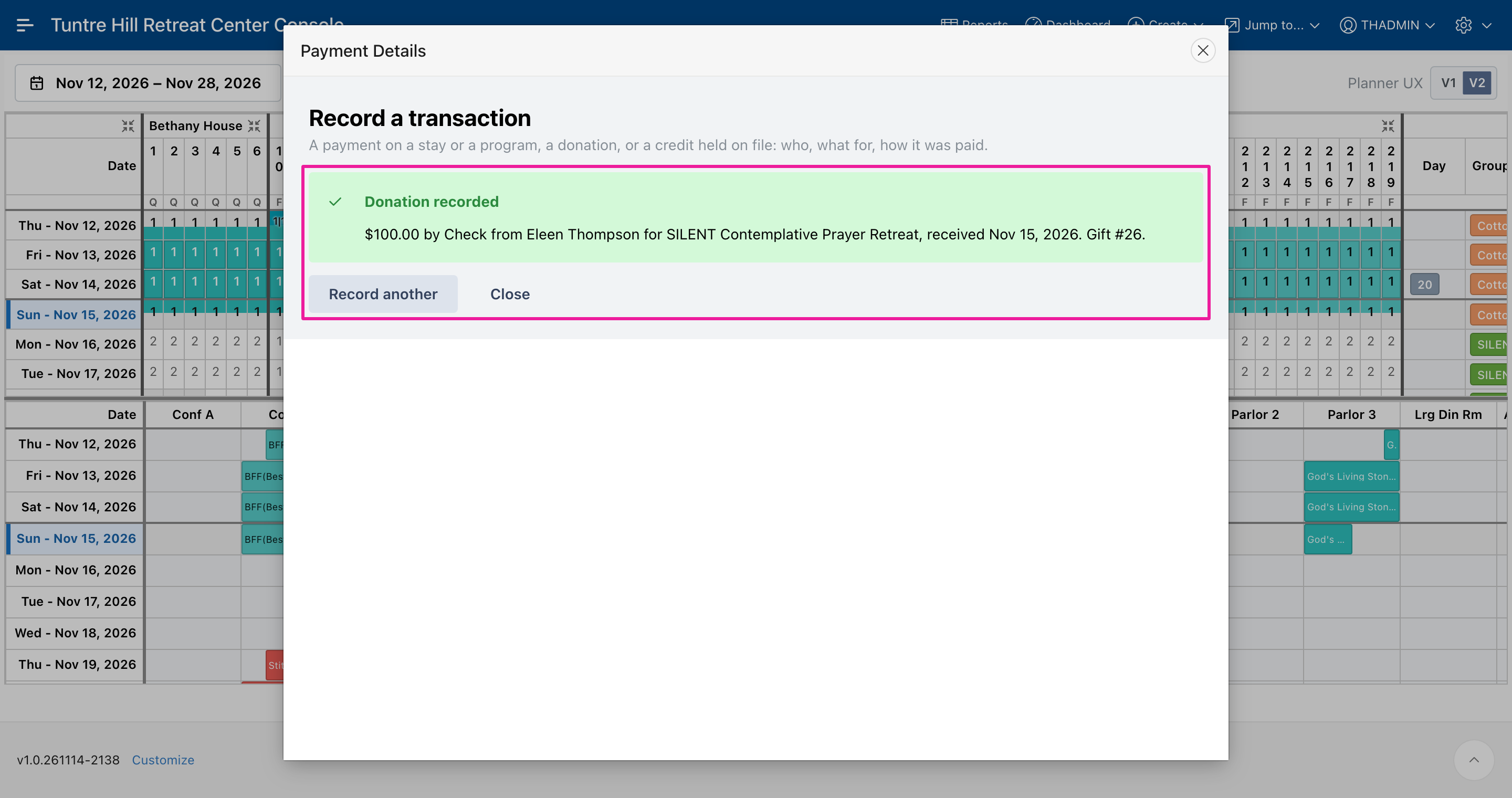
The gift is listed on the program’s page under Financials > ‘Donations’, on the donor’s page under the same tab, in the Donations report, and in Daily Receipts under its tender on the day it was received. A gift paid by card can be refunded from its own page; see Refunds and Voids.