
Overbooked Meeting Rooms
Overbooked Meeting Rooms is the audit behind the yellow warnings on the Meetings list: every meeting room booked twice at the same time in a date range, day by day. Retreat Portal never blocks a double booking — sometimes two groups really do share a chapel — so this is the report to run before a busy season to make sure every overlap on the books is one you meant.
Open Overbooked Meeting Rooms
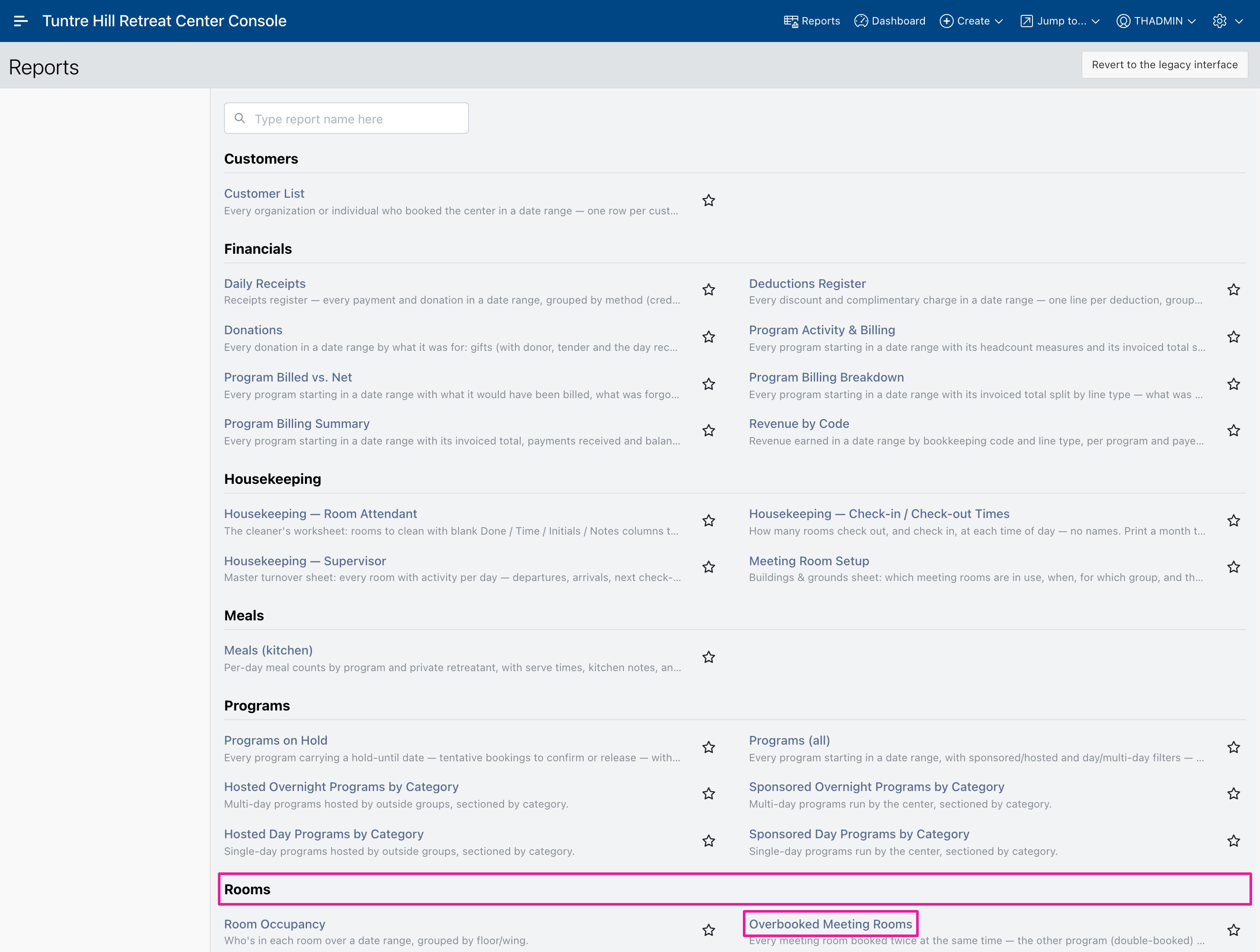
Section titled “Open Overbooked Meeting Rooms”Click ‘Reports’ on the top bar, then find ‘Overbooked Meeting Rooms’ in the Rooms section.
Pick the days
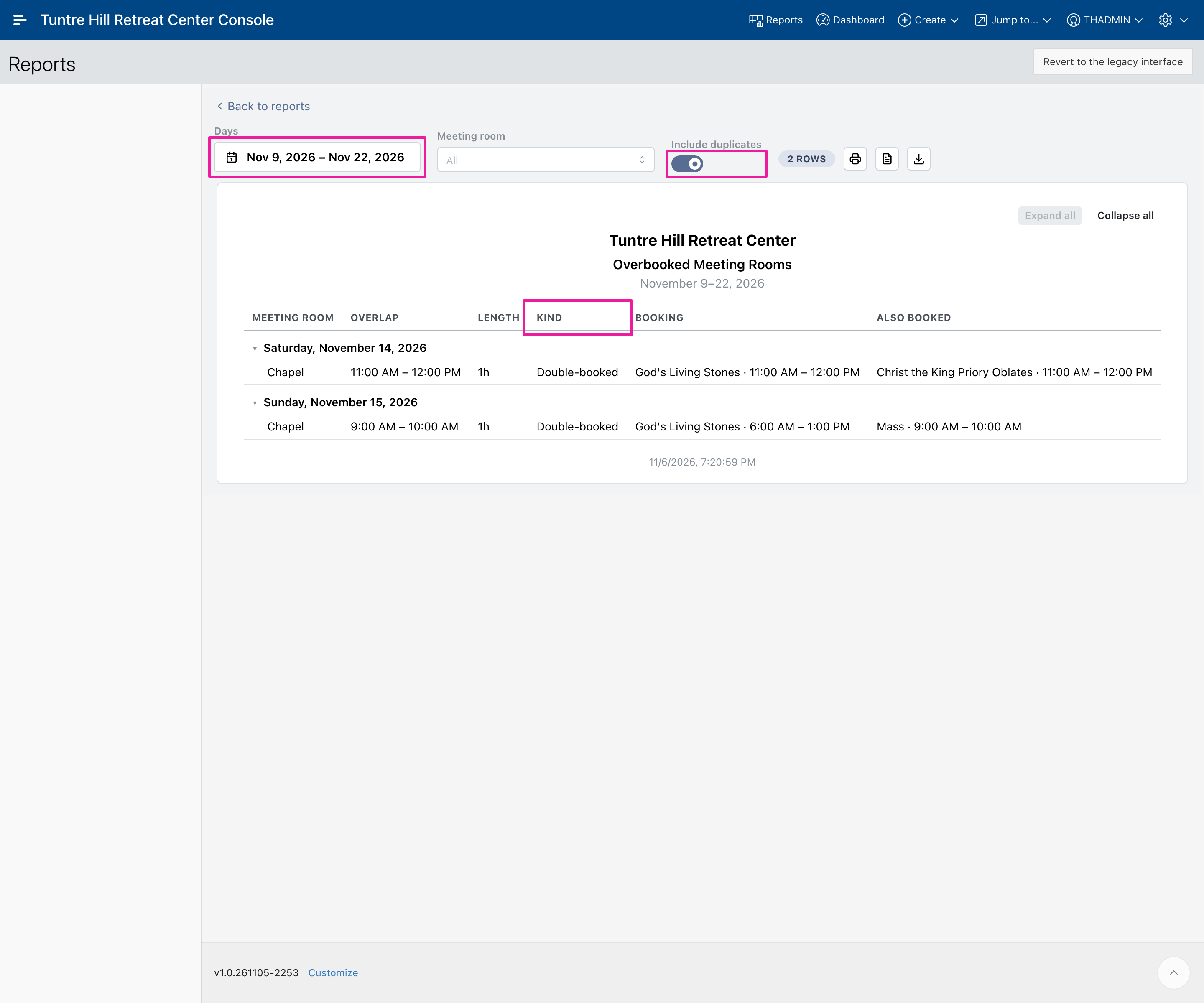
Section titled “Pick the days”The report opens on the next 90 days and runs any stretch up to a year. ‘Meeting room’ narrows it to particular rooms. ‘Include duplicates’ starts on; turn it off to see only true double bookings.
Read it
Section titled “Read it”Each row is one pair of bookings of one room whose times overlap, printed once, on the day the overlap starts. ‘Overlap’ is the shared window and ‘Length’ how long it lasts. ‘Kind’ says what you’re looking at: ‘Double-booked’ is another program — or a non-program booking, like a staff meeting — in the room at the same time; ‘Duplicate’ is the same program holding the room twice, which is usually a booking entered twice rather than a real clash. ‘Booking’ and ‘Also booked’ name the two with their own times, the earlier start first, so you can tell which one to move. An empty report is the good news: no room is promised twice.
The same warnings show where bookings are made — yellow badges on the Meetings list, a notice in the meeting editor — so what this report catches is the overlap nobody was looking at when it was booked. Use the printer icon to print it, or the two icons beside it to export a Word document or a CSV file.