Room Chart
Published April 12, 2025
The Room Chart feature in Retreat Portal displays a quick view of your rooms and occupants for a given day. This is a handy report to use for a front desk who is handling check-ins or finding available rooms for walk-ins.
Here is a preview of what our Room Chart looks like. At the bottom of the report is a legend explaining which programs (or private retreats) each guest is there to attend.
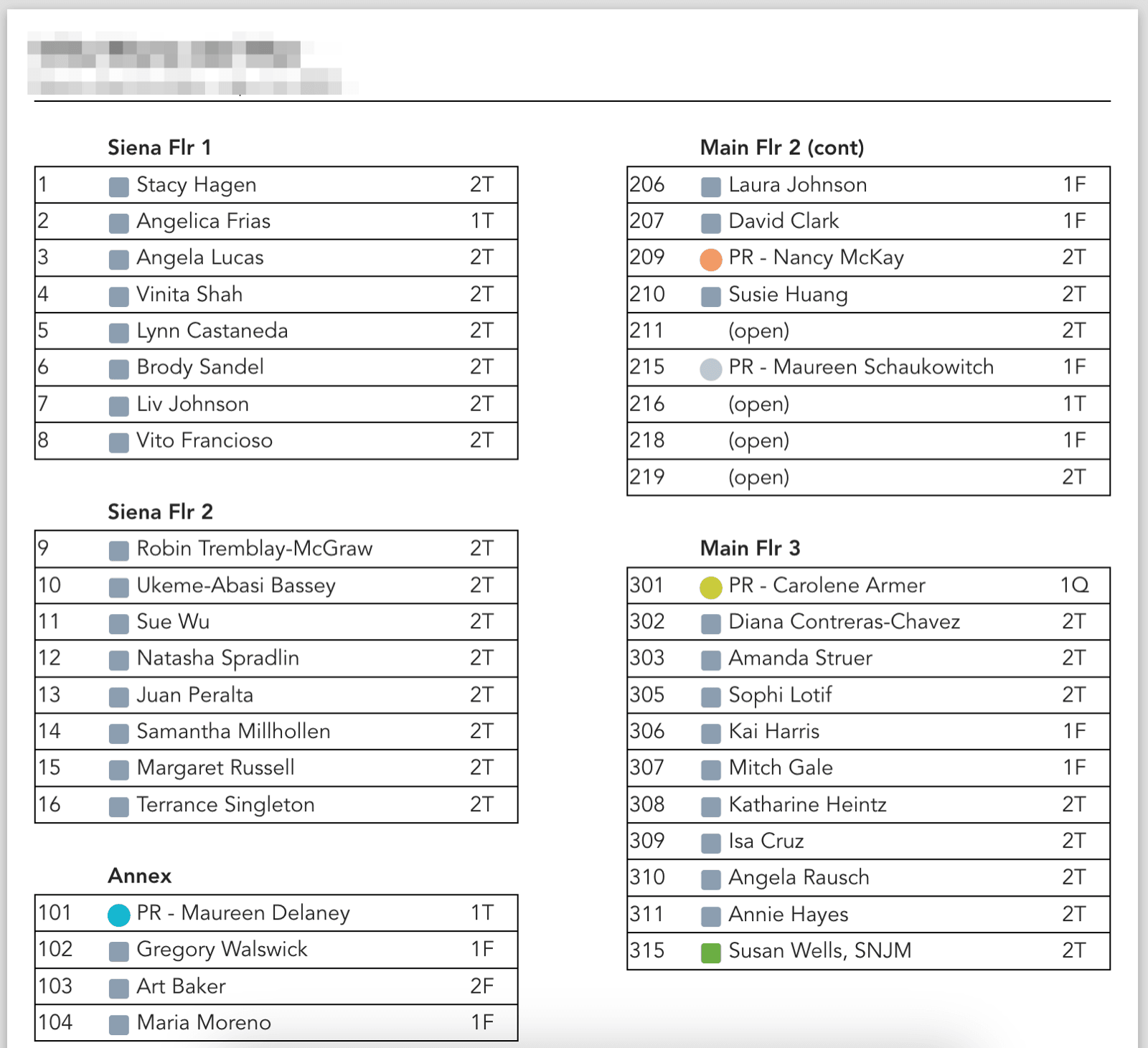
The page header has your center’s name and the date of the report.
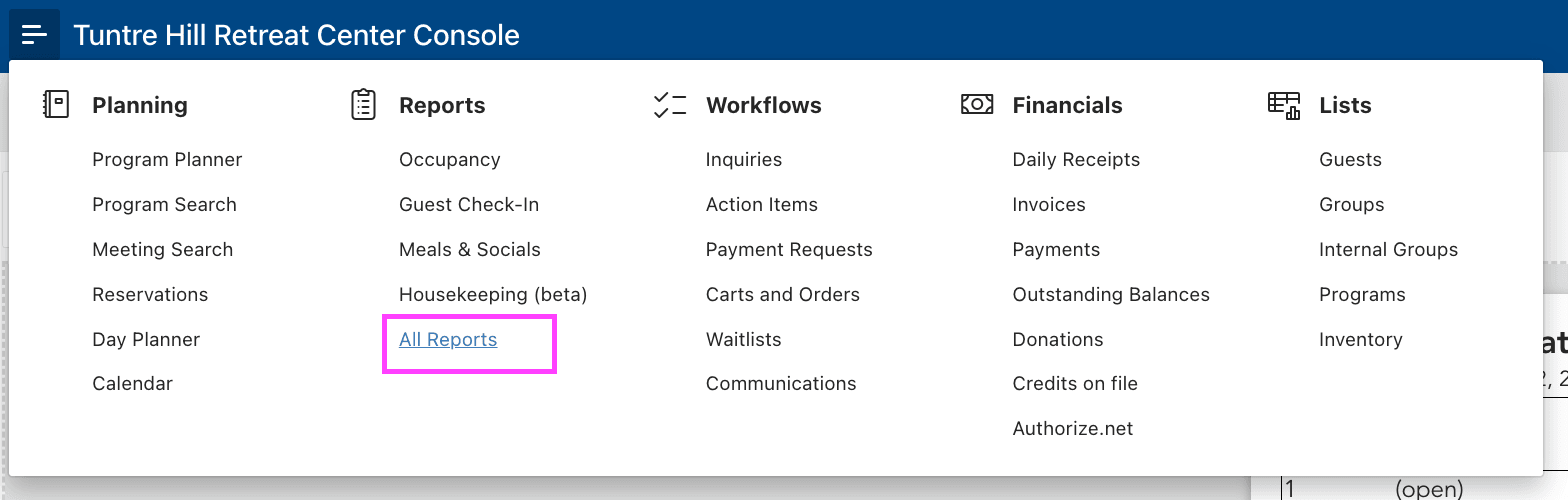
To access the report click the top-left icon and select Reports > All Reports
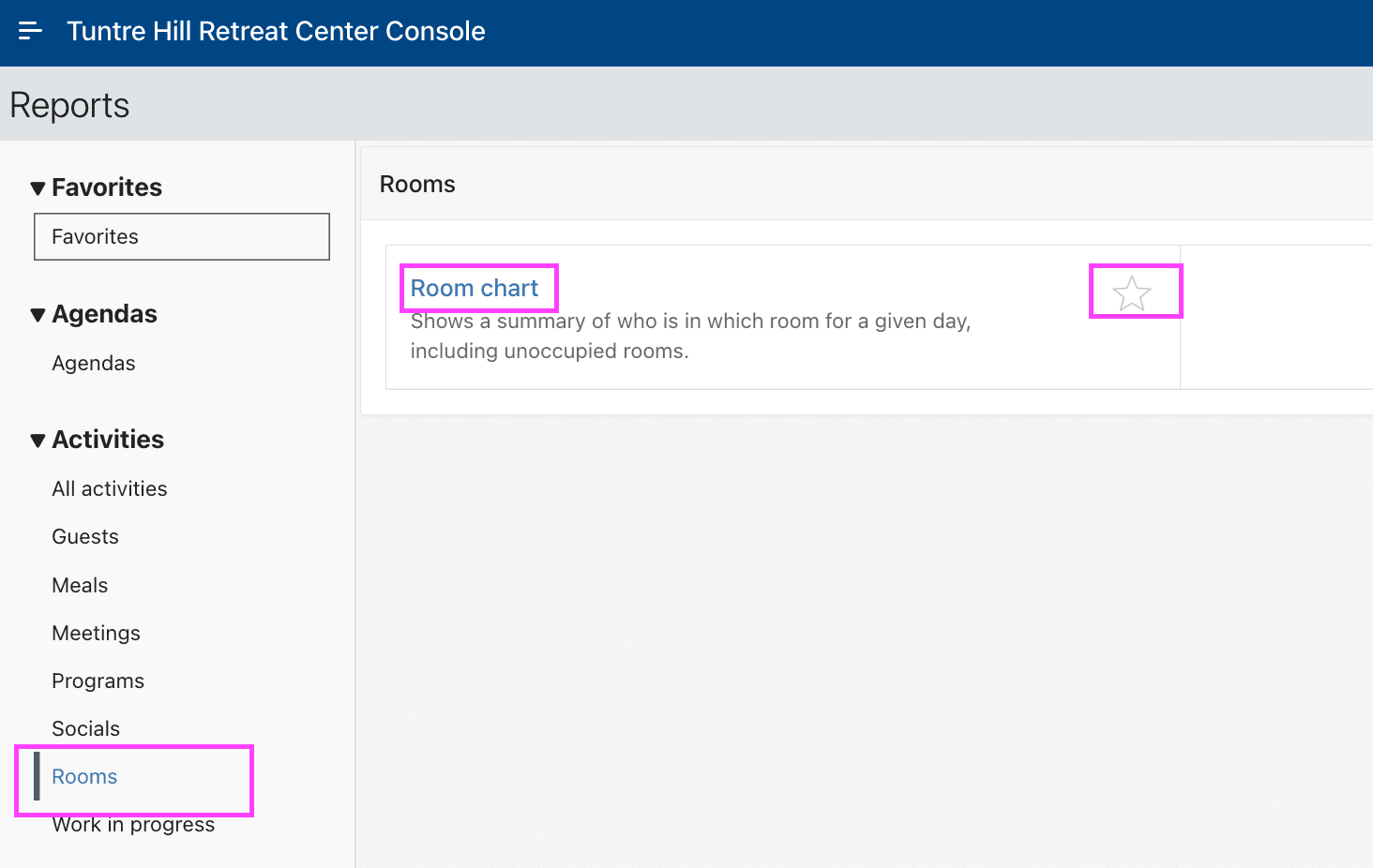
Expand Activities and click ‘Rooms’. You will find the link to ‘Room chart’. You can also click the ‘star’ icon to flag it as a favorite for easier reference in the future.