
Program Billing Summary
The Program Billing Summary is the program list with a financial slant: every program starting in a date range, with how many invoices it carries, the invoiced total, the payments received, and the balance still owed. It’s the report to run when you want to see at a glance which programs are settled and which still owe you money.
Open Program Billing Summary
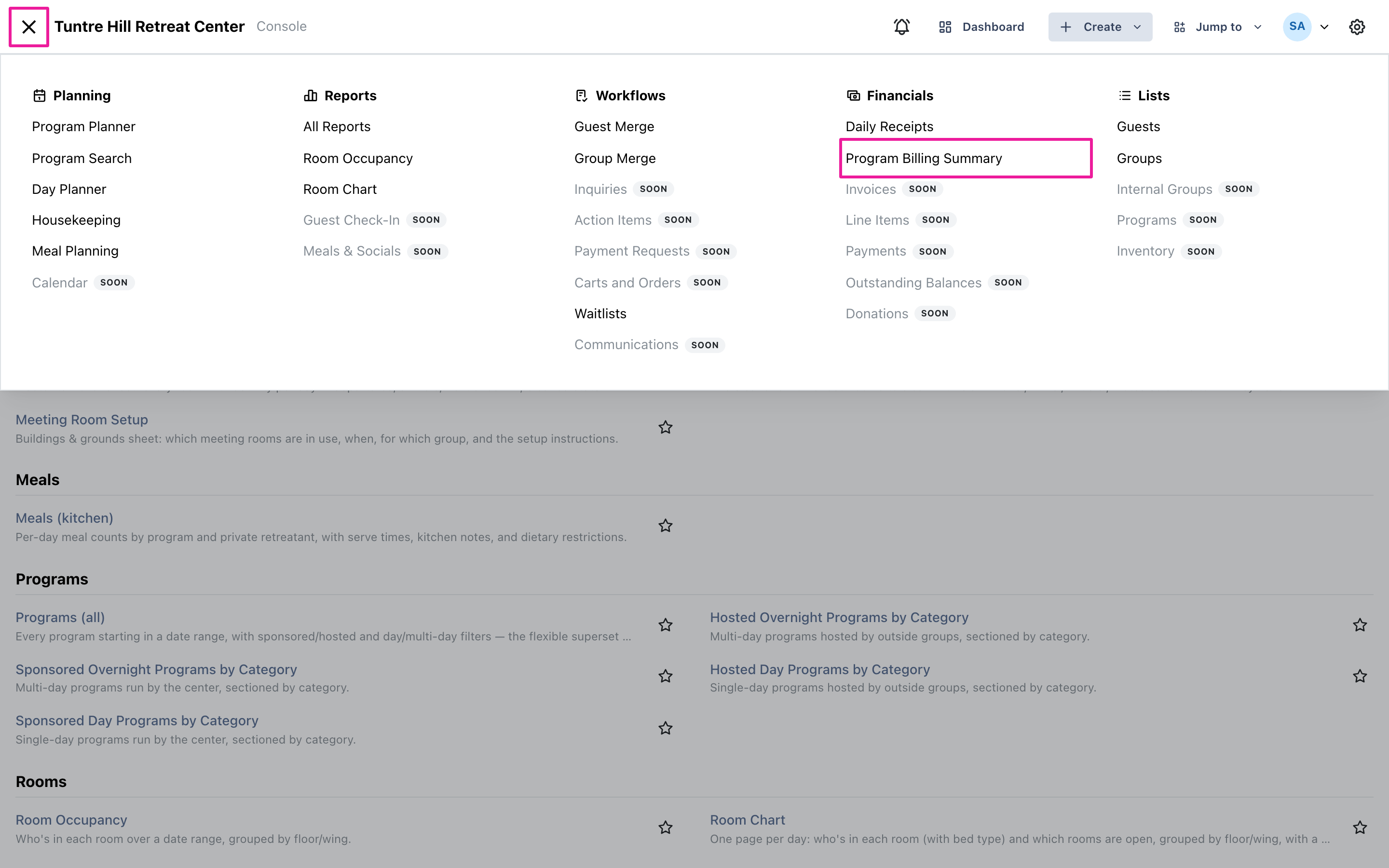
Section titled “Open Program Billing Summary”Click the menu icon on the top-left and select ‘Financials’ > ‘Program Billing Summary’. You can also reach it from ‘Reports’ > ‘All Reports’, where it sits in the Financials section.
Pick the range and filters
Section titled “Pick the range and filters”‘Program starts in’ works like the Programs report — pick the stretch of program start dates you want to reconcile. ‘Type’ narrows to sponsored or hosted programs, ‘Duration’ to day or multi-day, and ‘Categories’ to specific program categories; all start wide open.
Read the summary
Section titled “Read the summary”Each program’s line counts every invoice connected to it — its own and its guests’ reservation invoices, each counted once. ‘Invoiced’ is the sum of those invoices, ‘Paid’ the payments received (refunds net against it), and ‘Balance’ what’s still outstanding, with totals at the bottom of each section. A program whose balance is zero is fully settled. If an invoice is shared across programs, the report says so in a warning at the top rather than counting it twice silently.
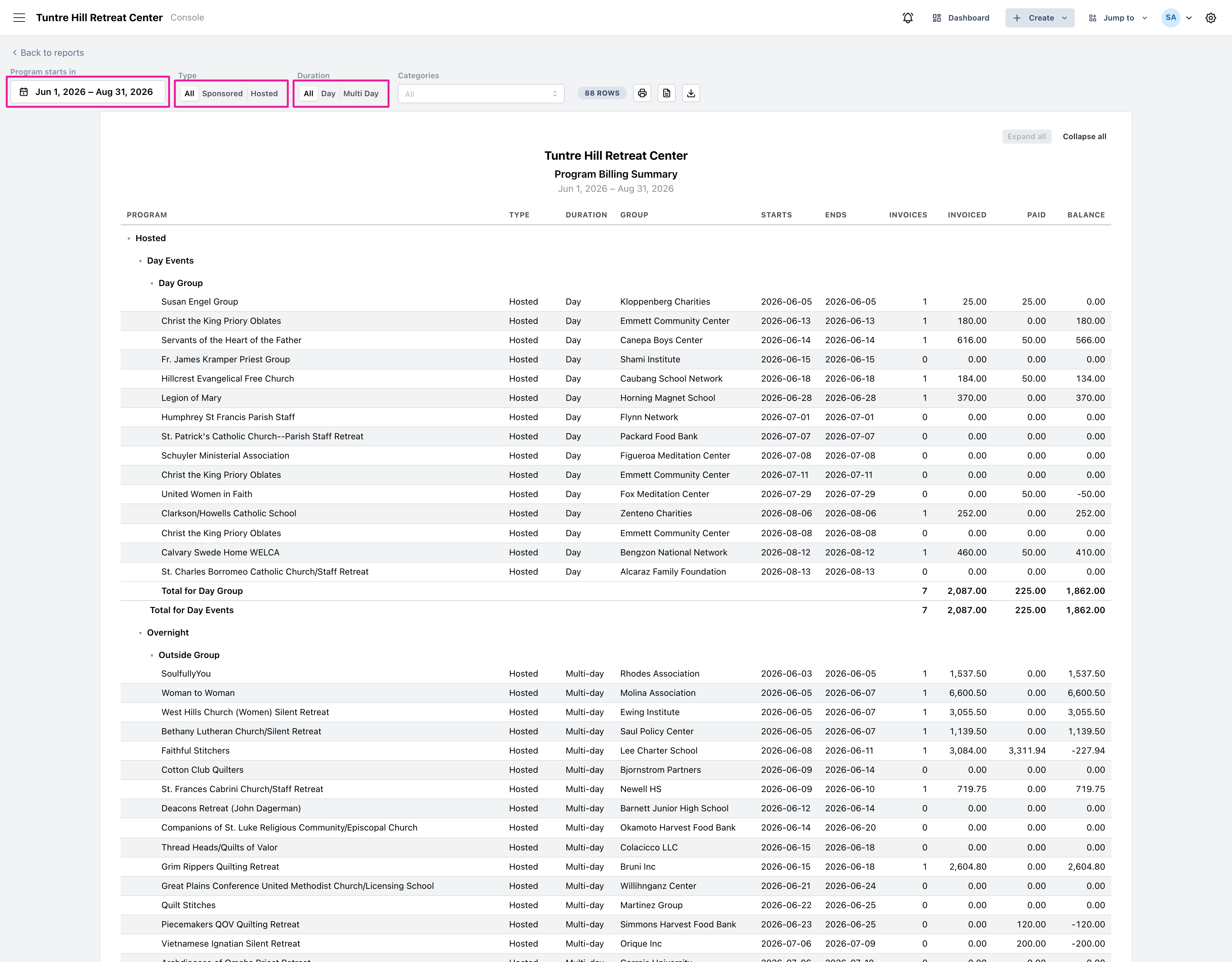
Use the printer icon to print it, or the two icons beside it to export a Word document or a CSV file.