
Program Billing Breakdown
The Program Billing Breakdown is the Program Billing Summary with the invoiced total opened up: every program starting in a date range, with what it was billed for accommodations, meals, attendance fees, meeting rooms, and every other line type your center uses, each in its own column. It’s the report to run when you want to know not just how much a program was billed, but what the money was for.
Open Program Billing Breakdown
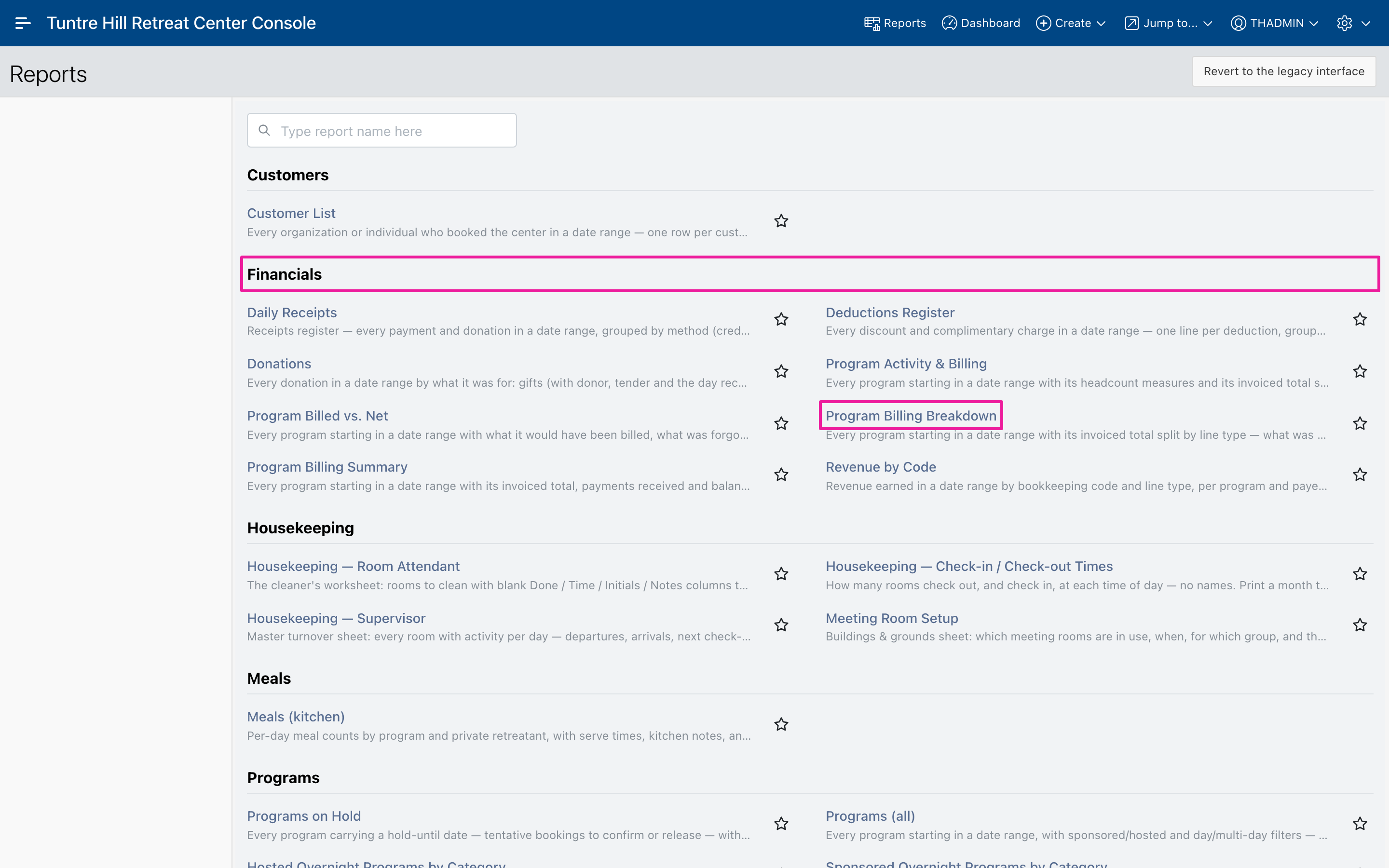
Section titled “Open Program Billing Breakdown”Click ‘Reports’ on the top bar, then find ‘Program Billing Breakdown’ in the Financials section.
Pick the range and filters
Section titled “Pick the range and filters”The filters are the same as the Summary’s. ‘Program starts in’ picks the stretch of program start dates, ‘Type’ narrows to sponsored or hosted programs, ‘Duration’ to day or multi-day, and ‘Categories’ to specific program categories. ‘Balance’ keeps only settled programs (‘Zero’) or only those still owing (‘Non Zero’). ‘Status’ starts on ‘Live’ — every program not cancelled or deleted — and narrows to ‘Planned’, ‘Ongoing’, or ‘Completed’; ‘Cancelled’, ‘Deleted’, and ‘All’ bring dead programs in, which is how a cancelled program’s open invoice is found. The other filters start wide open.
Read the breakdown
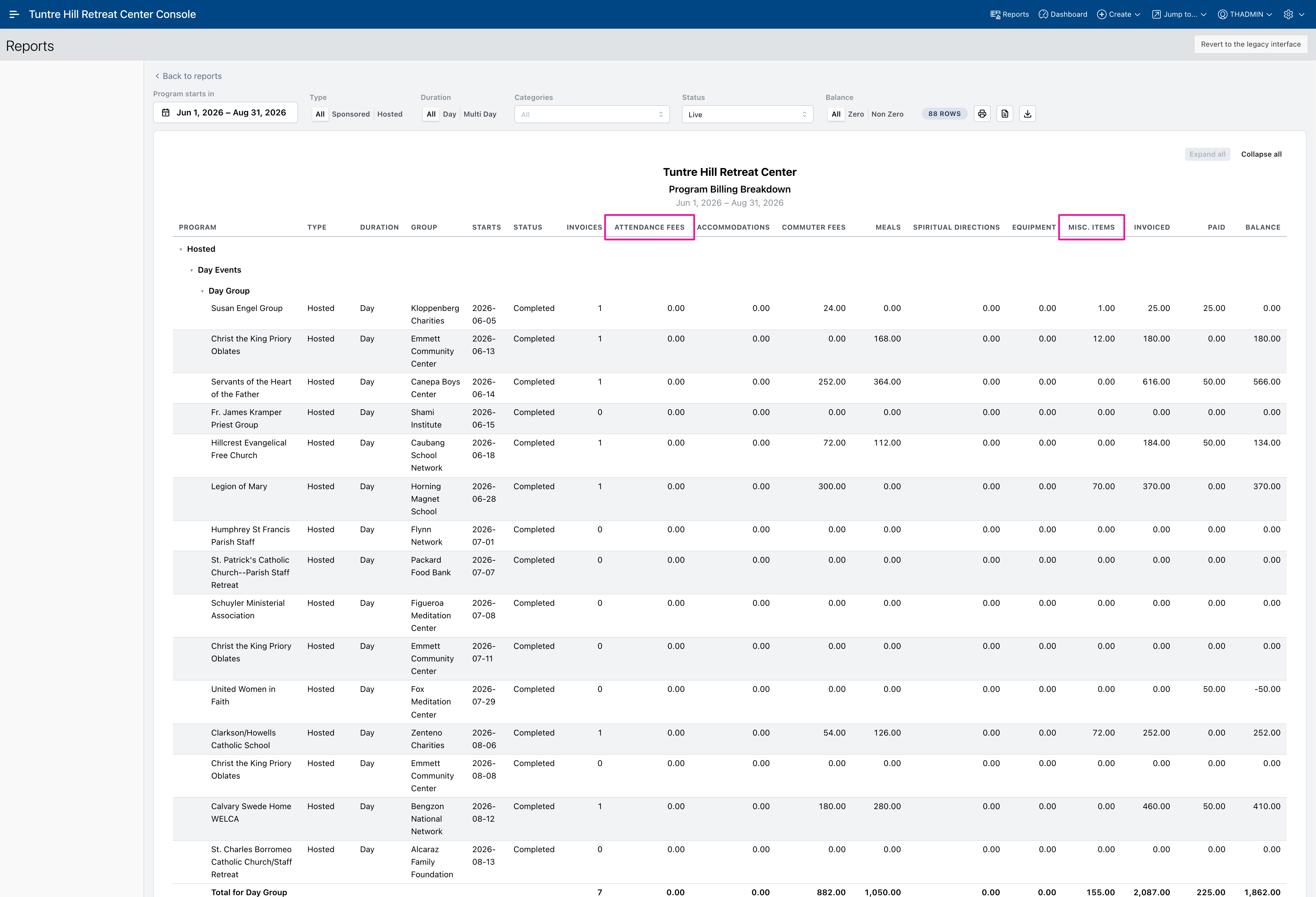
Section titled “Read the breakdown”Each program’s line counts every invoice connected to it, its own and its guests’ reservation invoices, each counted once. Between ‘Invoices’ and ‘Invoiced’ you get one column per line type, holding the sum of that type’s charges across all of the program’s invoices. The line-type columns add up to ‘Invoiced’, ‘Paid’ is the payments received (refunds net against it), and ‘Balance’ is what’s still owed. When your center’s payment methods are classed by how they settle, ‘Paid’ narrows to money actually received, with ‘Transferred’, ‘Written off’, and ‘Price adjustments’ beside it whenever a program in the range settled that way; ‘Balance’ counts them all either way. ‘Status’ shows whether the program is Planned, Ongoing, or Completed as of today — or Cancelled or Deleted when the filter asked those in. Only line types that were actually billed in the range appear, so the report is only as wide as your data. If any charge carries a line type your center no longer defines, it lands in an ‘Other’ column and the report says so in a warning at the top.
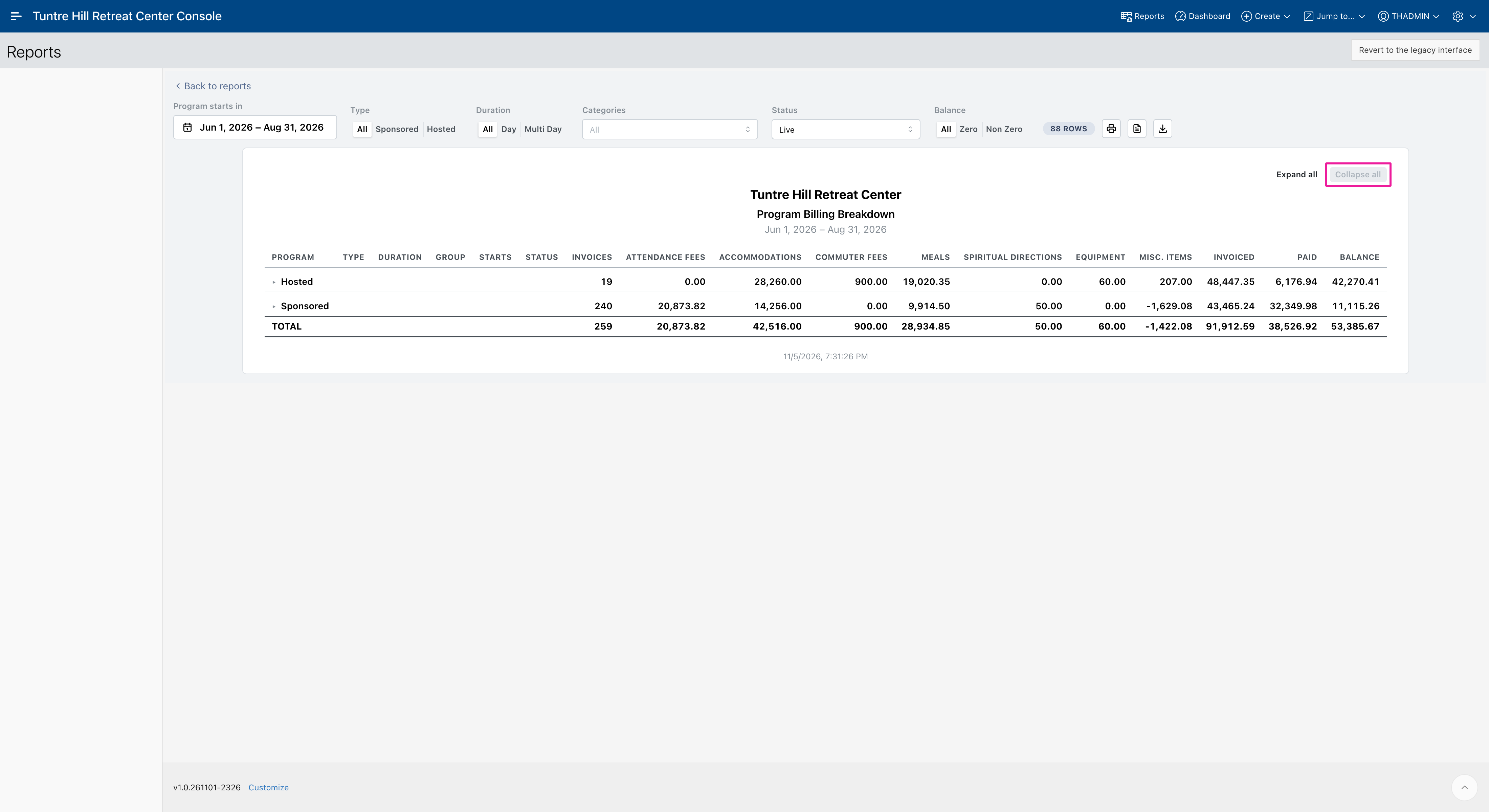
Click ‘Collapse all’ to fold every category down to its subtotal line. That view is the center’s billing mix at a glance: how much of each category’s revenue came from rooms, how much from meals, and so on.
The deduction memo columns
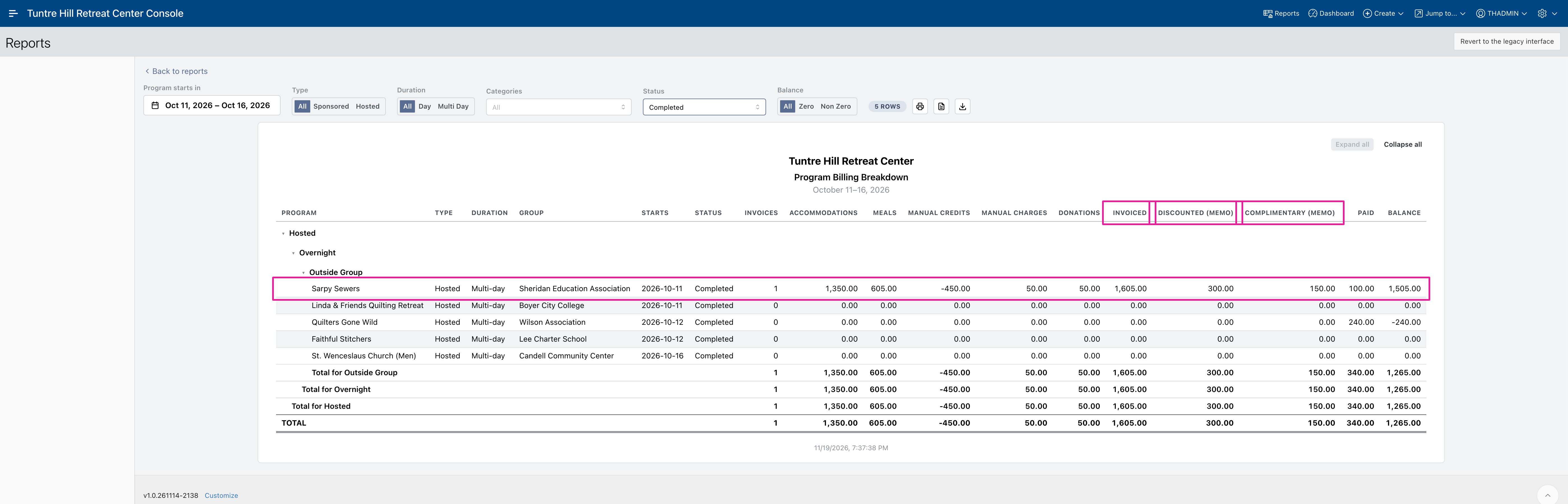
Section titled “The deduction memo columns”When any program in the range carries a discount or a complimentary charge (see Deduct a Charge), two more columns appear after ‘Invoiced’: ‘Discounted (memo)’ and ‘Complimentary (memo)’, each the program’s total of that deduction type. They are memo fields for the finance team, not further subtractions from the invoice. The deductions are already inside the line-type columns and ‘Invoiced’, so don’t take them off again; read them as what the program would have been billed without the break. Line by line, the same deductions are in the Deductions Register, and Program Billed vs. Net turns them into a gross-versus-net view on the same rows.
This report runs wide, so print it in landscape. Use the printer icon to print it, or the two icons beside it to export a Word document or a CSV file you can shape in a spreadsheet.