
Set Up the Board for Your Crew
The Room Turnover board can show just one crew’s slice of the house. Filter it, bookmark the result, and a tablet in the laundry room always opens on that crew’s rooms — no setup each morning.
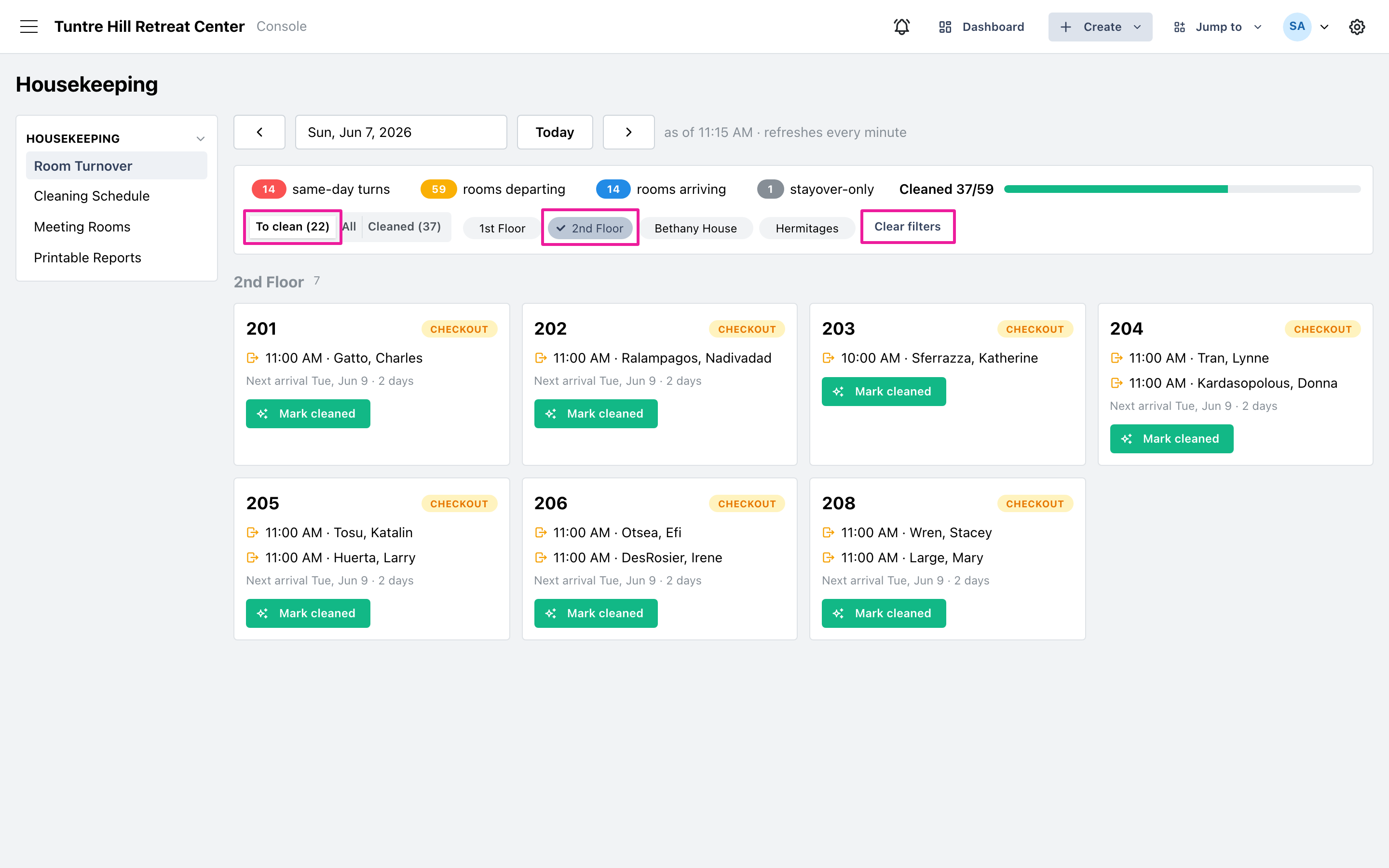
Filter to one crew’s rooms
Section titled “Filter to one crew’s rooms”Click a room group’s chip — the groups are the same ones your bookings use — and the board narrows to those rooms. Combine it with the ‘To clean’ view for a pure working list, or with a count chip (for example, only the turns). ‘Clear filters’ puts everything back.
Bookmark the slice
Section titled “Bookmark the slice”The filters live in the page’s address, so the browser’s bookmark captures them. Set the filters once, bookmark the page (or add it to a tablet’s home screen), and every visit opens directly on that slice of the house, already on today.