
Where Deductions Show Up
Once a deduction is on an invoice, four reports read it back. The Deductions Register lists every one with who authorized it, the two program billing reports carry a per-program total of discounts and of complimentary charges beside the invoiced amount, and Program Billed vs. Net turns those totals into a gross-versus-net view. All four open from ‘Reports’ on the top bar, in the Financials section.
The Deductions Register
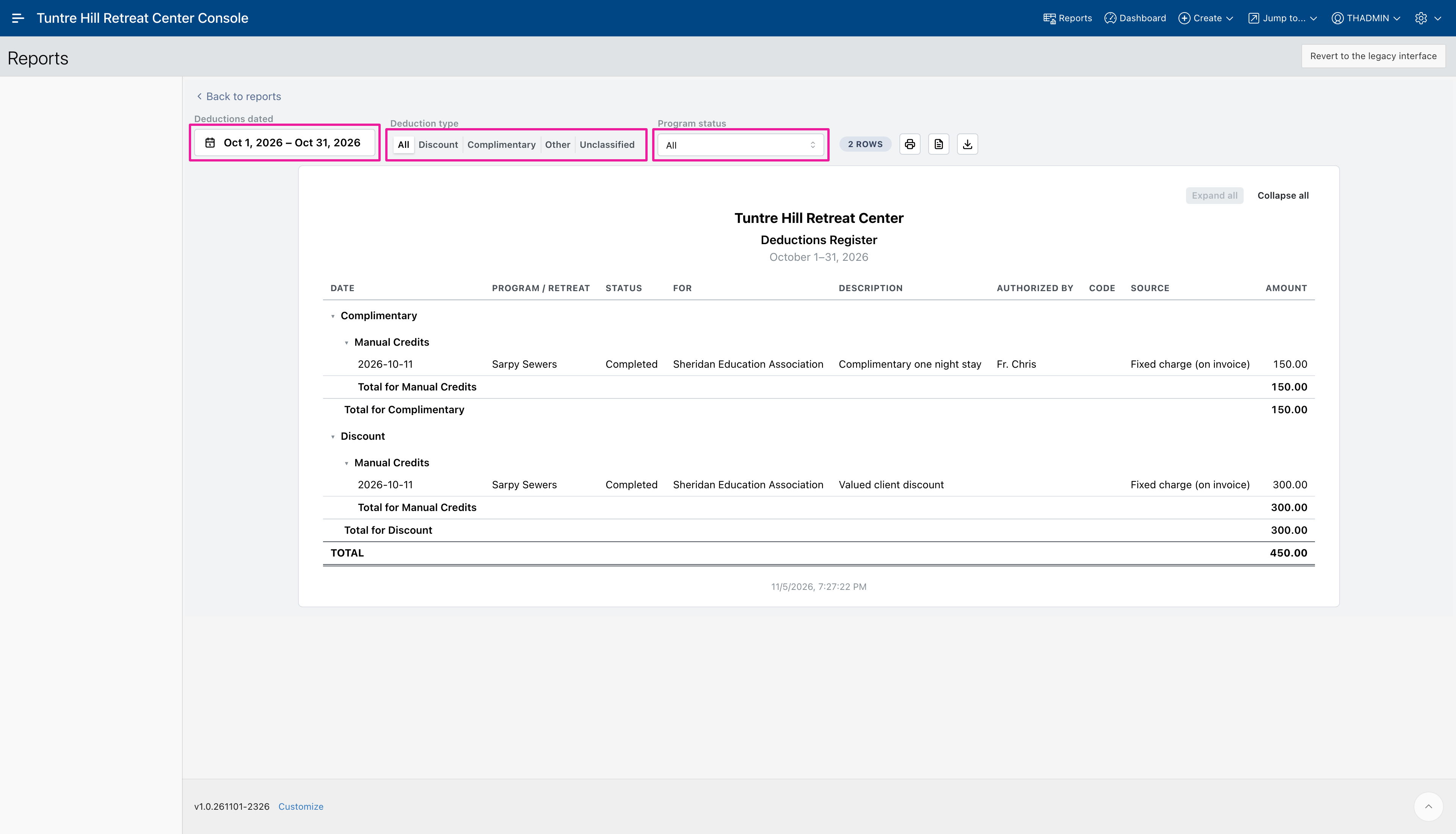
Section titled “The Deductions Register”The Deductions Register is the review report: every deduction entered in a date range, one line each, grouped by its ‘Deduction type’ and then by the department it applied to, with the description, who authorized it, and the amount. Run it for a month and the Discount and Complimentary sections answer “what did we give away, and who said so?” Deductions saved as ‘Other’ have their own section, and credits typed onto invoices before this feature appear under ‘Unclassified (legacy)’.
Program Activity & Billing
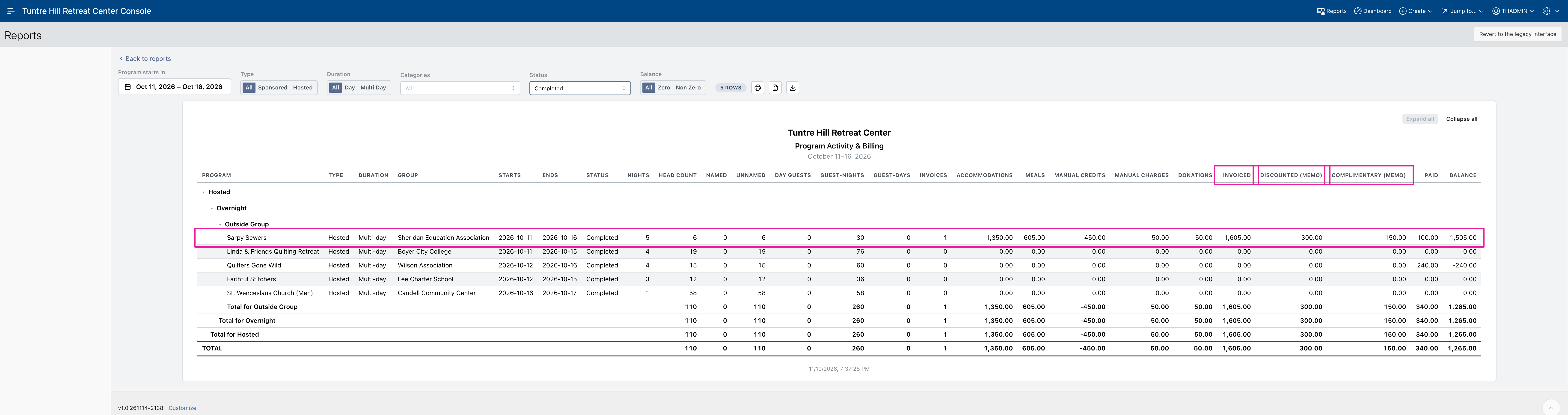
Section titled “Program Activity & Billing”Program Activity & Billing puts headcounts and billed amounts on one row per program. When any program in the range carries a discount or a complimentary charge, two columns appear after ‘Invoiced’: ‘Discounted (memo)’ and ‘Complimentary (memo)’, each the program’s total of that deduction type.
Program Billing Breakdown
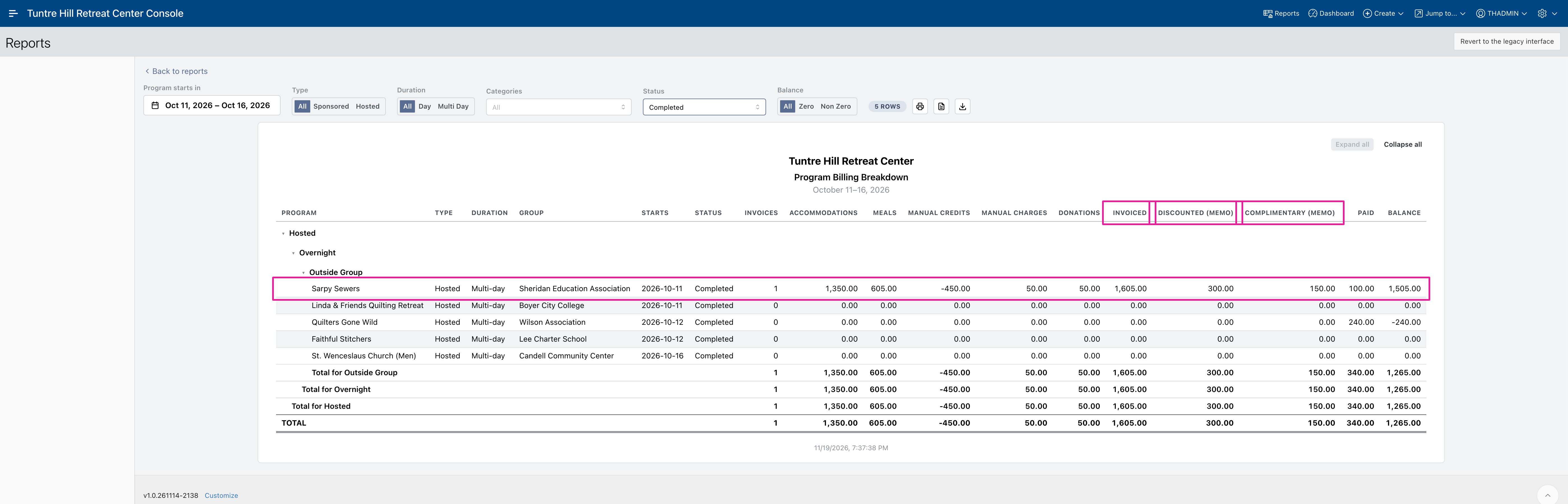
Section titled “Program Billing Breakdown”The Program Billing Breakdown splits each program’s invoiced total into a column per line type, and gets the same two memo columns after ‘Invoiced’.
Program Billed vs. Net
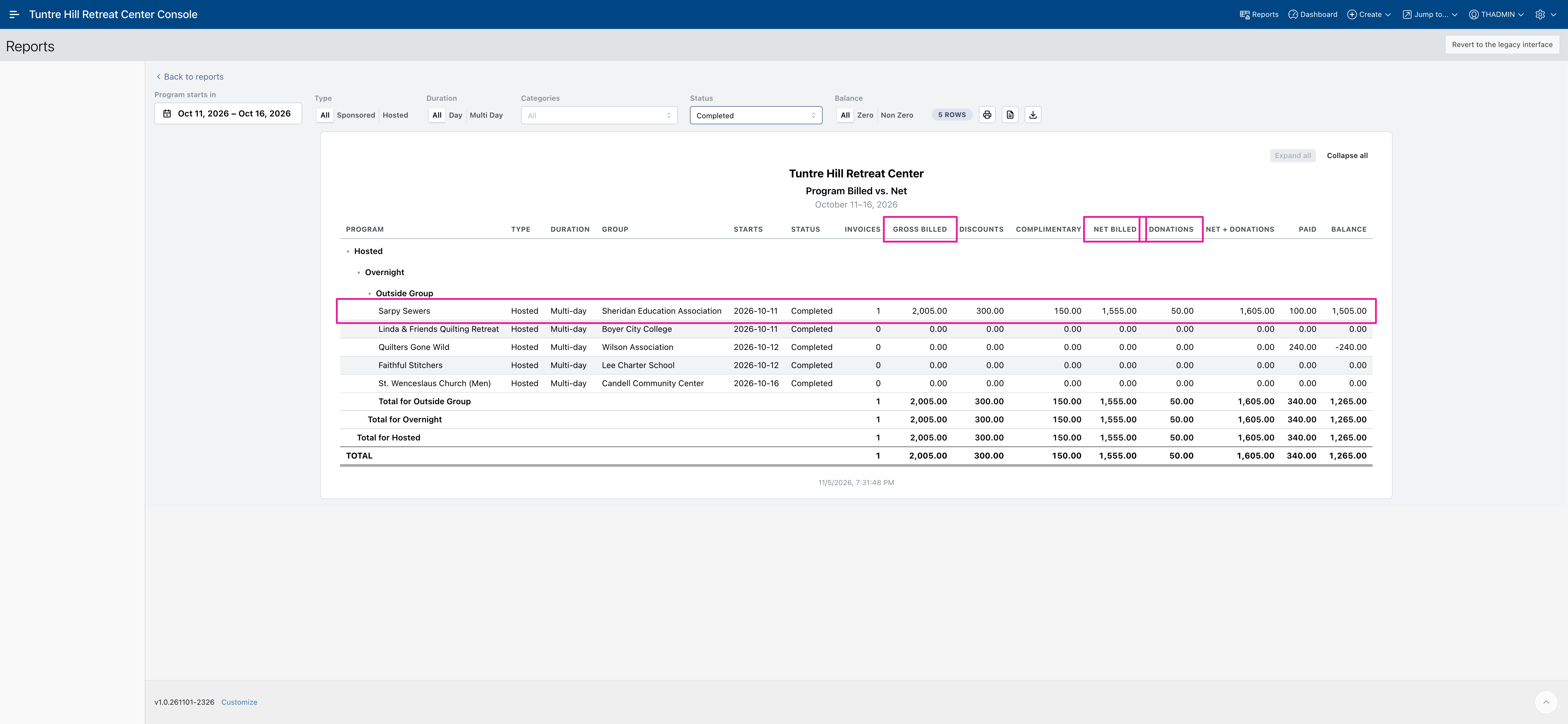
Section titled “Program Billed vs. Net”Program Billed vs. Net turns the memo story into arithmetic: per program, ‘Gross billed’ minus the deduction columns — ‘Discounts’, ‘Complimentary’, and, when the range carries them, ‘Other deductions’ and ‘Unclassified (legacy)’ — gives ‘Net billed’, what was actually billed. The deduction columns total to the same numbers as the register’s sections for the same range.
Reading the memo columns
Section titled “Reading the memo columns”On both billing reports the memo columns are notes for the finance team, not further subtractions from the invoice. A deduction is already a negative line on the invoice, so it already sits inside the line-type columns and ‘Invoiced’. Don’t take it off again. Read ‘Discounted (memo)’ and ‘Complimentary (memo)’ as what the program would have been billed without the break, and open the Deductions Register when you want those totals line by line.
One near neighbour that is not a deduction: an uncollected amount written off as a payment row. That never touches the invoice’s lines, so it appears in none of these columns — once your center’s payment methods are classed by how they settle, the billing reports show it in its own ‘Written off’ column beside ‘Paid’.