
Upload a Document
Upload a document to add it to your library, where you can share a link to it or attach it to programs and reservations. This covers a brand-new document; to replace one that’s already there, see Saving and Version History.
Choose the file
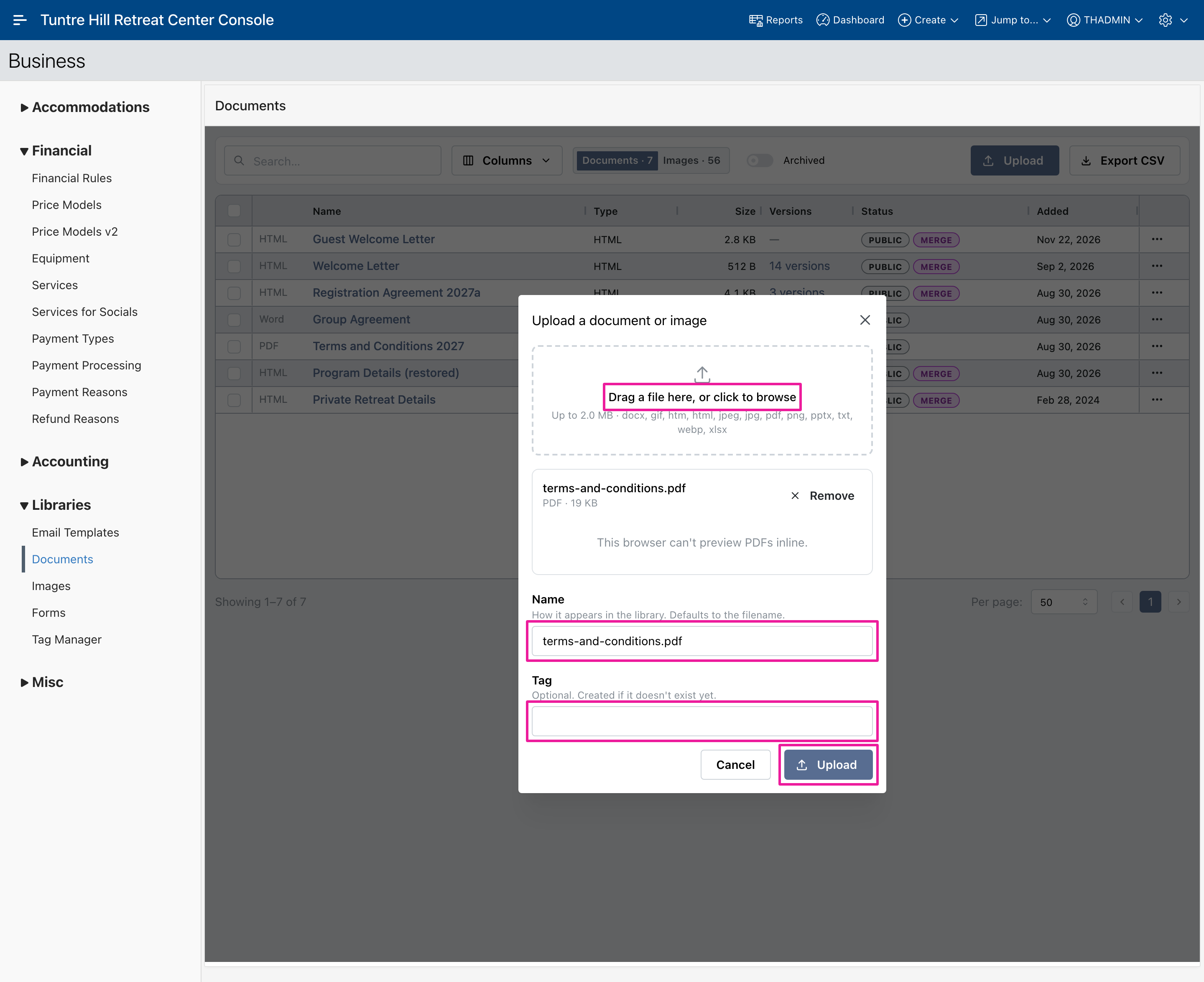
Section titled “Choose the file”Click the gear icon on the top-right and select ‘Business’. On the left, expand ‘Libraries’ and click ‘Documents’, then click the ‘Upload’ button on the right. Drag a file into the dashed box, or click the box to browse for one. Word, PDF, HTML, text, PowerPoint, and Excel files are accepted, up to 2 MB.
Name it and upload
Section titled “Name it and upload”‘Name’ is how the document appears in the library. It starts as the filename, so change it to something your staff will recognize, such as ‘Registration Agreement 2027’. ‘Tag’ is optional; type a tag to group related documents, and it’s created if it doesn’t exist yet.
Click ‘Upload’. The document appears at the top of the list.