
Add Community Meals
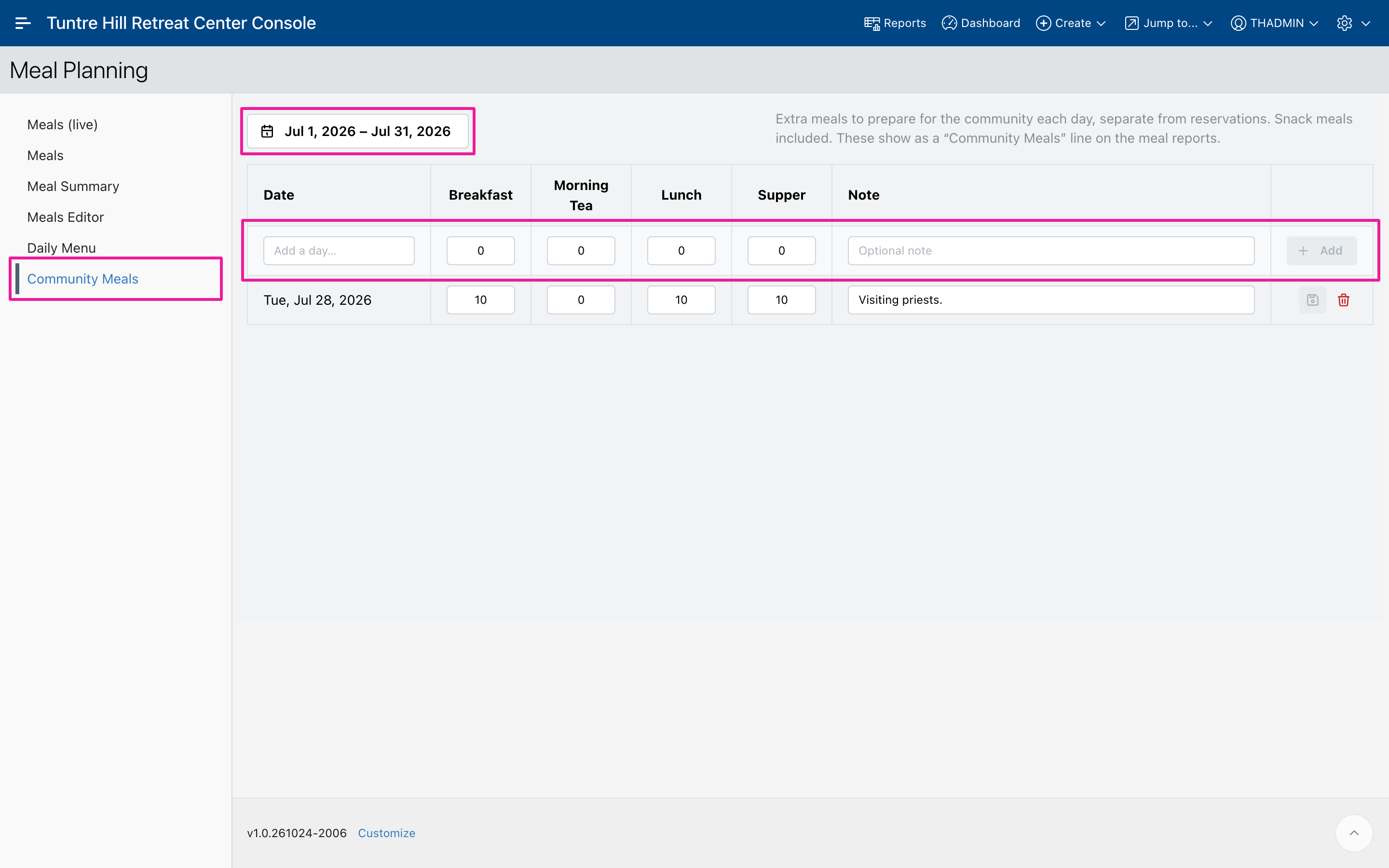
Community Meals are the extra meals the kitchen prepares for the community itself, such as the resident community, visiting clergy, or a staff lunch, without a reservation behind them. Enter the counts by day here, and they show as one ‘Community Meals’ line on every meal sheet.
Open it
Section titled “Open it”Click the menu icon on the top-left and select ‘Planning’ > ‘Meal Planning’, then click ‘Community Meals’ on the left. It opens on the current month; click the date button at the top to pick other dates.
Add a day
Section titled “Add a day”On the top row, click ‘Add a day…’ and pick the date. Type a count under each meal, add an optional note for the kitchen, and click ‘Add’. The columns are the meals your center serves, so if you serve morning, afternoon, or evening tea or snacks, those get a column too.
Change or remove a day
Section titled “Change or remove a day”Change a count or the note on any row, then click the save icon at the end of that row. The trash icon removes the day.
Its serve times
Section titled “Its serve times”The Community Meals line uses your center’s usual meal times. To serve it at a different time on one day, change that time on the Meals Editor.