
Print the Meeting Room Setup Sheet
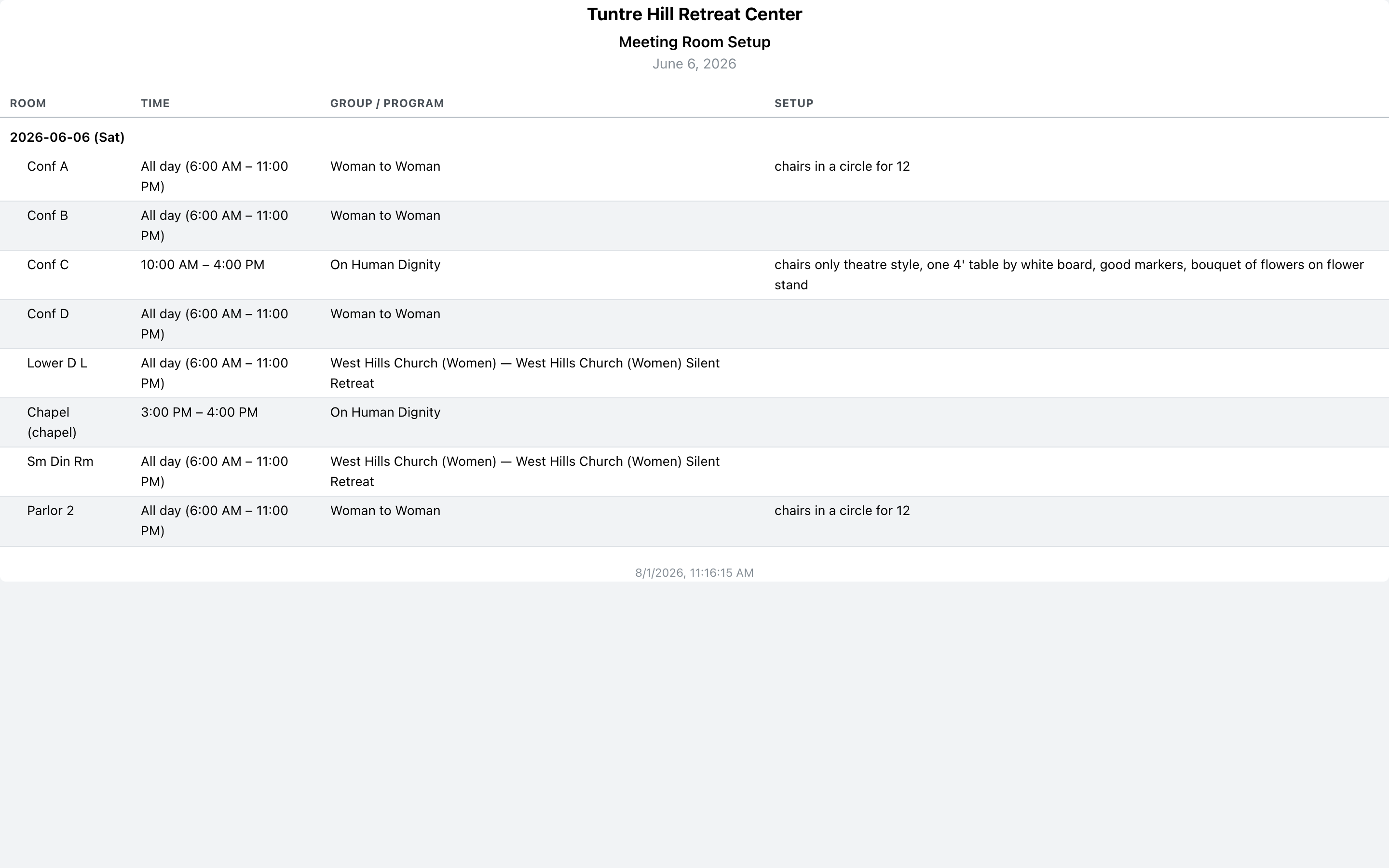
The Meeting Room Setup sheet lists every meeting for the day — room, time, group, and setup notes — as a one-page handout for the buildings and grounds crew.
Open and print
Section titled “Open and print”Click ‘Printable Reports’ on the left, then ‘Meeting Room Setup’. Pick the day (or a range of days — each prints as its own section) and click the printer icon.
Read it
Section titled “Read it”One row per meeting, in room order. ‘Time’ shows the span, with all-day holds spelled out; ‘Group / Program’ names who has the room; ‘Setup’ carries the instructions, and long ones wrap in full — “chairs only theatre style, one 4’ table by white board” prints exactly as entered, not cut off. Chapels are marked next to the room name.
The on-screen version of the same information is the Meeting Rooms page.