
What the Payer Receives
When a payment request is sent, the guest or group gets an email with the amount, the due date, and a link to a page where they pay by card. This page shows both, so you know what a payer is looking at when they call with a question.
The email
Section titled “The email”The email names the amount and the date it is due, what it is for, and the dates of the stay or program, followed by your center’s contact details. ‘Click here to pay your bill.’ opens the pay page. The wording is yours to edit under ‘Email Templates’.
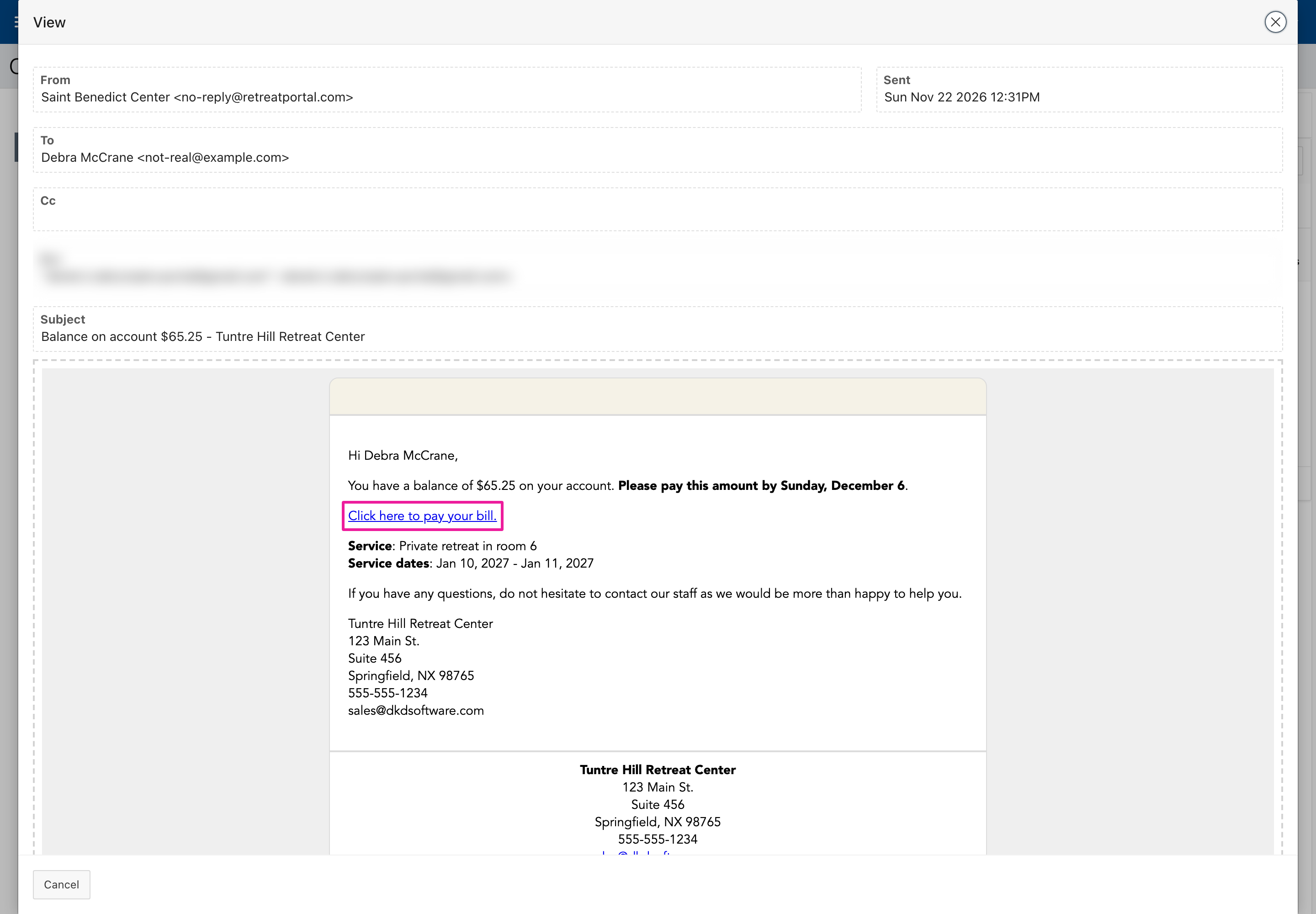
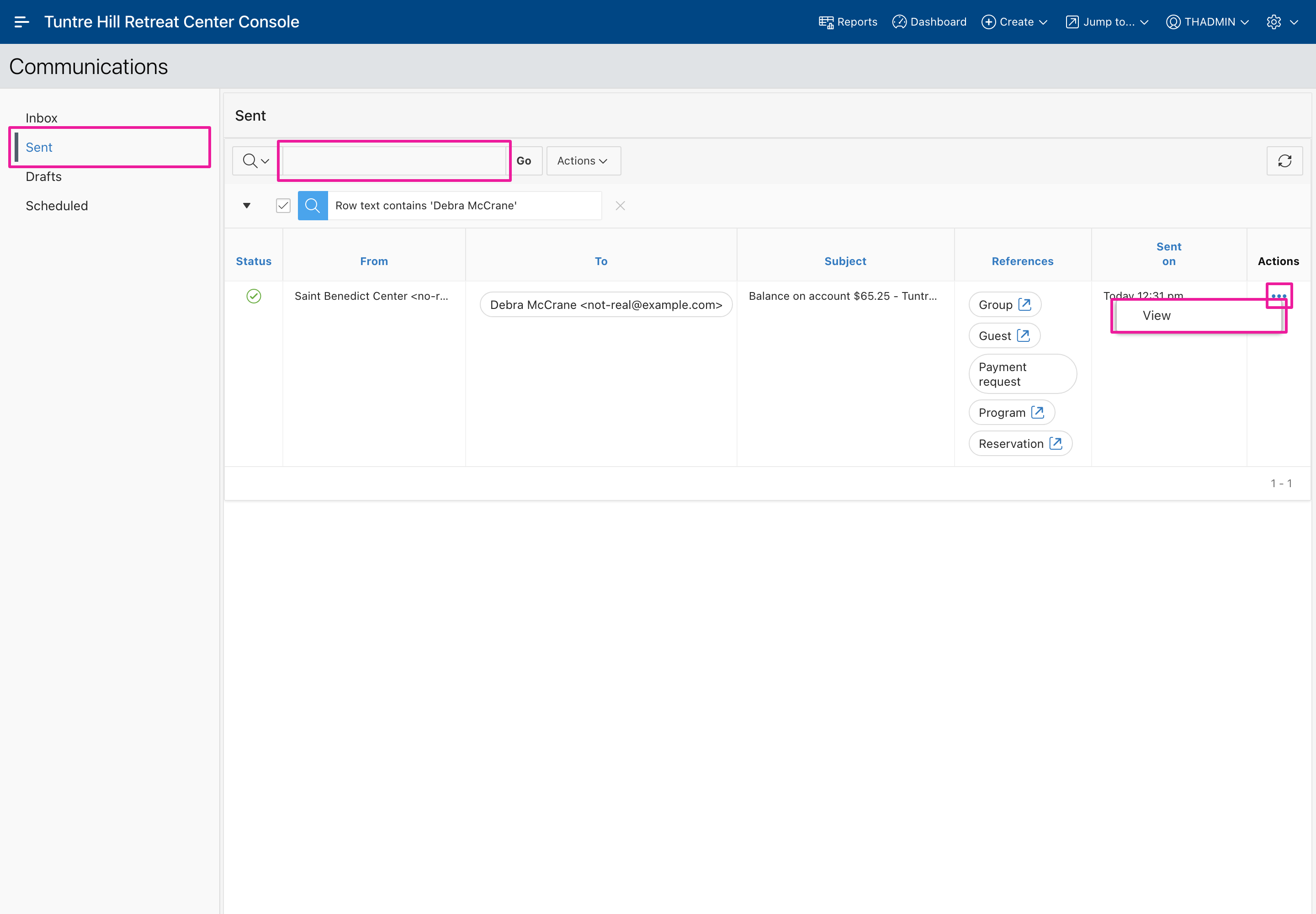
Every email the center sends is kept. To read one back, click the menu icon on the top-left, select ‘Workflows’ > ‘Communications’, and click ‘Sent’ on the left. Search for the payer’s name, click the three dots on the far right of the row, and select ‘View’.
The pay page
Section titled “The pay page”The link opens a page with no sign-in. On the right it shows what the payment is for, the invoice number, the due date, and the amount due, with ‘View invoice’ to open the full invoice. On the left the payer enters the cardholder’s name and email and the card, then clicks ‘Pay’.
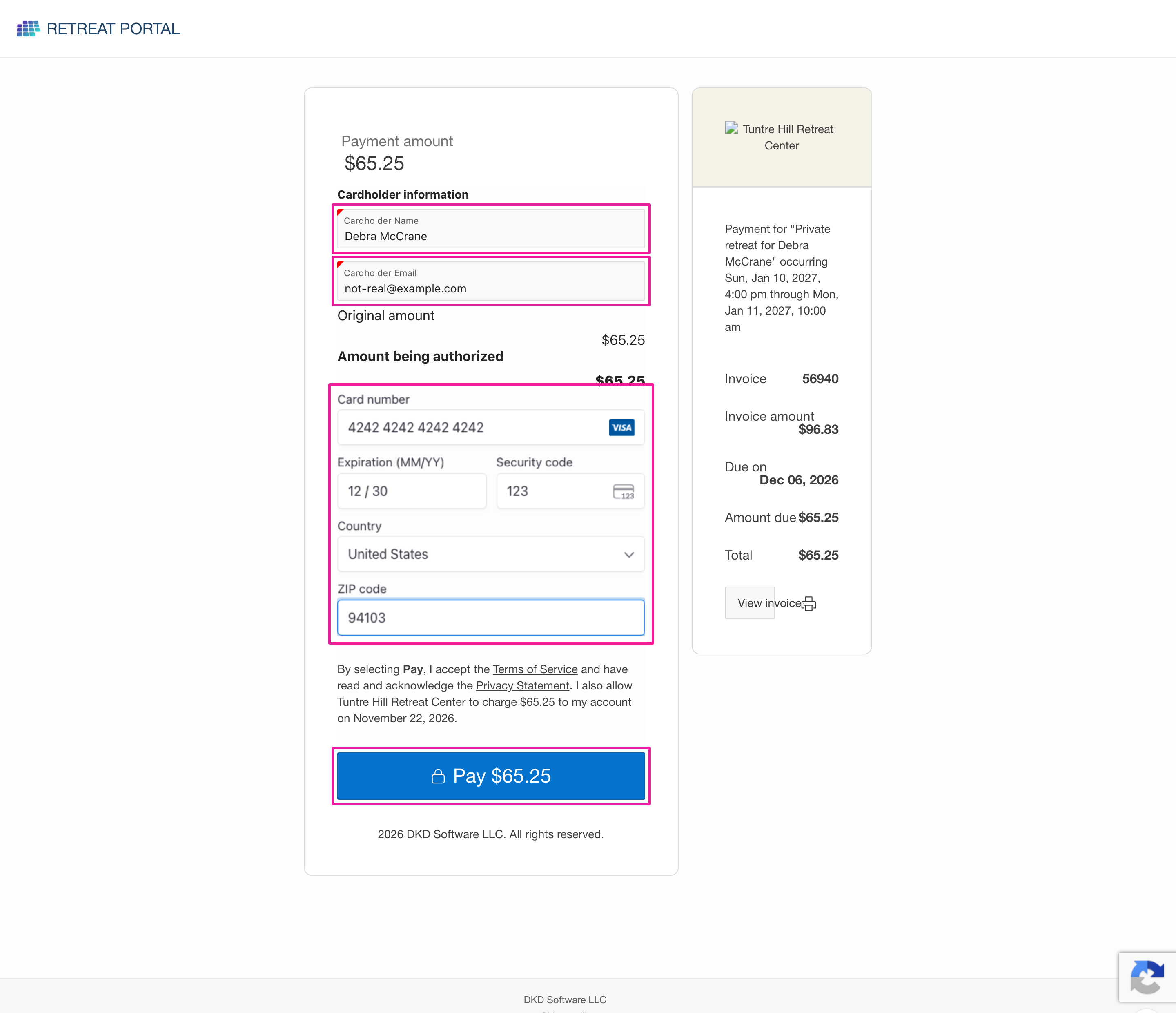
The amount is the amount you asked for; the payer cannot change it. Once paid, the page says so, and opening the link again shows the same message instead of the card form. If you have voided the request, the page says it has been voided and takes no payment.
See the page yourself
Section titled “See the page yourself”On the Payment Requests list, click the three dots on the far right of a request and select ‘Preview pay page’ to open it in a new tab the way the payer sees it. Opening the preview does not mark the request as viewed. ‘Copy pay link’ puts the payer’s own link on your clipboard, for a text message or a reply to an email.
After they pay
Section titled “After they pay”The request’s status changes to ‘Paid’, the payment is recorded on the invoice, and the payer gets a receipt by email. Until then the status shows how far it has got: ‘Sent’ once the email is out, ‘Viewed’ once the payer has opened the page. Track, Resend, and Void a Request covers what to do with a request that sits unpaid.