
Deduct a Charge
Deduct a charge when an invoice should come down: a discount a staff member approved, a night the center is covering, or a plain correction. The deduction goes onto the invoice as a negative line item, and you can say what kind of deduction it was so the financial reports can total discounts and complimentary stays separately.
Open the invoice
Section titled “Open the invoice”Click the menu icon on the top-left and select ‘Financials’ > ‘Invoices’, find the invoice, click the three dots on the far right of its row, and select ‘View / Edit invoice’. Add a Charge walks through this with screenshots.
Deduct the charge
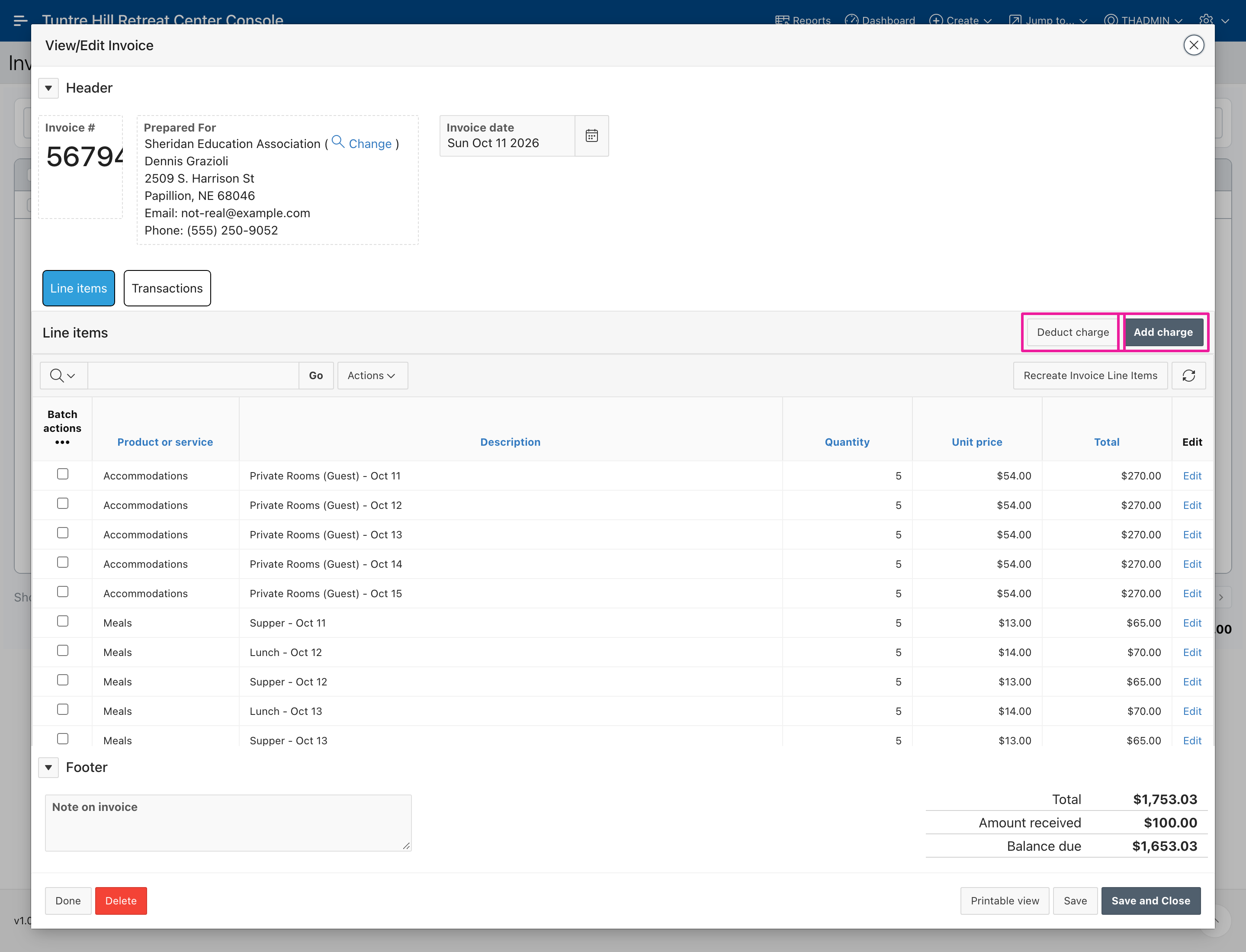
Section titled “Deduct the charge”When the invoice opens up, click ‘Deduct charge’ above the line items.
The window that opens works like the ‘Add charge’ window, with a red banner reminding you the line will be negative. Pick the ‘Product / service’ the deduction applies to, or leave it on ‘Manual Credits’, type a ‘Description’, and set the ‘Unit price’ as a positive number; the ‘Total’ shows the amount coming off. (A price of zero takes nothing off, so it isn’t asked for a deduction type — it saves as a plain $0.00 line, the same as entering it under ‘Add charge’.)
Say what kind of deduction it is
Section titled “Say what kind of deduction it is”Below the price, choose a ‘Deduction type’ and, if someone approved it, type their name under ‘Authorized by’.
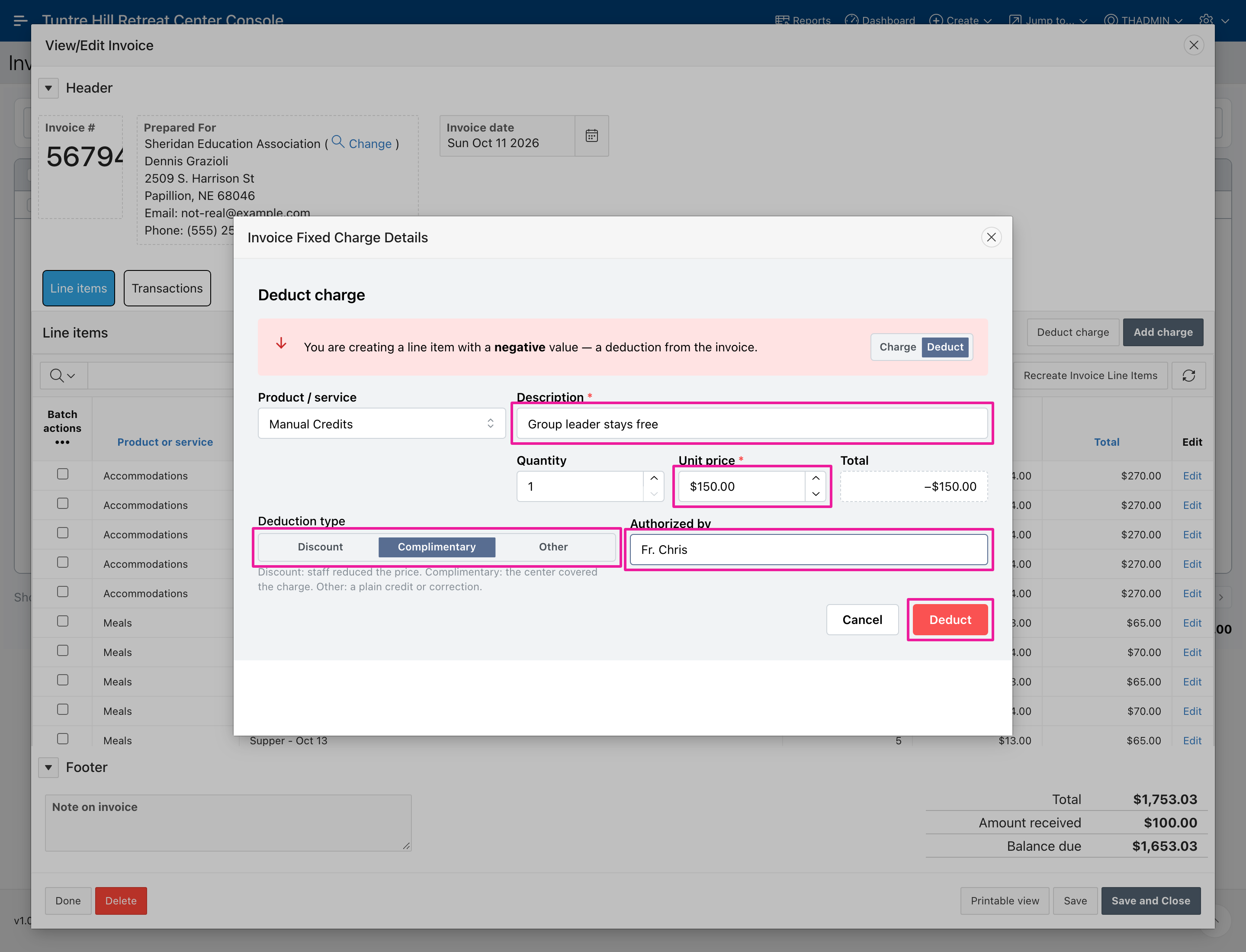
- Discount — a staff member reduced the price. The guest or group is paying less than the rate.
- Complimentary — the center is covering the charge, for example a night’s stay given to a retreat leader.
- Other — a plain credit or correction that isn’t a discount or a gift, such as reversing a line that was billed twice.
The type doesn’t change the amount; it’s a light classification so the Deductions Register can group discounts and complimentary charges and show who authorized each one. When the deduction applies to a department such as Meals or Accommodations, you must choose Discount or Complimentary; ‘Other’ is only for the ‘Manual Credits’ line.
Click ‘Deduct’. The deduction appears as a negative line on the invoice and the balance comes down.