
Program Billed vs. Net
When a center gives price breaks, two questions follow: what would the program have been billed at full price, and what was it actually billed? Program Billed vs. Net answers both on one row per program — the gross amount, the discounts and complimentary charges that brought it down, the net amount, the donations that rode along on its invoices, and what has been paid. It reads the same programs and invoices as the Program Billing Breakdown, so the two prints line up row for row.
Open Program Billed vs. Net
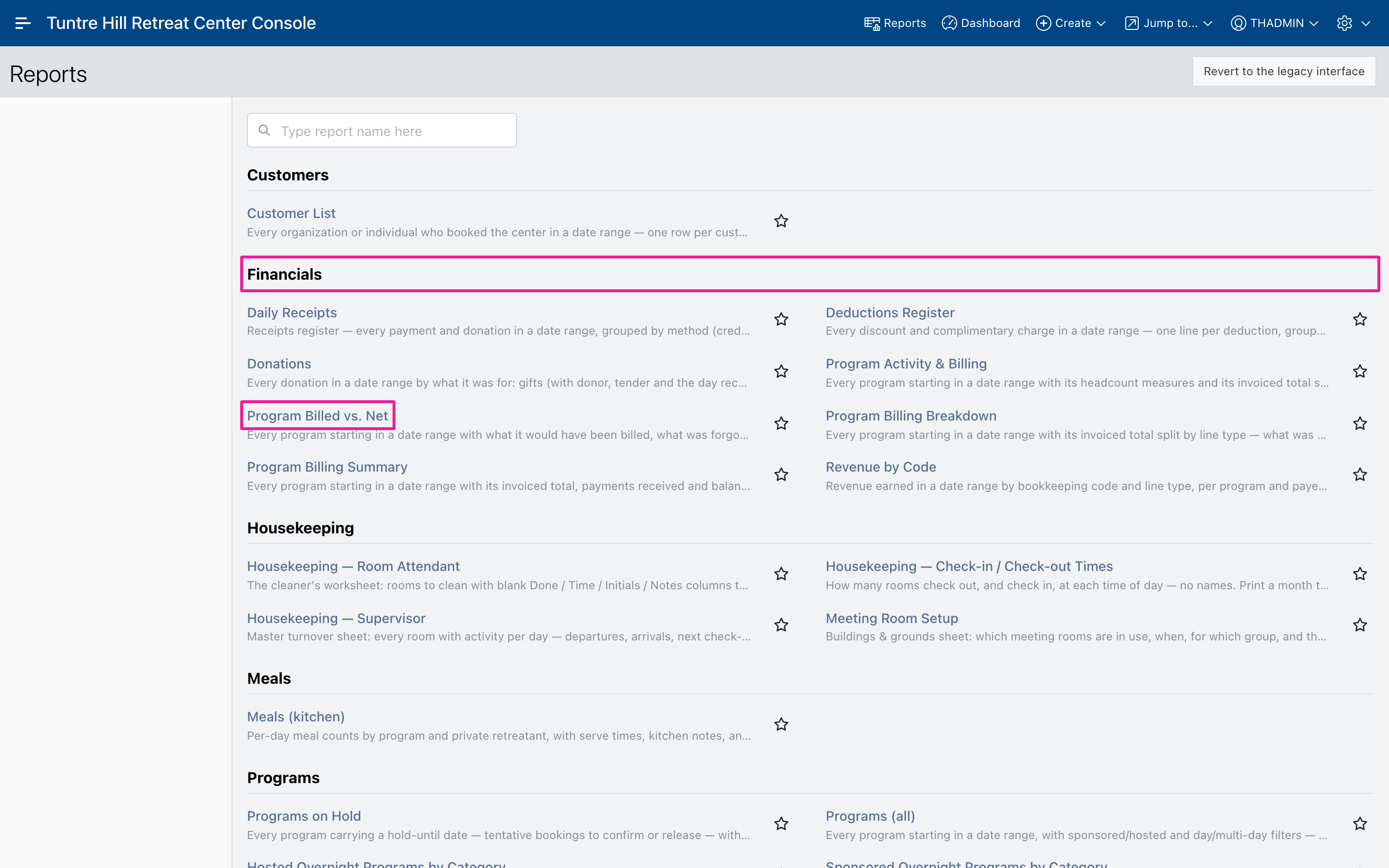
Section titled “Open Program Billed vs. Net”Click ‘Reports’ on the top bar, then find ‘Program Billed vs. Net’ in the Financials section.
Pick the range and filters
Section titled “Pick the range and filters”The filters are the Program Billing Summary’s: ‘Program starts in’ for the stretch of program start dates, ‘Type’, ‘Duration’, and ‘Categories’ to narrow the programs, ‘Balance’ to keep only settled (‘Zero’) or still-owing (‘Non Zero’) programs, and ‘Status’, which starts on ‘Live’ (every program not cancelled or deleted) and narrows to ‘Planned’, ‘Ongoing’, or ‘Completed’ — or brings cancelled and deleted programs in with ‘Cancelled’, ‘Deleted’, or ‘All’. The other filters start wide open.
Read a row
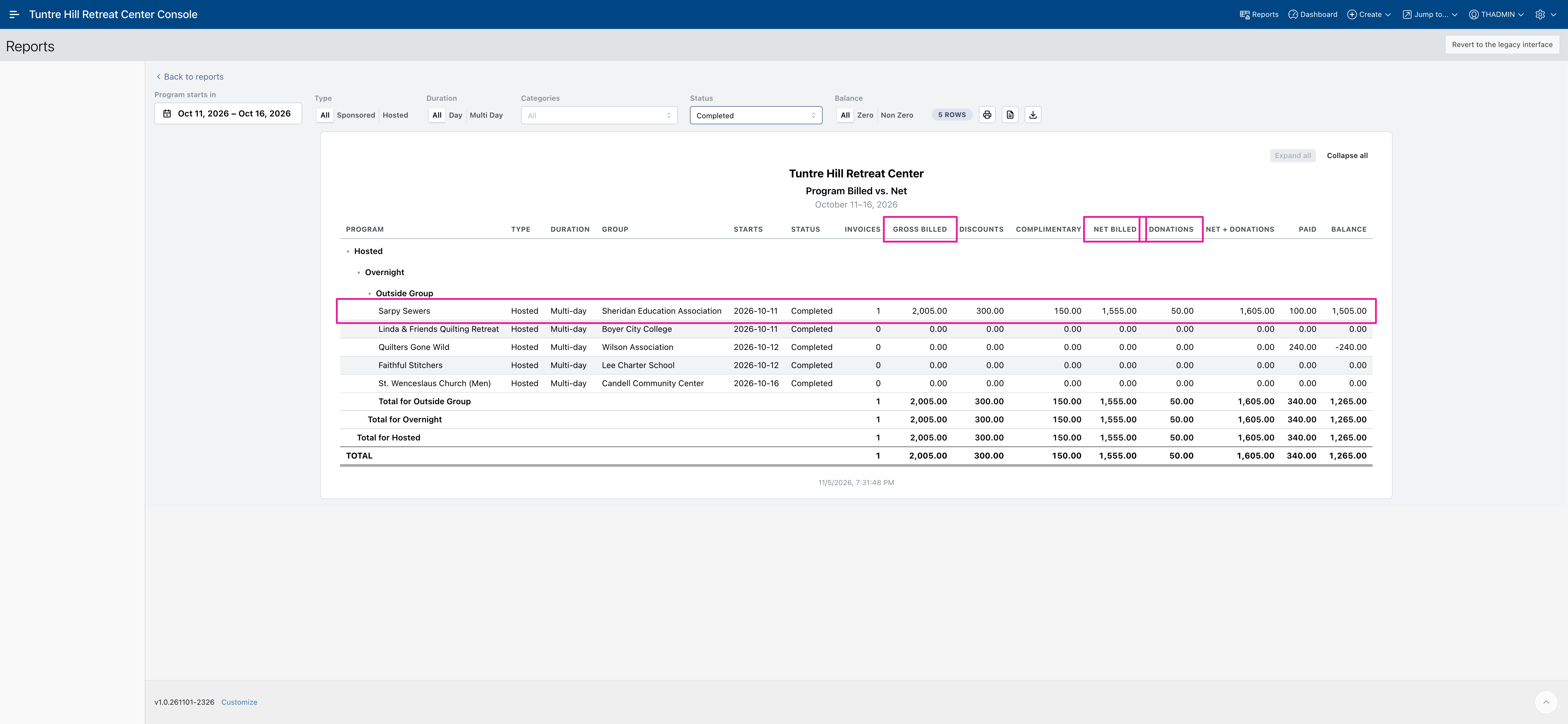
Section titled “Read a row”Each program’s money runs left to right from gross to settled:
- ‘Gross billed’ — what the program would have been billed with no breaks.
- ‘Discounts’ and ‘Complimentary’ — what was forgone through each deduction type (see Deduct a Charge). When the range also carries plain credits or pre-2026 legacy credits, ‘Other deductions’ and ‘Unclassified (legacy)’ columns appear for them; when it doesn’t, those columns stay out of the way.
- ‘Net billed’ — what was actually billed: ‘Gross billed’ minus every deduction column.
- ‘Donations’ — amounts a payer told the center to keep as a gift, carried on the program’s invoices.
- ‘Net + donations’ — everything the invoices carry. This is exactly the Breakdown’s ‘Invoiced’ column, so the two reports tie.
- ‘Paid’ and ‘Balance’ — payments received and what’s still owed, as on the Program Billing Summary, including its settlement columns (‘Transferred’, ‘Written off’, ‘Price adjustments’) once your center’s payment methods are classed.
The reports tie together
Section titled “The reports tie together”The deduction columns total to the same numbers as the Deductions Register’s sections for the same range, so you can run the register when you want any of these totals line by line. One nuance carried over from the register: a deduction entered against a program counts here whatever day it was entered, even if it hasn’t been rendered onto an invoice yet — so ‘Gross billed’ can run slightly ahead of what the invoices show.
This report runs wide, so print it in landscape. Use the printer icon to print it, or the two icons beside it to export a Word document or a CSV file.