
Charges and Deductions as Line Items
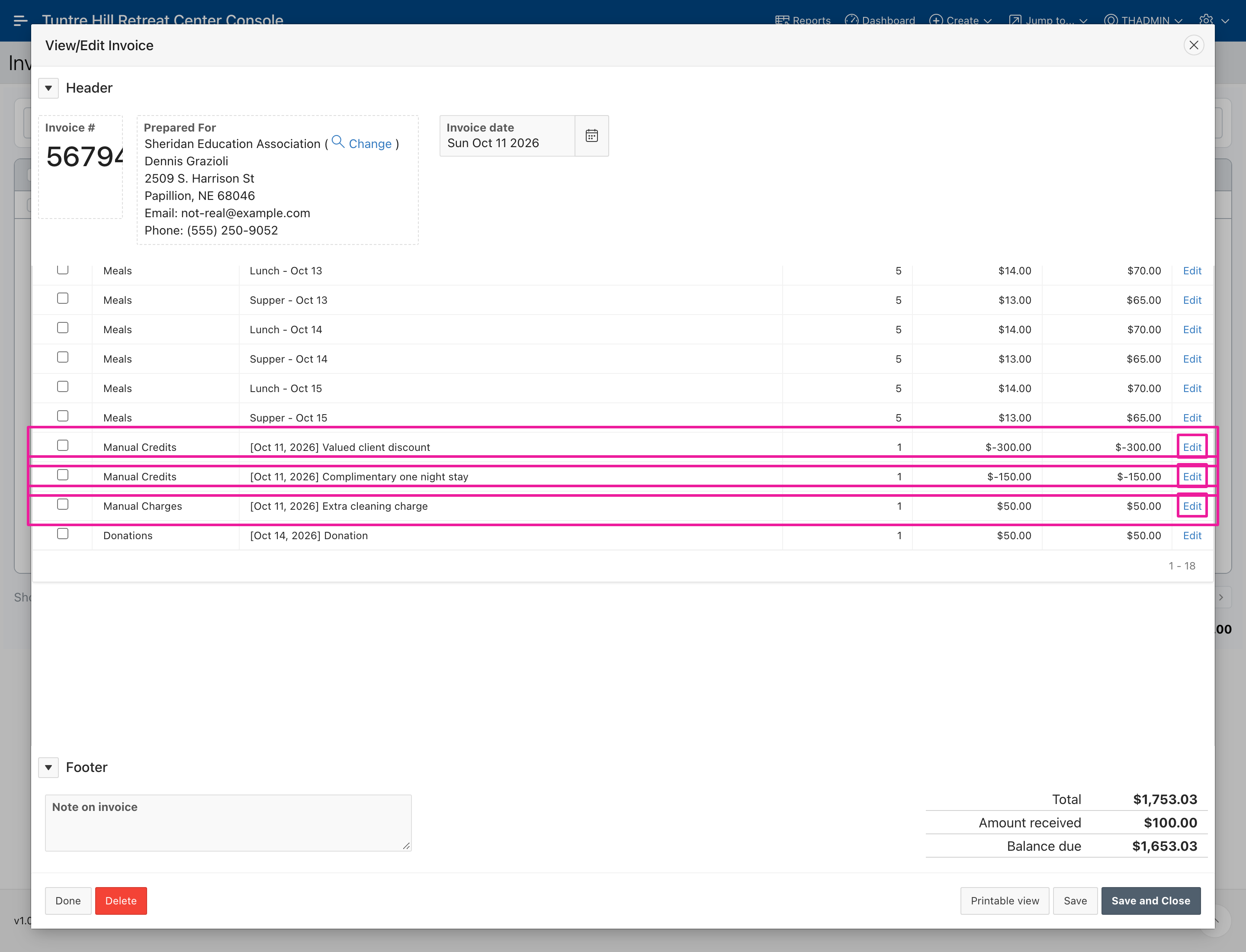
Every charge and deduction you enter becomes a line item on the invoice, next to the lines the program’s pricing produced. A charge shows under ‘Manual Charges’ or the product you picked; a deduction shows as a negative amount under ‘Manual Credits’ or its department. They count in the invoice total like any other line.
Find them on the invoice
Section titled “Find them on the invoice”Open the invoice (Add a Charge shows the path) and scroll the line items. Each hand-entered line has an ‘Edit’ link on the far right, the same as every other line.
Change or remove one
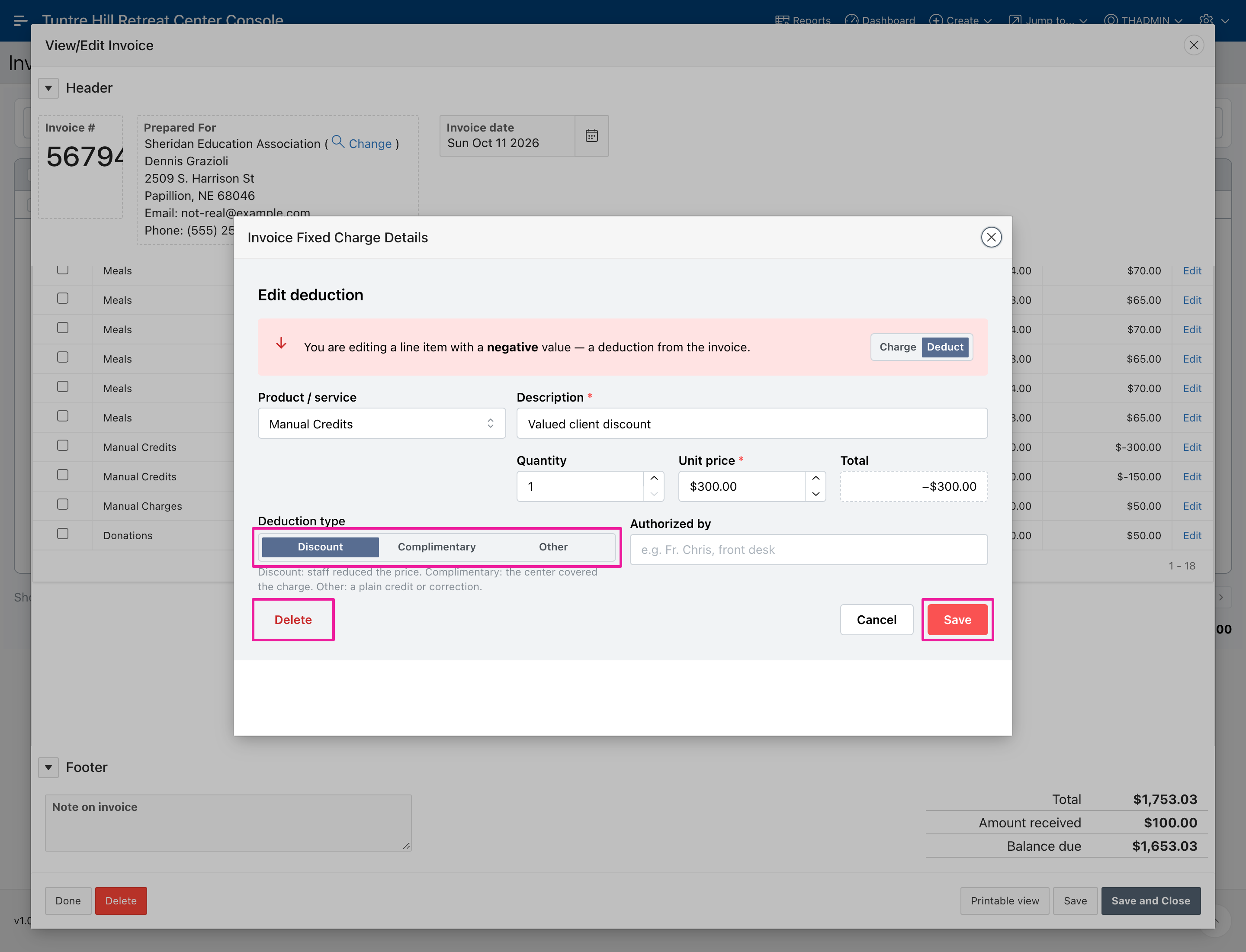
Section titled “Change or remove one”Click ‘Edit’ on a charge or deduction line. The same window you used to create it opens with its values filled in, so you can correct the description, quantity, price, ‘Deduction type’, or ‘Authorized by’. Click ‘Save’ to keep the change, or ‘Delete’ and then ‘Confirm delete’ to take the line off the invoice.
‘Edit’ on the other lines opens the invoice’s regular line editor, which is unchanged. For where the deduction goes from here, see Where Deductions Show Up.