Run a Changeover Day, Start to Finish
Changeover day: one retreat leaves in the morning and the next arrives mid-afternoon. This walkthrough runs the whole day through Retreat Portal — the plan the afternoon before, the crew’s checklist, and the catch-up the morning after.
You’ll: spot the day on the Cleaning Schedule, print the paper packet, work the board as rooms turn, and sweep up what’s left the next morning.
1. The afternoon before — see it coming
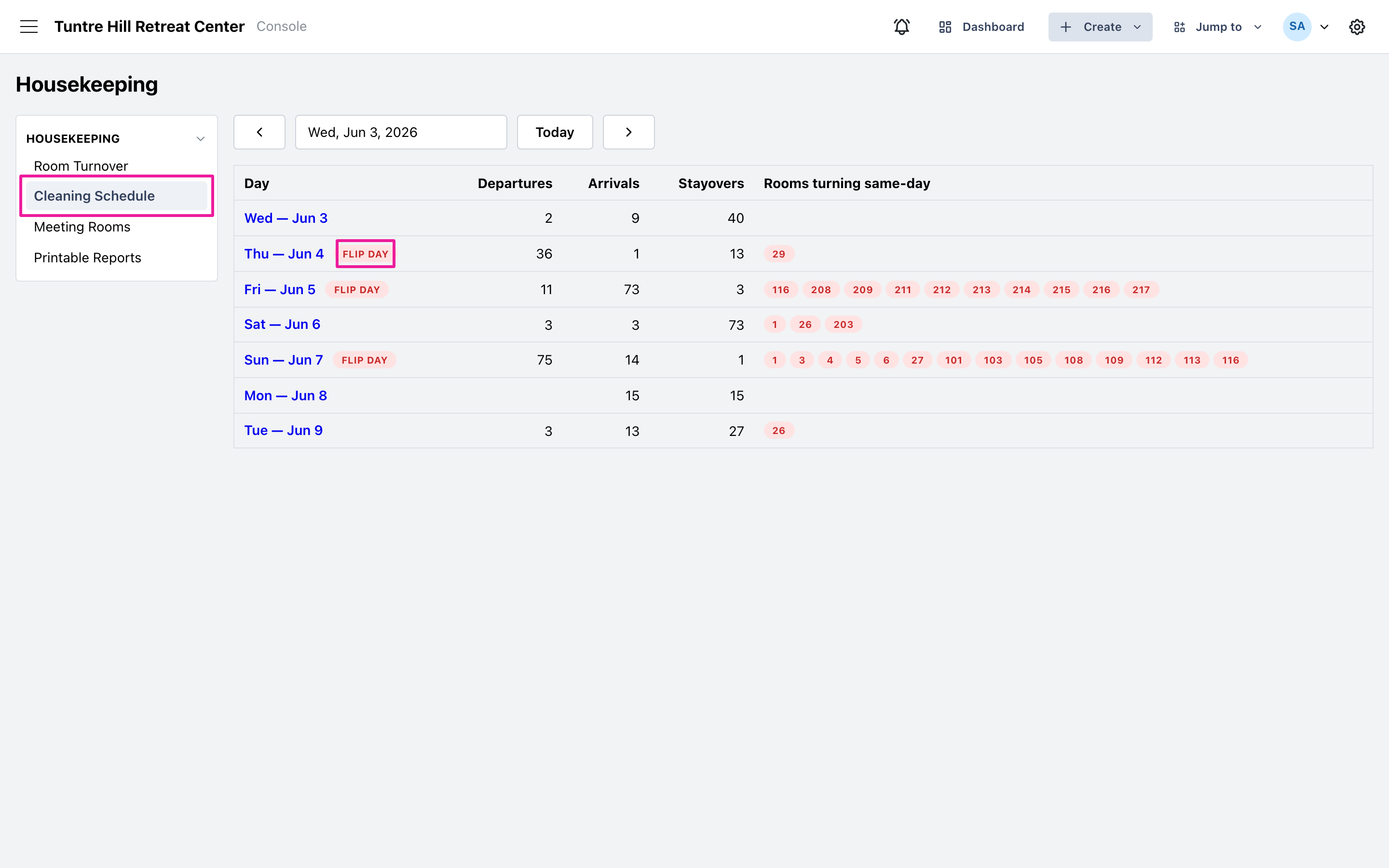
Section titled “1. The afternoon before — see it coming”Open ‘Planning’ > ‘Housekeeping’ from the main menu and click ‘Cleaning Schedule’. Tomorrow carries the ‘Flip day’ badge, with the departure and arrival counts and the same-day turn rooms listed. Then click ‘Printable Reports’ and print tomorrow’s Supervisor Sheet for the morning huddle and the Room Attendant Worksheet for the cart — pick tomorrow’s date on each. If groups are meeting, add the Meeting Room Setup sheet for the setup crew.
2. Morning — work the board
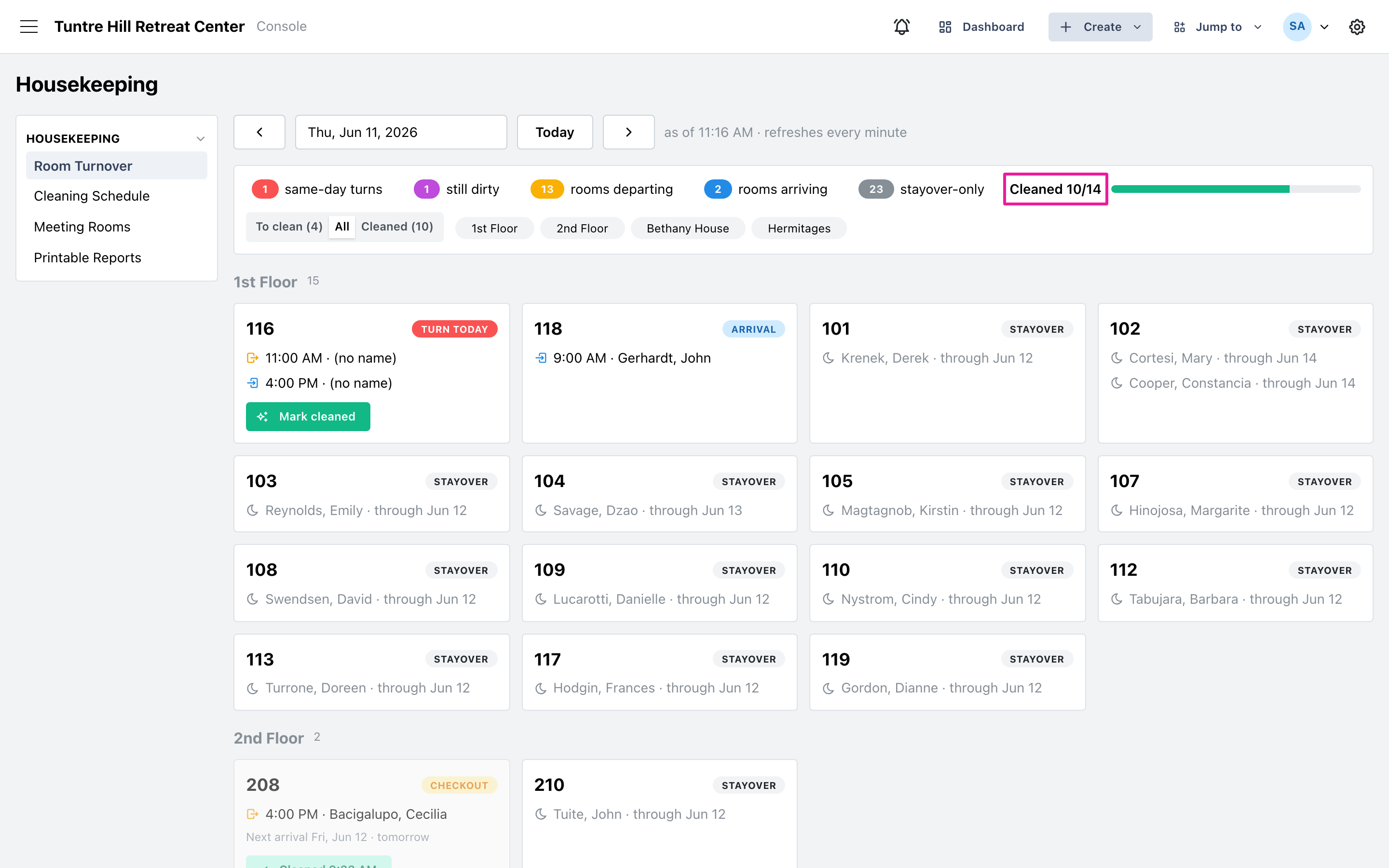
Section titled “2. Morning — work the board”The crew works from the ‘To clean’ view — turns first, they have arrival deadlines — or from the printed worksheet. Mark each room cleaned as it’s finished; the board refreshes every minute, so the office sees progress live without calling anyone.
3. Afternoon — arrivals land
Section titled “3. Afternoon — arrivals land”As check-in time approaches, the front desk watches the same board: the progress bar climbs toward done, and any ‘Turn today’ card still showing ‘Mark cleaned’ is the room to chase before its guest walks in. Checkout rooms with no arrival can wait — their ‘Next arrival’ line says how long.
4. The morning after — sweep up
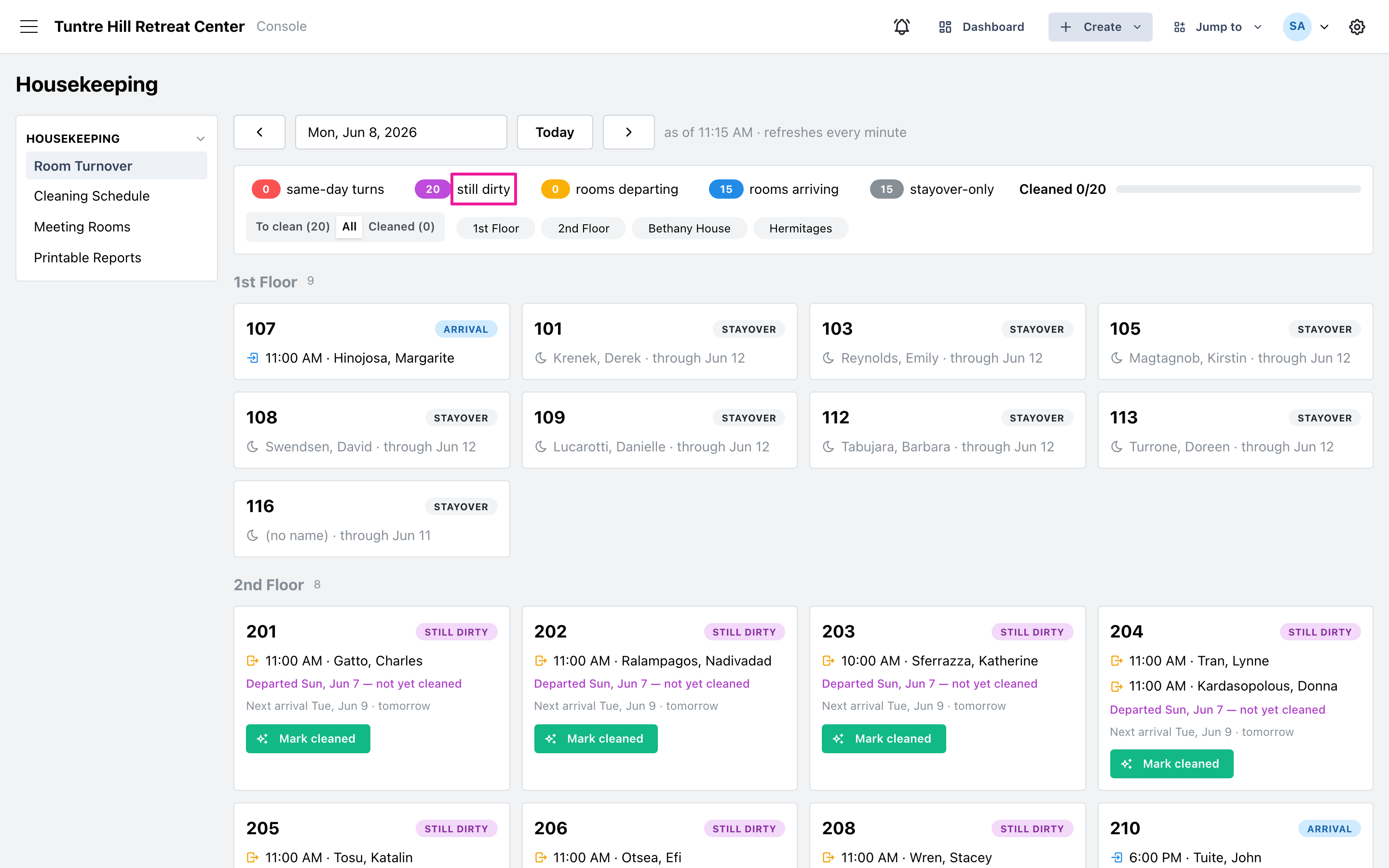
Section titled “4. The morning after — sweep up”Whatever the crew couldn’t finish shows up today as ‘Still dirty’ — each card naming the day its guest left. Check them off as they’re cleaned, key in yesterday’s paper worksheet if one came back, and the board is back to a clean house — with the next flip day already visible on the schedule.