
Get copied on program registrations...
Published March 17, 2022
Sometimes it feels good to get copied when guests register. Retreat Portal allows anyone to be BCC’d for all registrations or just specific programs.
Per-Program BCC Settings
Section titled “Per-Program BCC Settings”Log into Retreat Portal Console.
Find the program you want to be BCC’d for each registration.
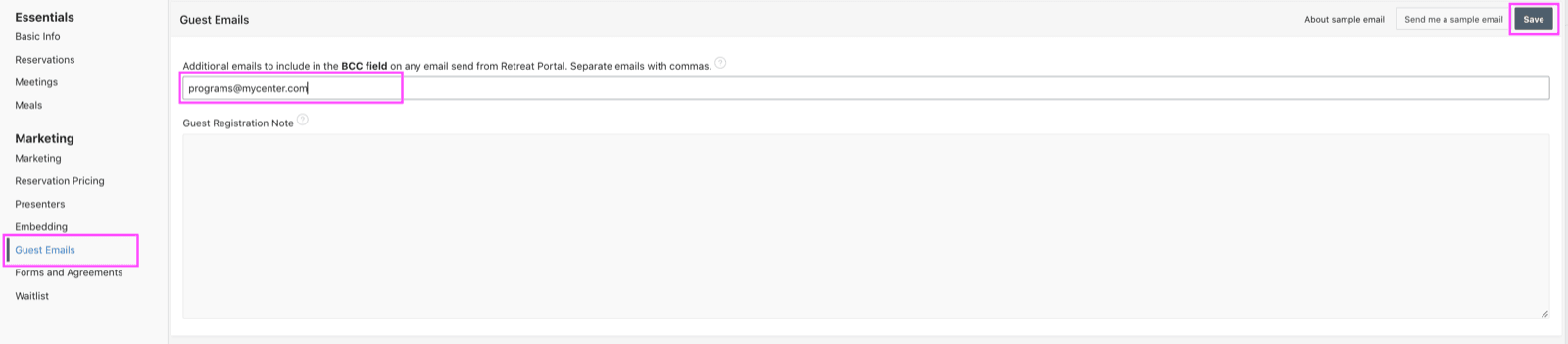
Click Marketing > Guest Emails
Type the email address to BCC on each registration. Separate multiple email addresses with commas. When done click Save.
Global BCC Settings
Section titled “Global BCC Settings”Each email template in Retreat Portal can have its BCC field customized. See our Email Template Management tutorial to learn more.