See the Month on the Cleaning Calendar
The Cleaning Calendar is the Turnover Forecast drawn as a wall calendar: a month-style grid where every day shows its departures, same-day turns, and arrivals at a glance. It’s the page for planning ahead — the flip-day tide is visible in one look, weeks before it arrives.
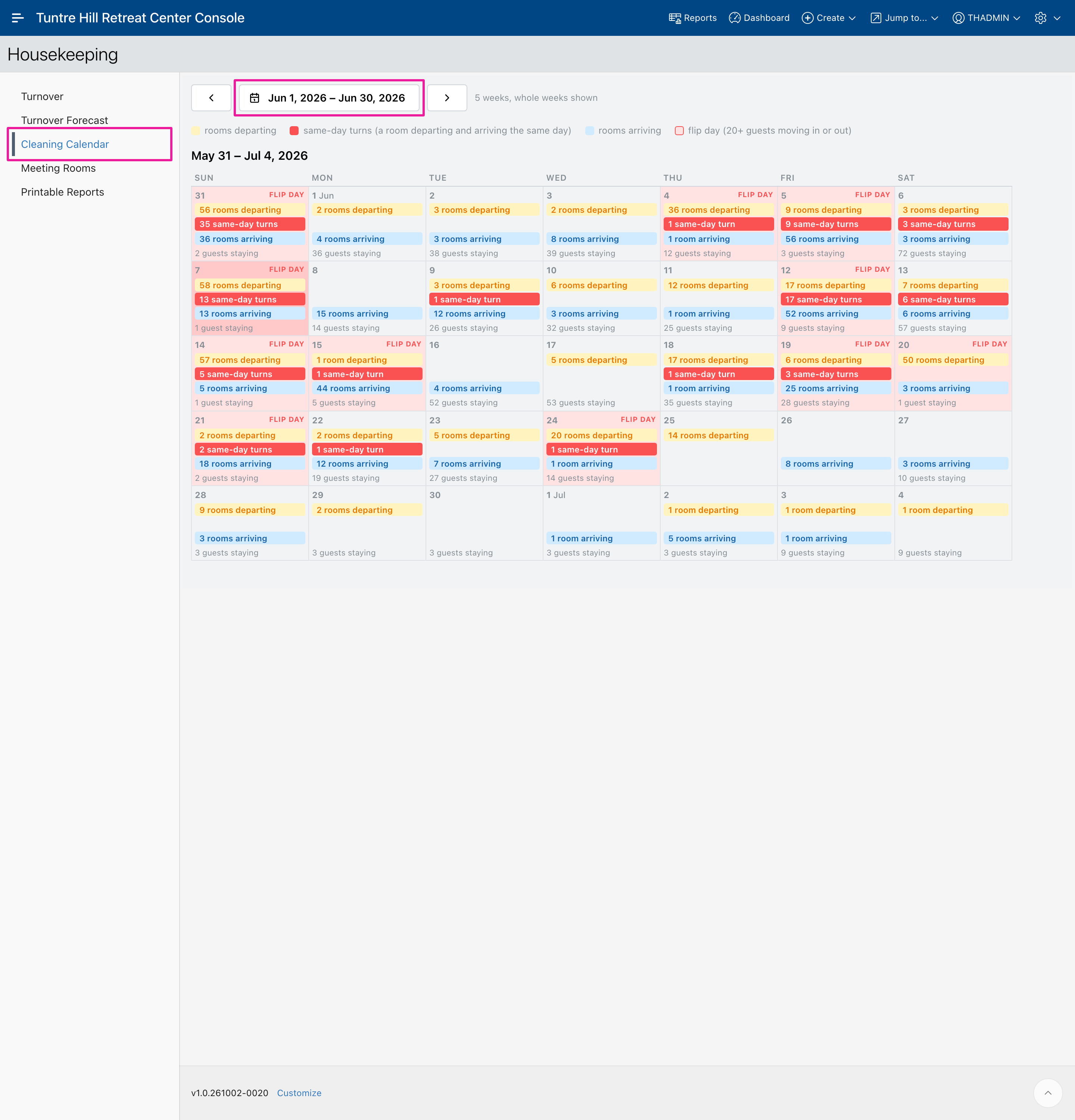
Pick the window
Section titled “Pick the window”Click ‘Cleaning Calendar’ on the left. The calendar opens on the weeks ahead; click the date button to pick any stretch — ‘This month’ and ‘Next 30 days’ are one click — and the arrows page forward and back a window at a time. The grid always draws whole weeks, so the days on either side of a month boundary stay visible.
Read a day
Section titled “Read a day”Each day carries up to three counts, always in the same order and the same colors as the Room Turnover board: rooms departing in yellow, same-day turns in red — one guest out and another in, the rooms with a deadline — and rooms arriving in blue. The dimmed line at the bottom is the stayovers, context rather than work. A day showing ‘no guests’ is an empty house — the window for deep cleaning. Hover any count and the tooltip gives the guest numbers behind the rooms.
Heavy days are tinted and tagged ‘Flip day’, by the same rule as the Turnover Forecast: lots of guests moving in or out. A flip day can carry no red count at all — a big arrivals-only day is still a heavy day, even though no room turns same-day.
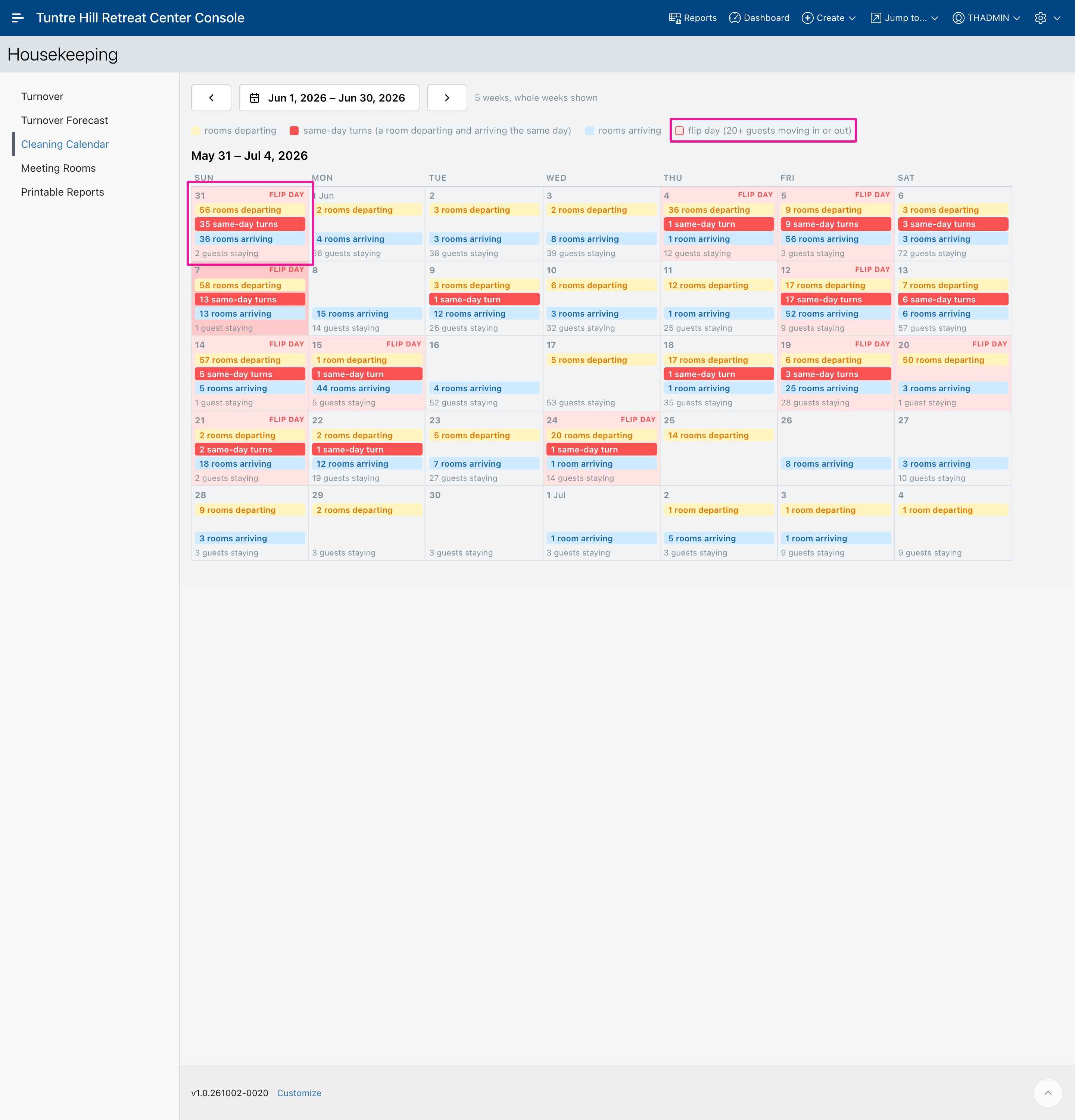
Click any day to open that day’s Room Turnover board — the calendar plans the month, the board runs the day.
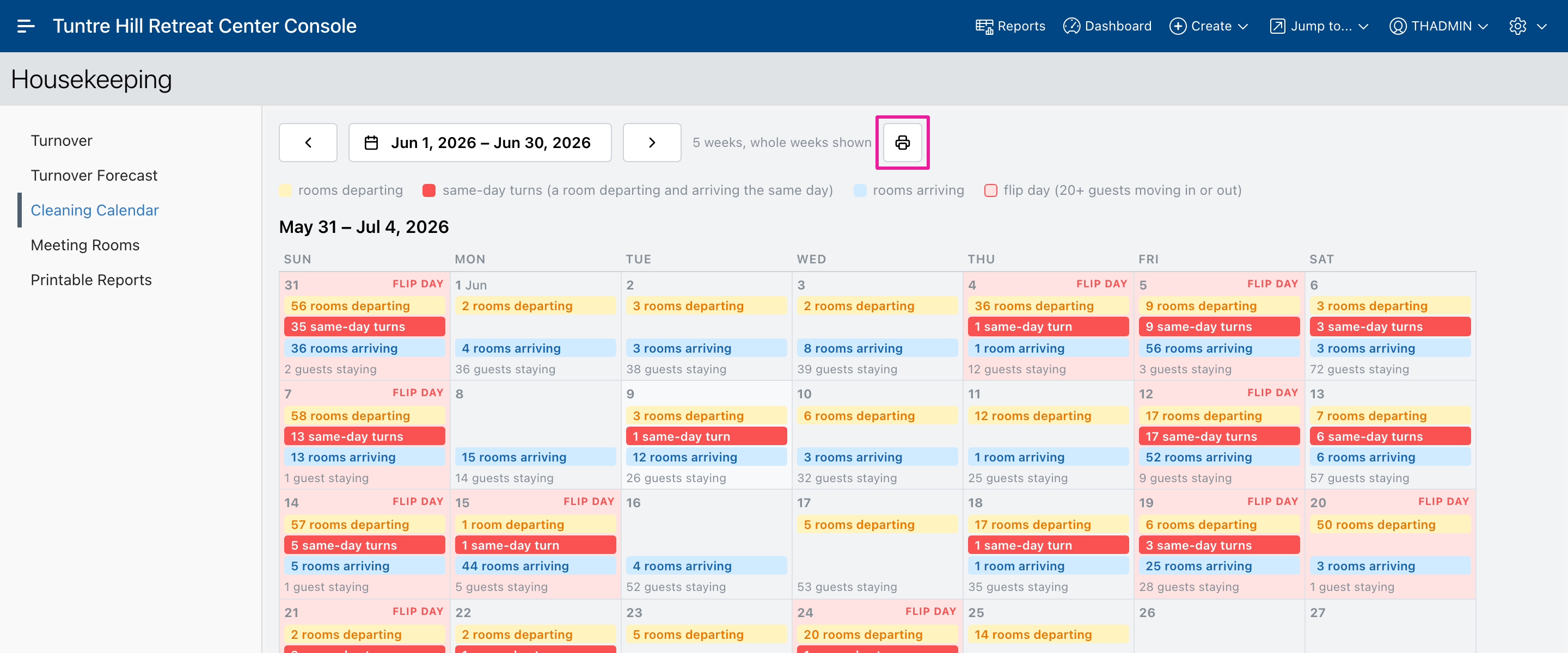
Print it
Section titled “Print it”Click ‘Print’ on the toolbar and the month prints sideways as the wall calendar — just the grid and its dates, no menus or buttons. Pin it in the crew room, and the flip-day tints survive on paper. For the same month as time-of-day counts to schedule staff by, print the Check-in / Check-out Times sheet instead.