
Take a Card Payment
A card payment is a payment like any other, with one more step: the card itself. Pick a card brand as the tender and the window opens the card step, tells you exactly what the card will be charged, and takes the card either typed in or on a card reader. When your center adds a service fee to card payments, the fee is charged with the payment and lands on the invoice so the balance comes out the same as a check for the same amount.
Start the payment
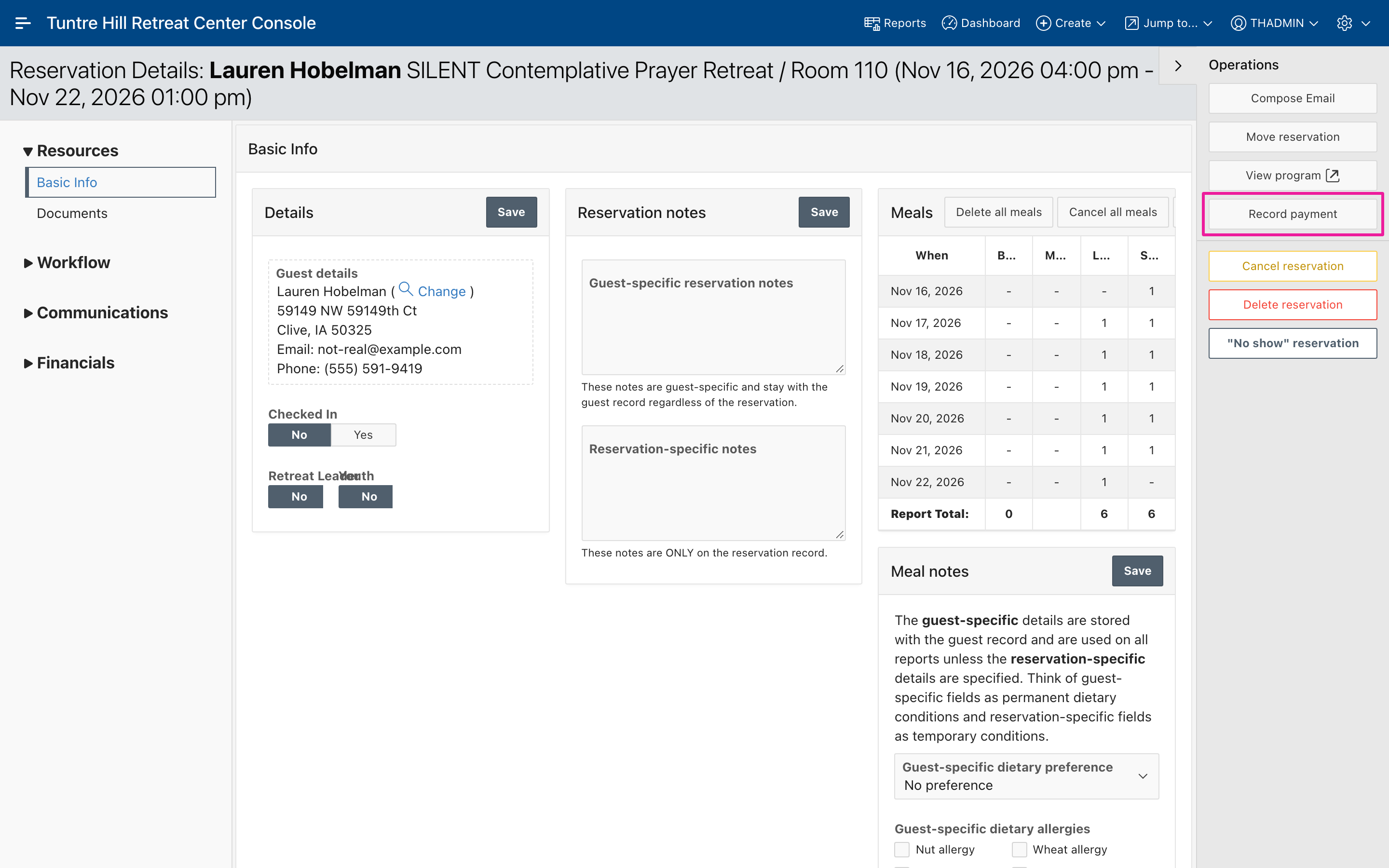
Section titled “Start the payment”Open the reservation’s page and click ‘Record payment’ under Operations on the right (or ‘Create’ > ‘Payment’ on the top bar and pick the payer and the stay, as in Record a Payment).
Enter the card
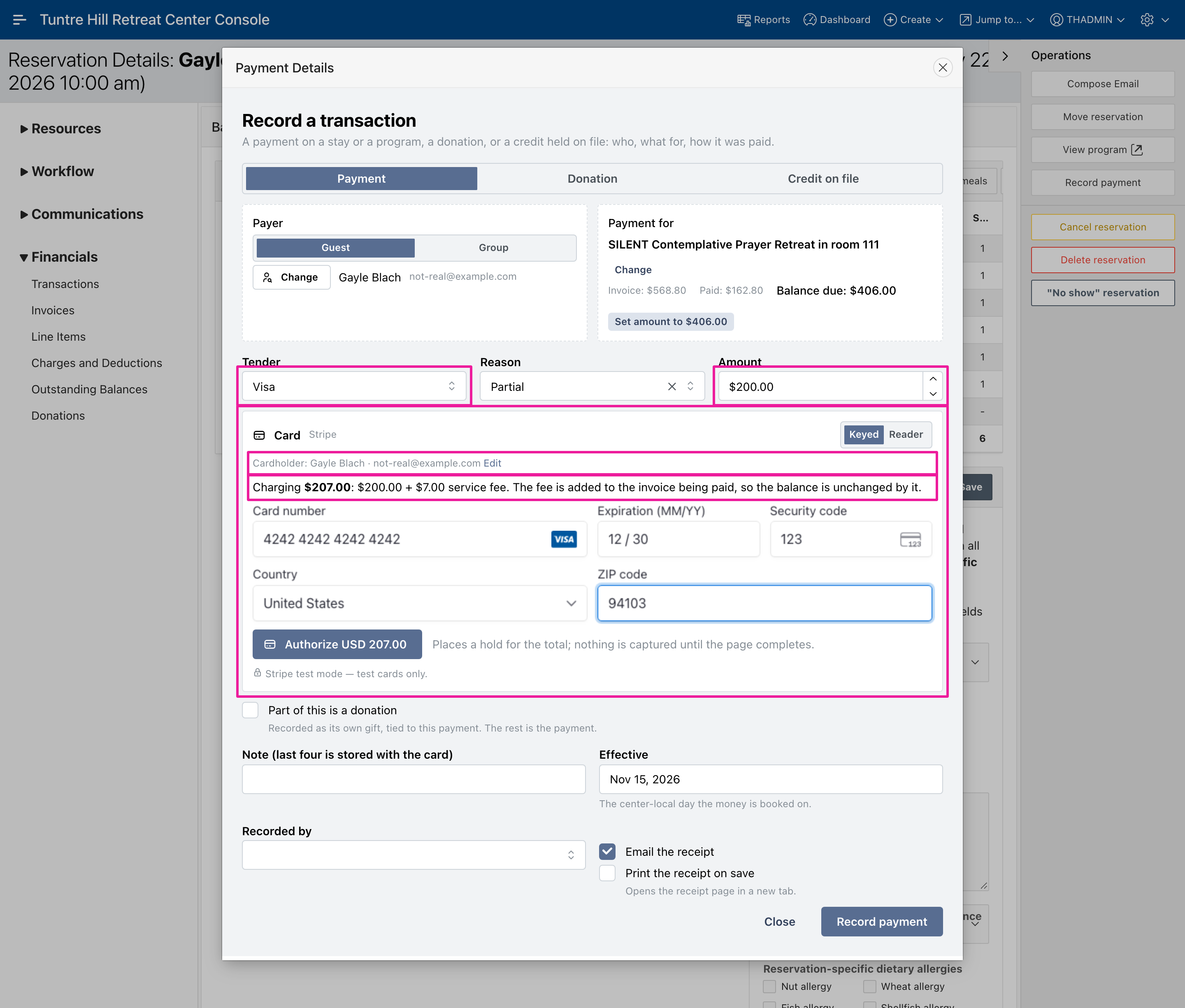
Section titled “Enter the card”Pick the card brand under ‘Tender’, a ‘Reason’, and the ‘Amount’. The card step appears below. It names the cardholder (the payer’s name and email, with ‘Edit’ if the card belongs to someone else), and states the charge: here “Charging $207.00: $200.00 + $7.00 service fee”. The fee is your center’s setting for staff-recorded card payments; see Payment Processing Settings.
Type the card number, expiry, security code, and ZIP code into the card fields. With a paired card reader, click ‘Reader’ at the top of the card step instead, pick the device, and click the send button; the customer taps or inserts the card and the window reports when it has been read. The reader option appears only for centers on Stripe or Square with a reader set up.
Click ‘Record payment’. The card is charged as the payment is saved; a declined card leaves the form as you filled it so you can try another card, and nothing is recorded.
What you see after
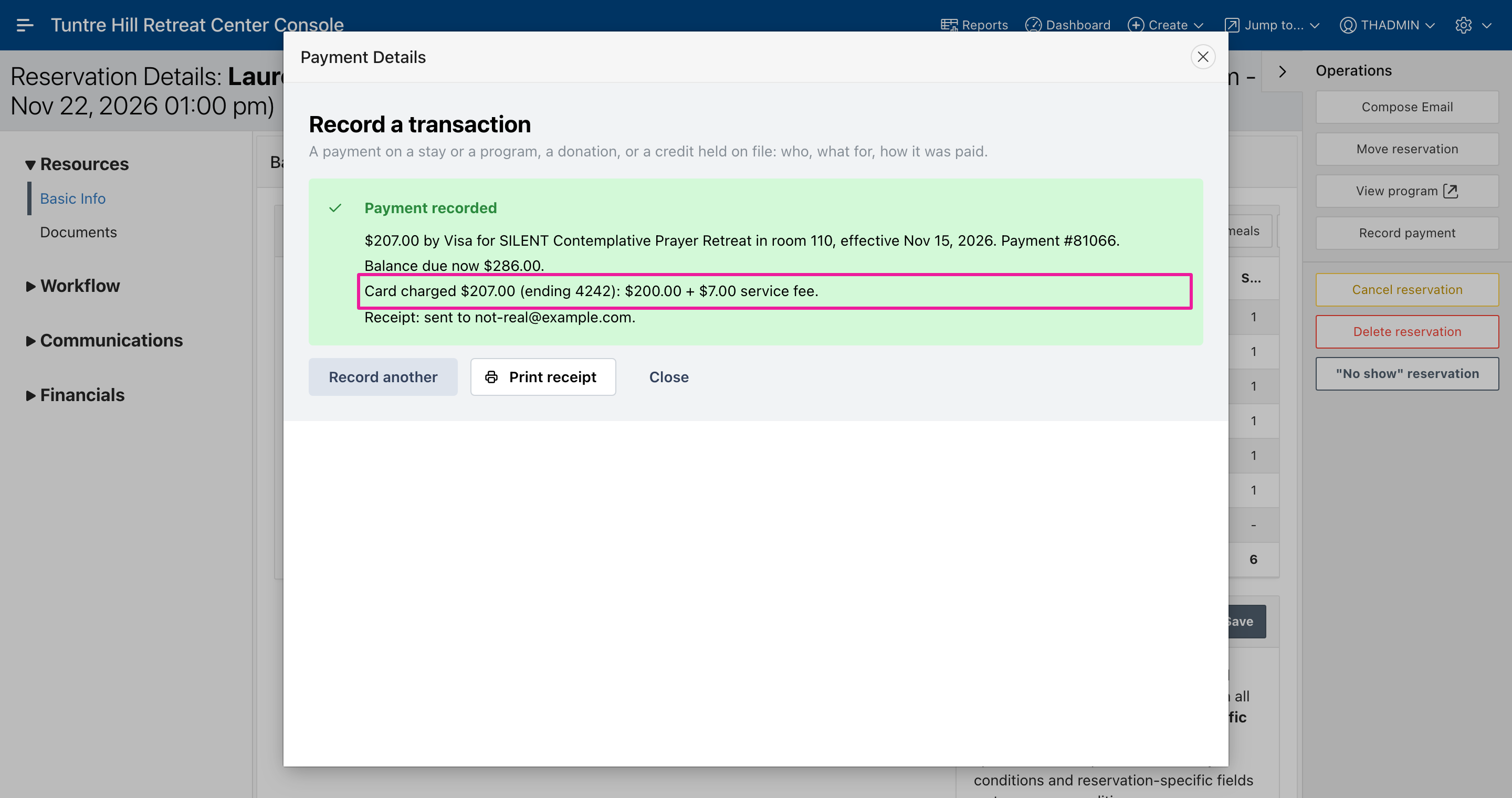
Section titled “What you see after”The confirmation names the card charged, the last four digits, and how the total was made up. The new balance is the balance before the payment less the amount you typed: the service fee doesn’t change what the guest owes.
Where the fee lands
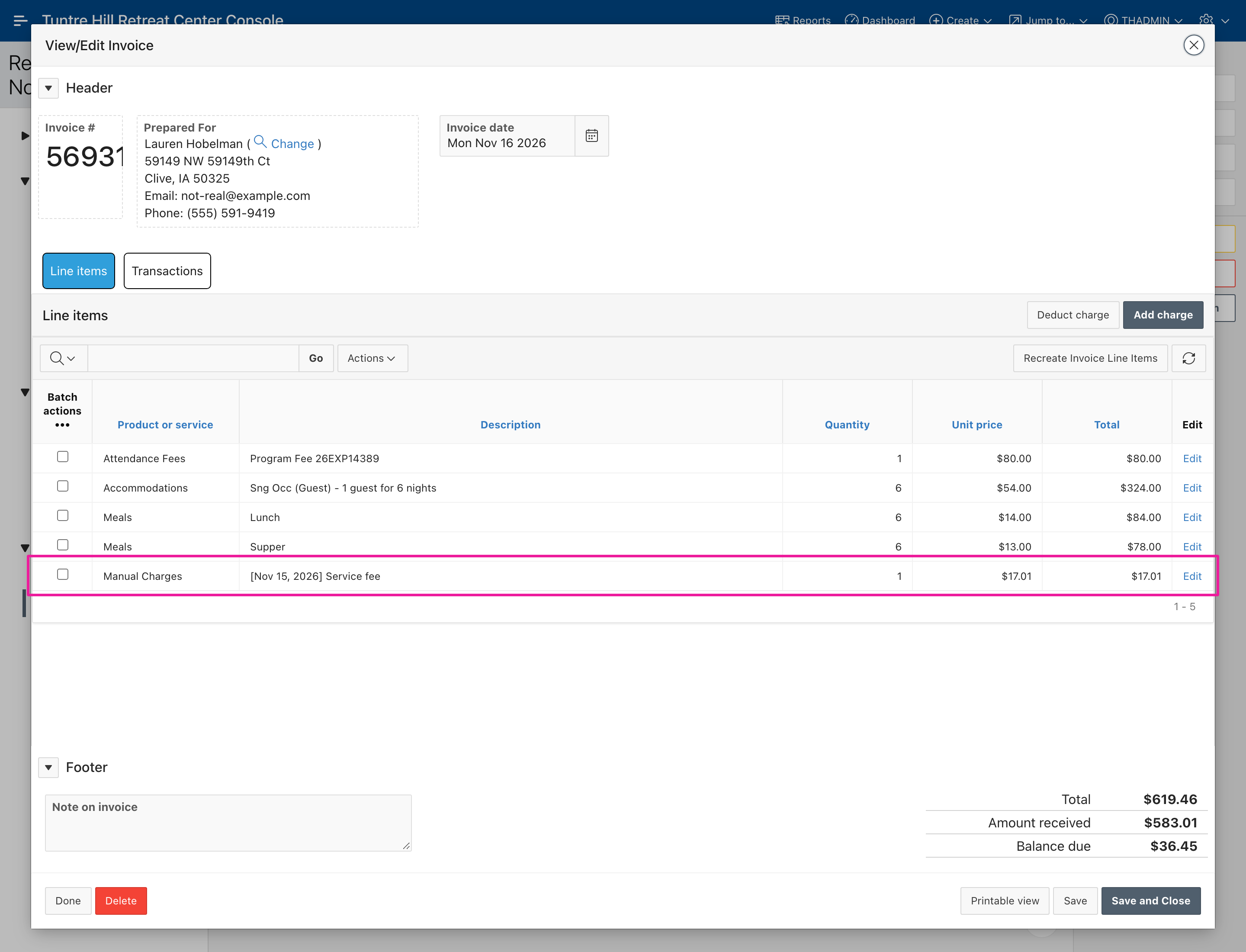
Section titled “Where the fee lands”The payment itself is recorded for the full amount charged to the card. So that the invoice still balances, the fee is also added to the invoice being paid as a ‘Service fee’ line. Open the invoice from the reservation’s page (on the left, expand Financials and click ‘Invoices’, then the row’s three dots and ‘View / Edit invoice’) and you’ll see the line under Manual Charges, dated the day of the payment.
If the stay had no invoice yet, one is opened for it to carry the fee line; the confirmation says so. A refund or void of the whole charge takes the fee line off again, since the fee was never collected; a partial refund leaves it. See Refunds and Voids.