
Meeting Room Calendar
The Meeting Room Calendar answers “is that room free?” at a glance. Pick a meeting room — or look at them all — and see a calendar of when each is in use and when it sits open. It’s the view to check before you promise a group the Chapel for Thursday afternoon.
Open Meeting Room Calendar
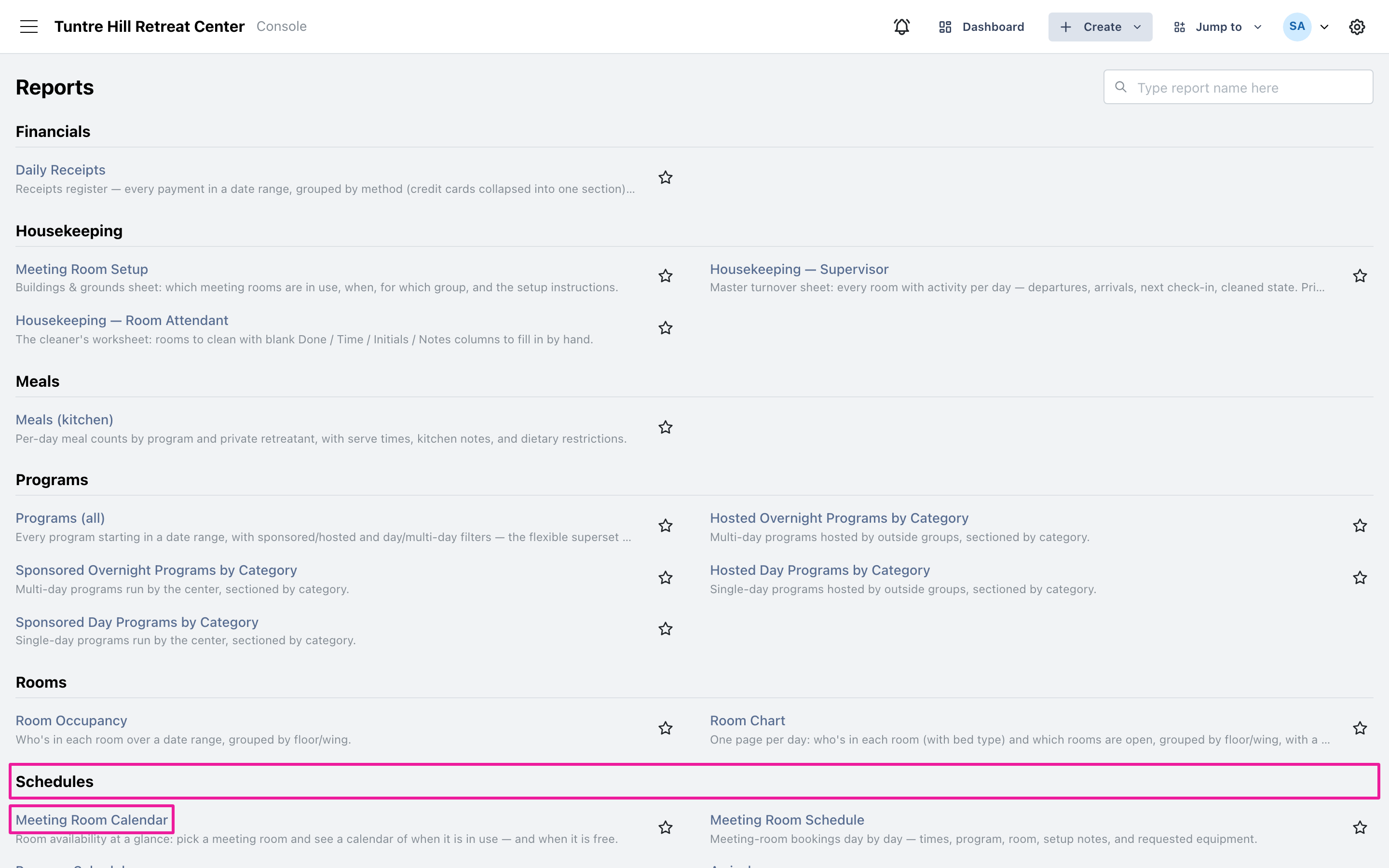
Section titled “Open Meeting Room Calendar”Click the menu icon on the top-left and select ‘Reports’ > ‘All Reports’, then find ‘Meeting Room Calendar’ in the Schedules section.
Pick the dates, rooms, and view
Section titled “Pick the dates, rooms, and view”Click the date range button to choose the stretch you care about — a calendar can span up to six months. The ‘Meeting room’ picker starts on all rooms; narrow it to one or a few to focus the grid. ‘View’ flips between a month grid and a week grid.
Read the calendar
Section titled “Read the calendar”Every room keeps its own color — the legend at the top shows each room and how many days of the range it’s in use. Each day lists its bookings with times, totals its booked hours at the bottom, and days with nothing scheduled say ‘free’. When a day holds more than fits, ‘+N more’ tells you what’s hidden — narrow to fewer rooms or flip to the week view for the full detail.
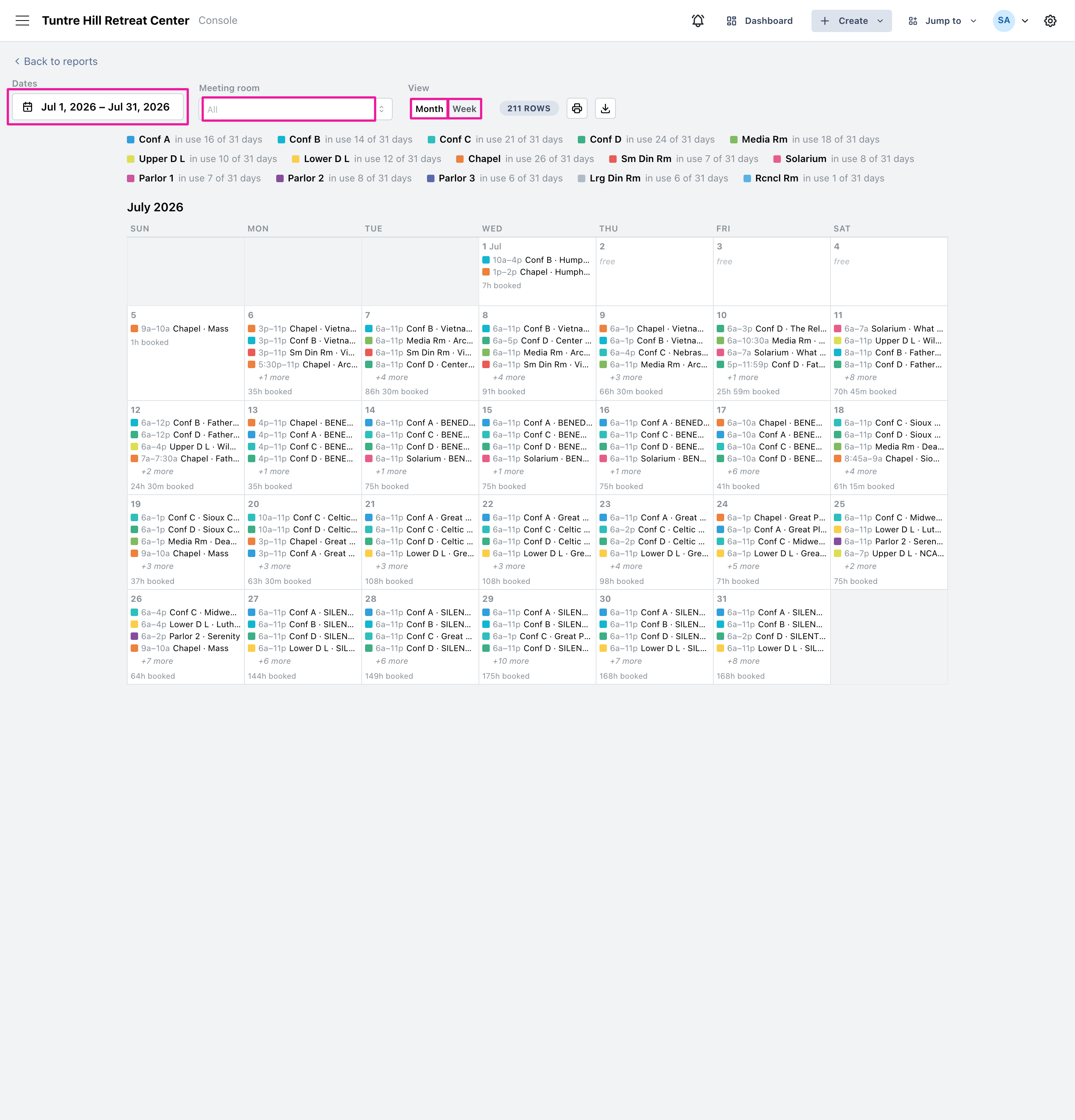
Use the printer icon to print the calendar, or the icon beside it to export a CSV file.