
Receipts
Every payment, refund, and donation recorded by staff can send the payer an email receipt, and every one has a receipt page you can print, open, or send again. Receipts are off until you switch them on; once on, the payment window defaults to sending and you untick it for the entries that shouldn’t.
Turn receipts on
Section titled “Turn receipts on”Click the gear icon on the top-right and select ‘Business’. On the left, under Financial, click ‘Payment Processing’ and switch on ‘Email receipts automatically’ in the ‘Receipts’ card at the bottom (Payment Processing Settings covers the rest of that page).
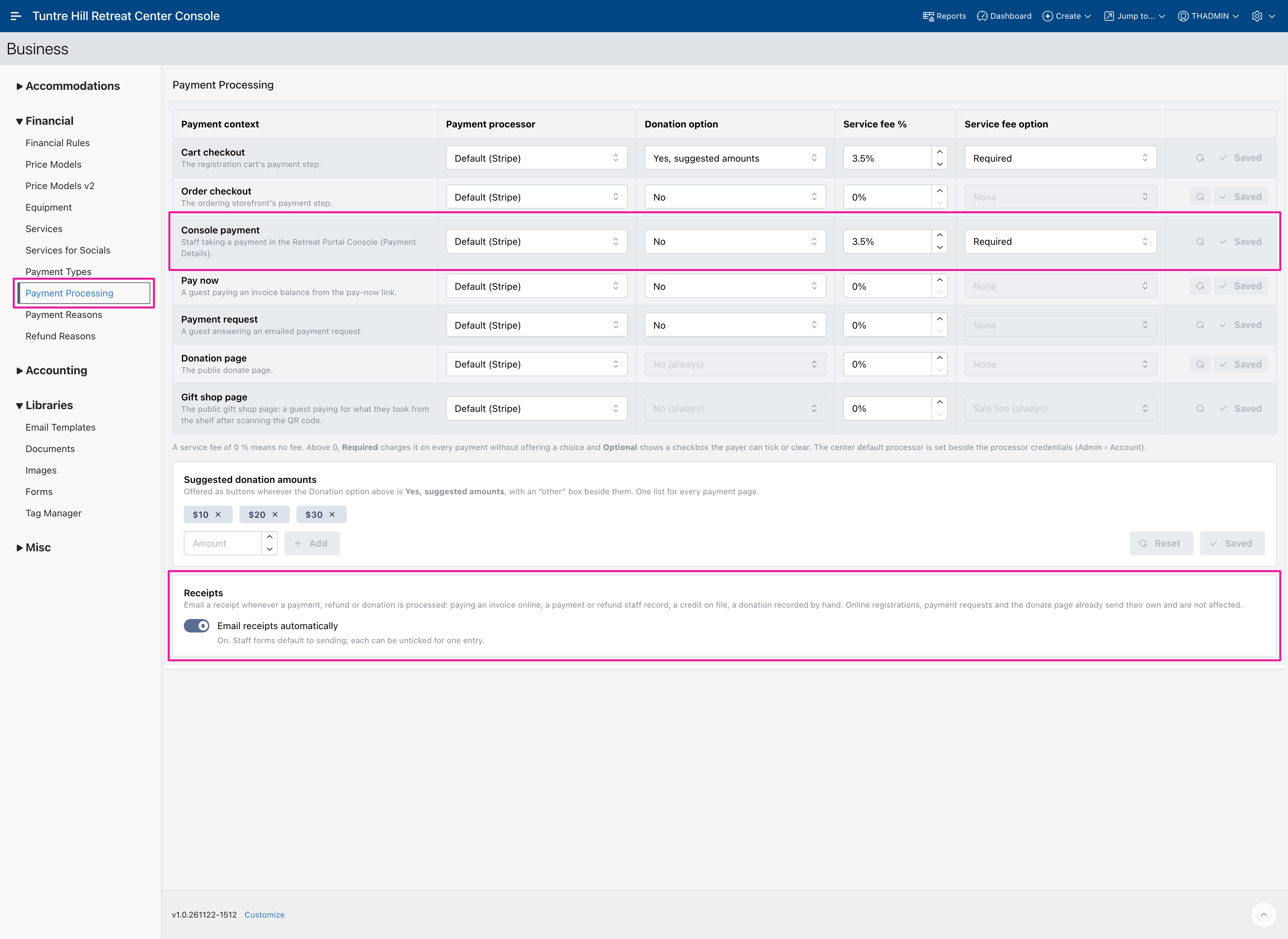
Online registrations, payment requests, and the public donate page send their own confirmations already and are not affected. The wording of the payment and refund receipts, and of the donation thank-you, is yours to edit under ‘Email Templates’.
Choose per entry
Section titled “Choose per entry”With receipts on, ‘Email the receipt’ in the payment window is ticked for you. Untick it for a back-dated entry or a write-off, or when the payer has no email on file (the box says so). ‘Print the receipt on save’ opens the receipt page in a new tab as soon as the entry is saved. The confirmation after saving reports where the receipt went.
The receipt the payer gets
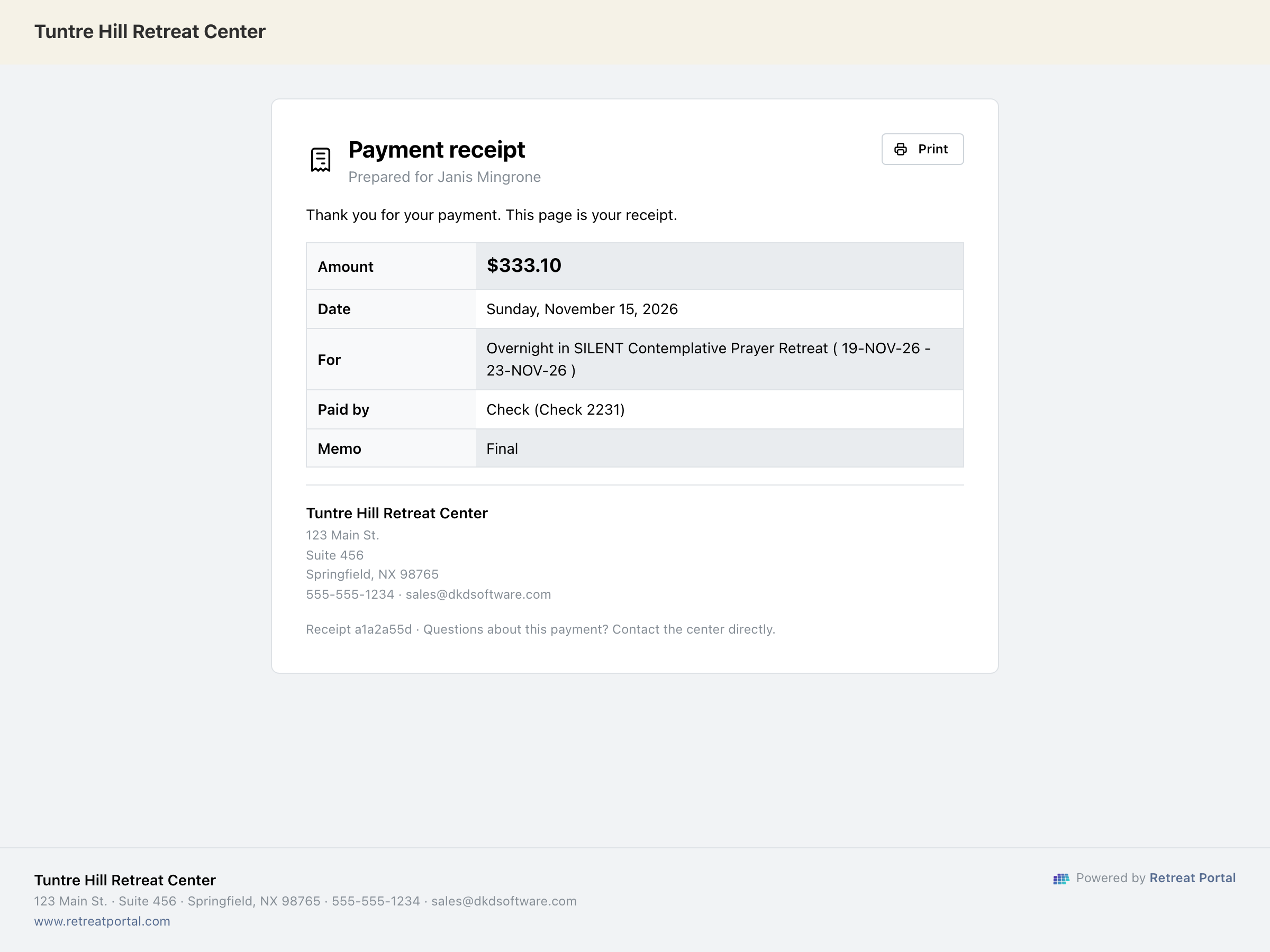
Section titled “The receipt the payer gets”The email carries a link to the receipt page: who paid, how much, what for, when, and by what tender, with your center’s name and address. It shows no balance and nothing else about the account, so it is safe to forward.
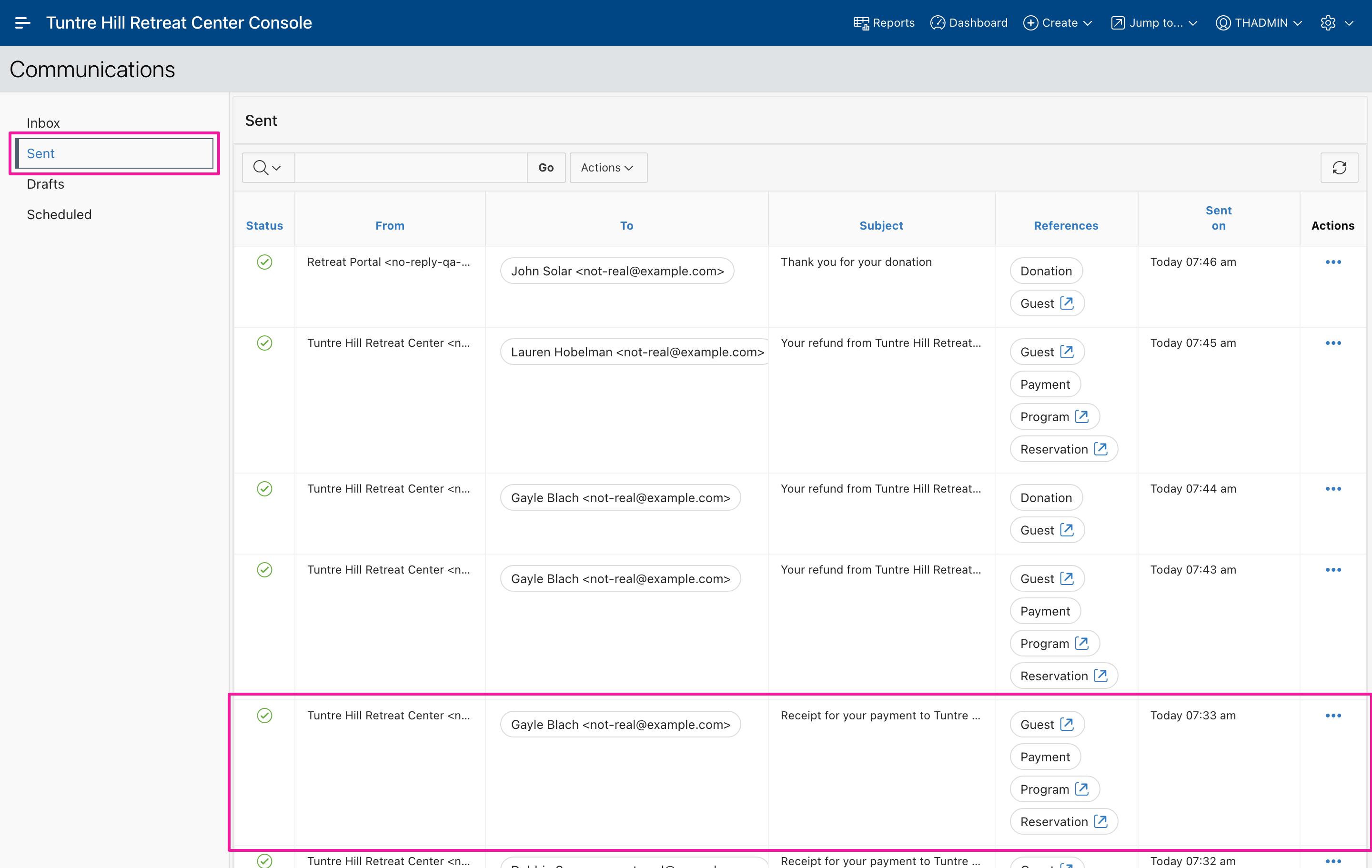
Every email the center sends is also kept: click the menu icon on the top-left, select ‘Workflows’ > ‘Communications’, and click ‘Sent’ on the left to find the receipt that went out.
Send a receipt again
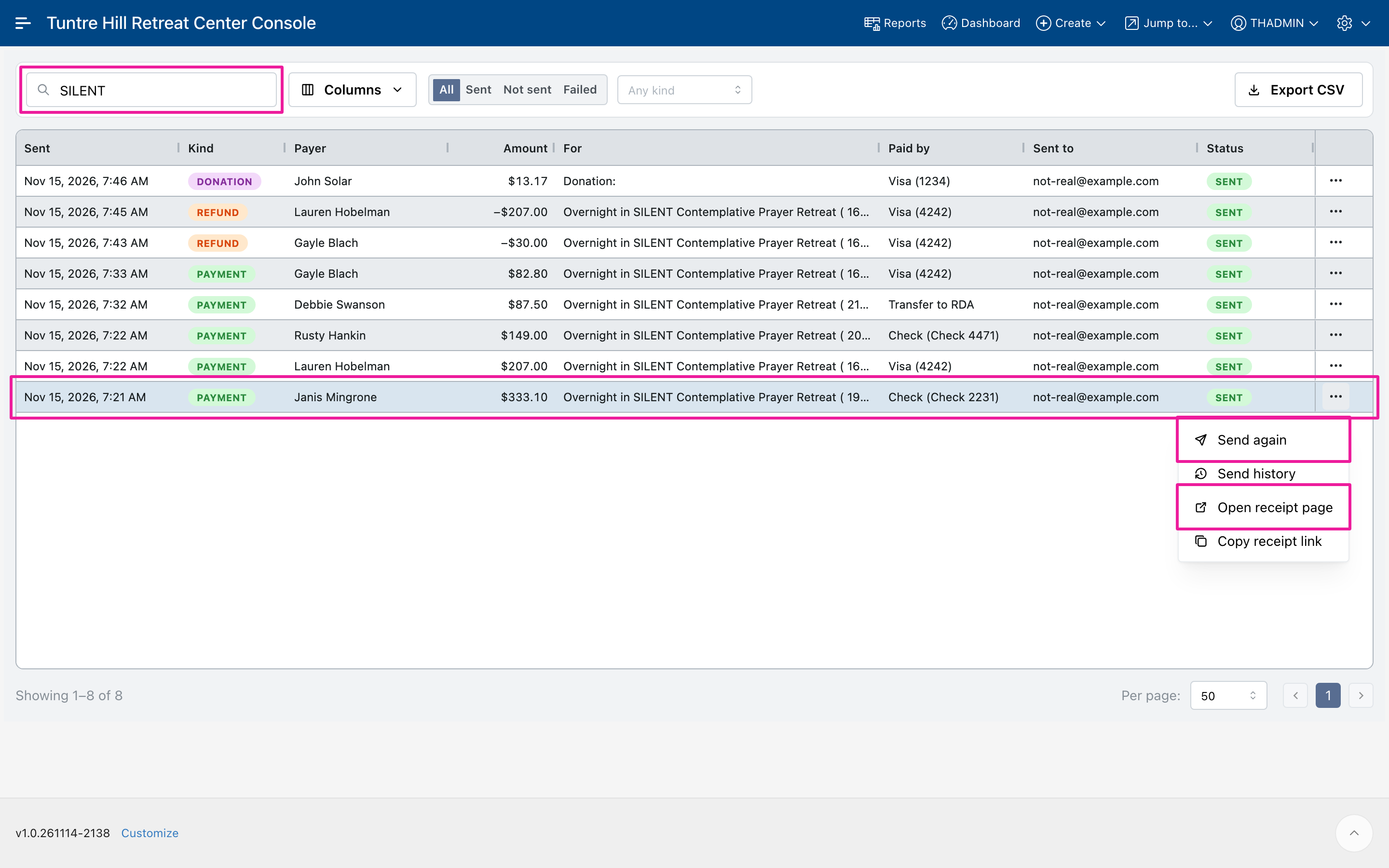
Section titled “Send a receipt again”The Sent Receipts list is one row per payment, refund, or donation that has a receipt, with when it was sent and to whom. Click the three dots on a row for ‘Send again’ (to the payer, or to an address you type), ‘Send history’, ‘Open receipt page’, and ‘Copy receipt link’. The list is under the main menu’s ‘Financials’ > ‘Sent Receipts’ for super admin logins; a program’s page carries the same list for its own payments.
A gift’s receipt can also be sent from the program’s or guest’s Donations tab: the three dots on the gift’s row offer ‘Send receipt’ and ‘Open receipt’.