
Write Off an Unpaid Balance
Write off a balance when the stay was billed, the statements went out, and the money is not coming. The invoice stays as it was, since the center did earn it; what changes is that the balance is closed with a write-off entry, so the guest drops off the outstanding-balances lists and the reports count the amount as written off rather than paid. Most centers do this at period end, often for a batch of small balances at once.
Which one: a deduction or a write-off
Section titled “Which one: a deduction or a write-off”The rule is who decided the amount wouldn’t be collected.
| Who decided | What it is | Where it goes |
|---|---|---|
| The center chose to charge less: a discount, a night the center covers, a correction | A deduction on the invoice | Deduct a Charge |
| The guest or group didn’t pay what was billed, and the center has stopped expecting it | A write-off on the payments | This page |
The test is “would we still like to be paid?” If the answer is no, because the center decided the guest shouldn’t owe it, that is a deduction and the invoice should say so. If the answer is yes but the money isn’t coming, that is a write-off: the invoice stands as billed, and the reports show the amount under ‘Written off’ rather than hiding it in a smaller invoice. Keeping the two apart is what lets Billed vs. Net tell what was given away from what was never collected.
Before you start
Section titled “Before you start”The write-off is recorded under a payment type of your own, such as ‘Bad debt’, classed as a write-off. Set that up once under the gear icon > ‘Business’ > ‘Payment Types’; see Payment Types and Settlement Classes.
Record the write-off
Section titled “Record the write-off”Open the reservation’s page and click ‘Record payment’ under Operations on the right. Pick your write-off type under ‘Tender’, click ‘Set amount to’ to fill in the balance (or type a smaller amount for a partial write-off), and type the reason under ‘Note’. Untick ‘Email the receipt’: nothing was received, so there is nothing to acknowledge.
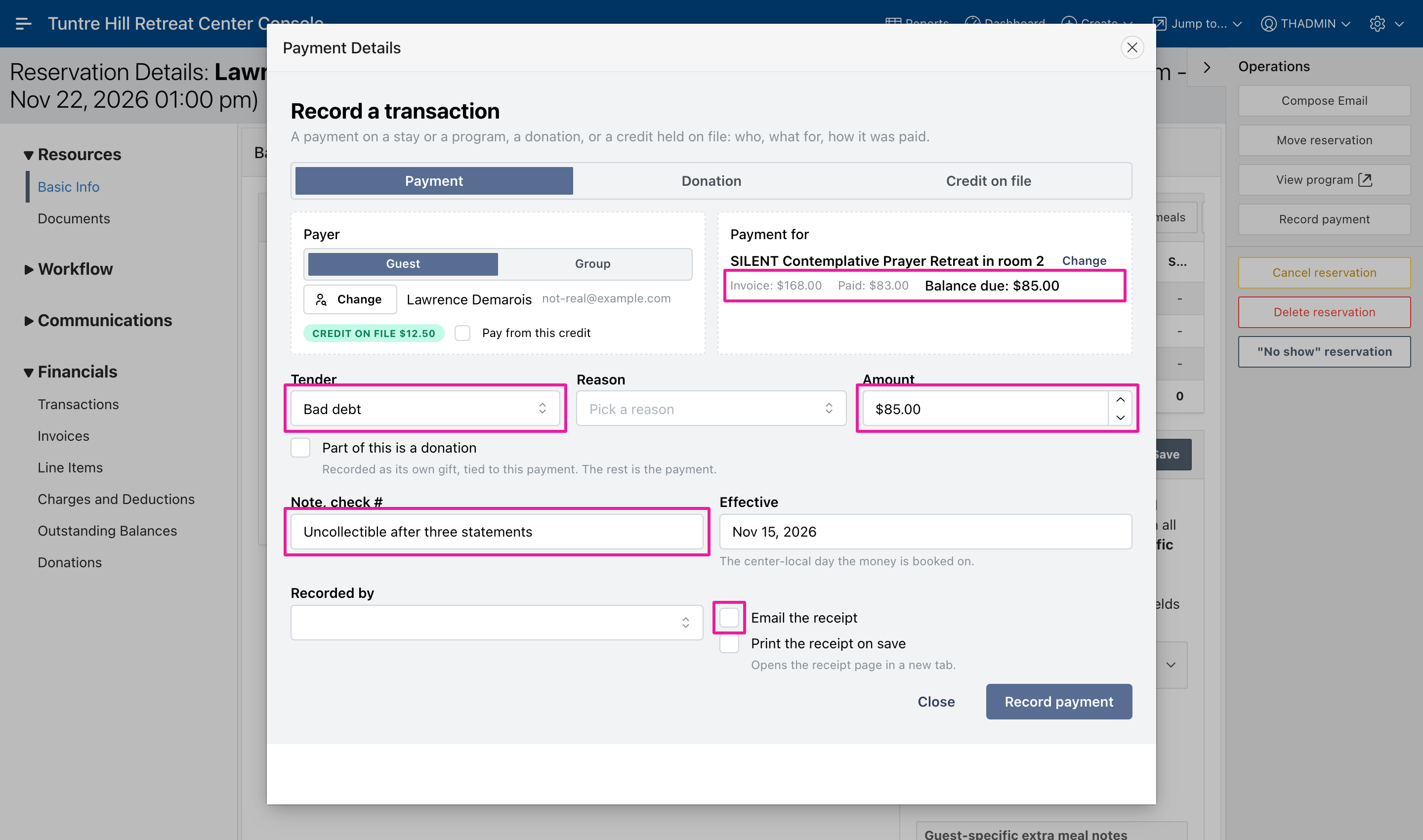
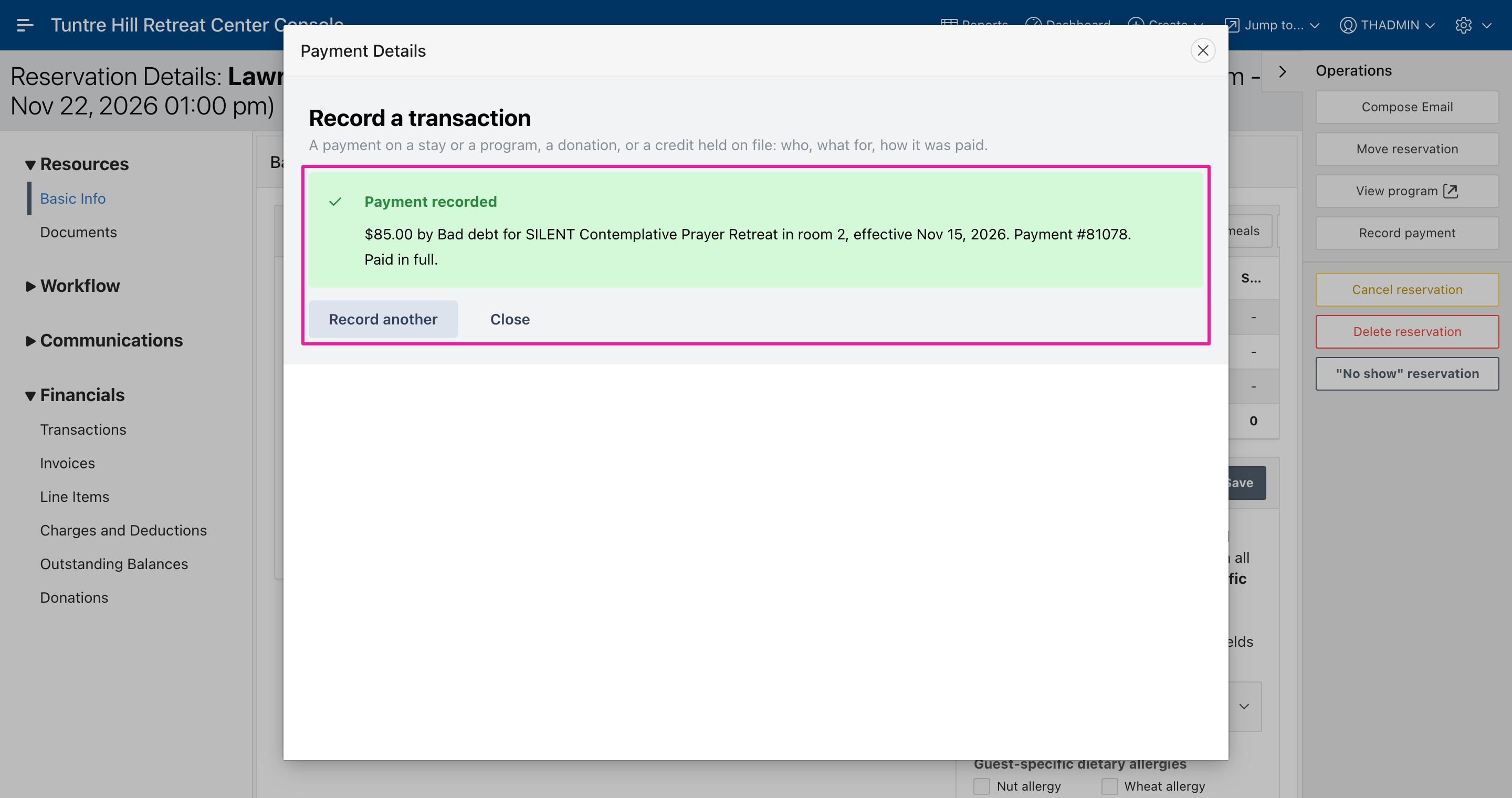
Click ‘Record payment’. The balance reads paid in full.
Where it shows up
Section titled “Where it shows up”The write-off is a row on the guest’s account under Financials > ‘Transactions’, with the type and your note. In Daily Receipts it sits in its own ‘Write-offs (no cash)’ section below the cash, so the deposit total is unaffected. On the program billing reports the amount appears under ‘Written off’ beside ‘Paid’. To reverse a write-off, record a negative amount under the same type.